Template details
Copper Jekyll Theme
A free, responsive Jekyll theme for Markdown blogging with two layouts, LaTeX support, syntax highlighting, and GitHub Pages deployment.
About this template
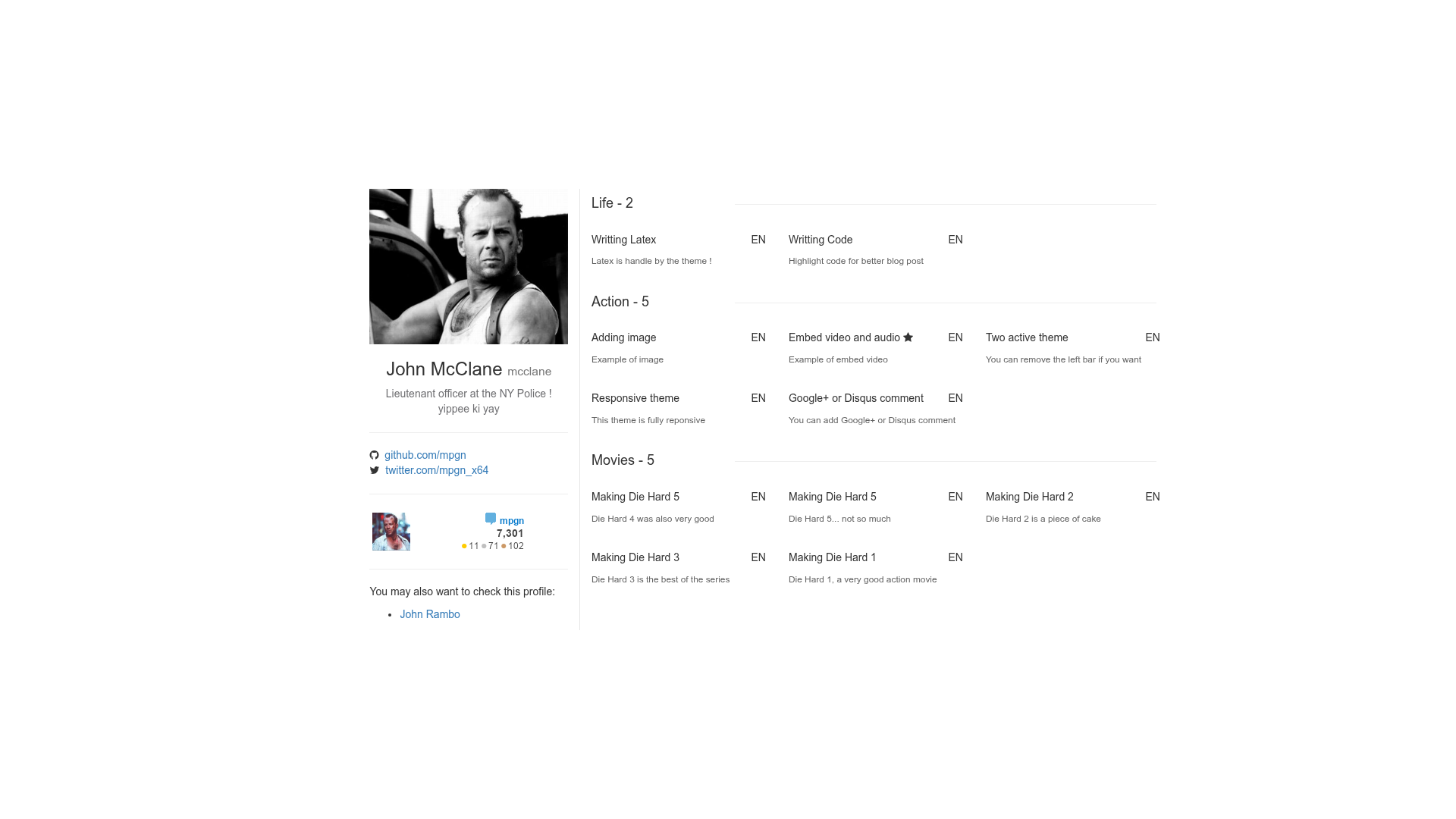
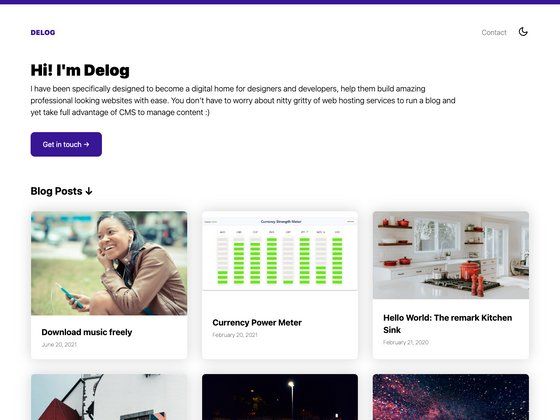
Copper Jekyll Theme is a free, open-source Jekyll theme for Markdown blogging that runs on GitHub Pages and offers two layout variants, syntax highlighting, LaTeX support, and category handling.
What is Copper Jekyll Theme?
Copper Jekyll Theme is a static blog theme built on Jekyll, using the Jekyll Now repository as its starting base. It takes Markdown posts with YAML front matter and a _config.yml configuration file, and produces a fully static, responsive blog site that can be hosted on GitHub Pages with no additional setup. The theme is published under the MIT licence and is available for anyone to fork and customize.
The theme includes Bootstrap 3 SASS for responsive styling and FontAwesome for icons. It supports three distinct content categories, a left sidebar that can be toggled on or off, and generates an RSS feed automatically. Posts can carry metadata such as a category, language, description for Twitter cards, a GitHub project link, and a sticky flag that displays a star icon in the post listing.
Key Features
- Markdown blogging — Write posts in plain Markdown; post front matter controls title, category, language, tweet description, optional GitHub URL, and a sticky marker.
- Two layout themes — Toggle the left sidebar by setting
left_barto true or false in_config.yml; this switches between a two-column and a one-column blog layout. - Syntax highlighting — Code blocks are highlighted out of the box for a better developer reading experience.
- LaTeX support — Mathematical equations can be written directly in posts and rendered on the page.
- Three categories — The theme natively handles three different category sections; each category has its own page created with a minimal file using the
categorylayout. - RSS feed — Readers can subscribe to the blog through an auto-generated RSS feed.
- Social sharing and comments — Posts include a Twitter share button and can integrate either Google+ or Disqus for comments (Google+ is now defunct, so Disqus is the recommended option).
- FontAwesome icons — Icon fonts are included for social links and visual accents.
Who is it for?
- Jekyll developers — Those who want a clean, working blog theme as a starting point and plan to customize the Sass, layouts, and config file.
- Technical bloggers — Writers who prefer authoring in Markdown and want a simple deployment pipeline using GitHub Pages.
- Academics — People publishing math-heavy content benefit from built-in LaTeX rendering.
- Open-source maintainers — The theme’s category and GitHub link features make it easy to maintain a project blog with separate sections for announcements, docs, or releases.
What can you do with Copper Jekyll Theme?
- Academics: write lecture notes or research posts containing LaTeX formulas and publish them as a static blog with RSS.
- Developers: set up a personal portfolio/blog by forking the repo, editing
_config.yml, and pushing to GitHub Pages — you get a live site in minutes. - Tech writers: create a multi-category blog with distinct sections (tutorials, opinion, news) and enable Disqus for reader comments.
How does Copper Jekyll Theme work?
- Fork the repository to your GitHub account.
- Edit the
_config.ymlfile with your site title, author name, and other settings. - Add Markdown posts in the
_postsdirectory using the required front matter (layout, title, category, lang, description, and optionally github and sticky). - Create category pages by adding files at the same level as
index.htmlwith thecategorylayout and apermalinkmatching your category name. - Push everything to GitHub and enable GitHub Pages under the repository settings. The site builds automatically.
FAQ
Is Copper Jekyll Theme free?
Yes. The theme is open-source and released under the MIT licence, so you are free to use, modify, and redistribute it, including for commercial projects.
Does Copper Jekyll Theme support Disqus comments?
Yes. The theme lets you choose between Google+ comments and Disqus in its configuration. Since Google+ no longer exists, Disqus is the practical choice for enabling discussion on posts.
How do I switch between the two themes?
Set the left_bar value in _config.yml. Setting it to true shows the left bar; false removes it, giving a single-column layout.
Can I host it on GitLab Pages or Netlify?
The instructions in the repository specifically cover GitHub Pages, but because the output is static Jekyll-generated HTML, it can be built and deployed to any static host by running Jekyll locally or via a CI service.