Template details
Jekmdl
Jekyll blog theme using Material Design Lite with Google Custom Search Engine integration.
About this template
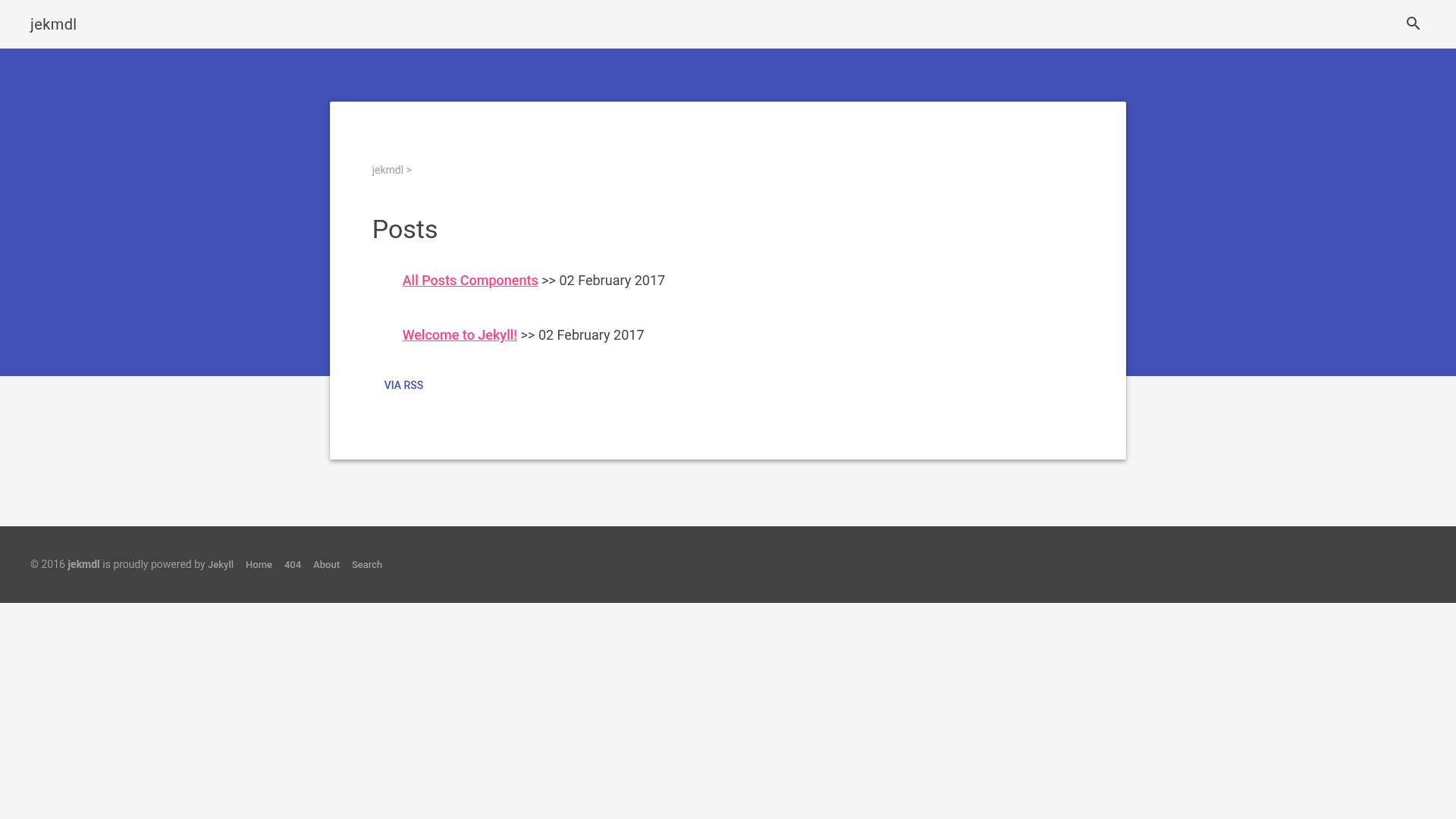
Jekmdl is a Jekyll blog theme built on Google's Material Design Lite that gives static Markdown posts a clean Material-style presentation, with optional Google Custom Search Engine integration for search.
What is Jekmdl?
Jekmdl is a Jekyll theme that uses the Material Design Lite (MDL) framework for its UI components. It takes Jekyll posts written in Markdown with YAML front matter and outputs a static HTML site styled with MDL's cards, buttons, and navigation. The theme lives in the GitHub repository tigefa4u/jekmdl and is described as a blog platform using the Jekyll command-line interface.
Key Features
- Material Design Lite styling — Uses MDL's CSS and JavaScript for a Material Design look with ripple effects, cards, and responsive navigation.
- Jekyll front matter — Posts carry YAML fields for layout, title, date, author, and categories, as shown in the sample post with categories
jekmdlandposts. - Google Custom Search Engine — Add a
gcsekey containing your CSE ID to a page or post to embed Google search results restricted to your site. - Command-line workflow — Works with Jekyll's standard CLI commands for building and serving, fitting a static-site workflow.
Who is it for?
Jekmdl is aimed at Jekyll users who want a Material Design appearance without managing a complex front-end build. It also suits developers who prefer editing Markdown files and YAML front matter over a database-backed CMS. Technical writers publishing documentation as static files can use Jekmdl as a lightweight, searchable theme.
What can you do with Jekmdl?
Bloggers: publish posts by dropping Markdown files with YAML front matter into the _posts directory and running jekyll build.
Site owners: add a Google Custom Search Engine ID to the gcse field to give visitors site search with Google's results-only theme.
Developers: customize the MDL-based templates directly in the theme's HTML files, then deploy the generated static site to any hosting service.
How does Jekmdl work?
Jekmdl follows the standard Jekyll theme workflow. You install the theme, create posts using the provided front matter schema, and run jekyll build to produce a static site. For search, you create a Custom Search Engine at Google, copy the CSE ID, and place it in the gcse field of any page or post where search should appear.
Alternatives
- Minimal Mistakes — a feature-rich Jekyll theme with multiple layouts and a larger community.
- Chirpy — a Jekyll theme focused on blogging with built-in SEO and analytics support.
FAQ
Is Jekmdl free?
Jekmdl is an open-source theme hosted on GitHub, so it is free to download, use, and modify under the repository's license.
What does the gcse field do?
The gcse field stores your Google Custom Search Engine ID. When present, Jekmdl embeds a Google search box that shows results from your site only.
How do I create a Google Custom Search Engine?
Go to Google's CSE creation page, select "results only" as the theme, and then copy the generated CSE ID into your Jekmdl front matter.
Does Jekmdl require JavaScript?
Material Design Lite components use JavaScript for interactions like ripple effects and menus, so a modern browser with JavaScript enabled is needed for full functionality.
Can I use Jekmdl with GitHub Pages?
Because Jekmdl is a standard Jekyll theme, it can be hosted on GitHub Pages as long as the repository follows the expected structure.