Template details
Gatsby + Decap CMS Starter
Open-source Gatsby v4 starter pairing Decap CMS with Netlify for a Git-based business site with blog.
About this template
Gatsby + Decap CMS Starter is an open-source Gatsby v4 starter that combines the Gatsby static site generator with Decap CMS (formerly Netlify CMS) to produce a Git-based JAMstack business website with an editable blog.
What is Gatsby + Decap CMS Starter?
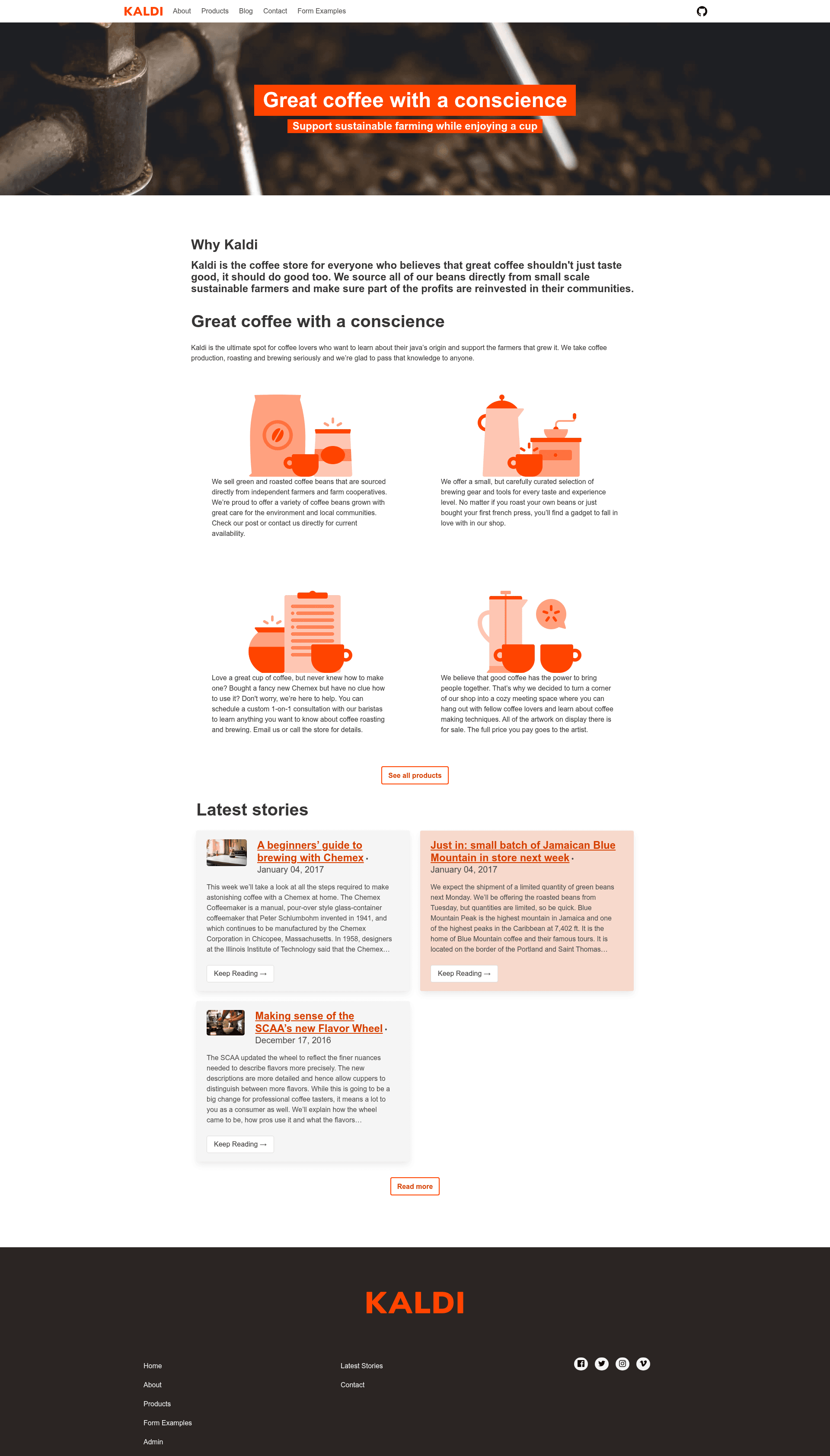
Gatsby + Decap CMS Starter is a starter repository maintained by Decap CMS that outputs a pre-rendered static business website. It takes a Git repository as its source of truth and produces an optimized Gatsby site that Netlify can continuously deploy and distribute through a CDN. The template implements the Kaldi coffee company example, adapted from the One Click Hugo CMS project.
Key Features
The starter's main features are organized around CMS-driven content editing, static site performance, and Netlify deployment tooling.
- Editable pages – Landing, About, Product, Blog-Collection, and Contact pages are included, with Netlify Form support on the Contact page.
- Decap CMS blog management – Create and edit blog posts from the Decap CMS admin interface; each post renders as a static page.
- Tag pages – Posts are grouped by tag, with a dedicated page for each tag.
- Bulma styling with PurgeCSS – The site uses the Bulma CSS framework, reduced by roughly 90 percent (from around 170K) via gatsby-plugin-purgecss.
- Gatsby Image with CMS previews –
gatsby-plugin-imageis wired to Decap CMS preview templates for the index, about, product, and blog post page types. - Netlify functions – Serverless functions in the
netlify/functionsfolder run locally withnetlify devand deploy on Netlify. - Perfect Lighthouse scores – SEO, Accessibility, and Performance each score perfectly; PWA is a work in progress.
- Optional media libraries – Uploadcare and Cloudinary media libraries are pre-installed but can be removed to speed up builds.
Who is it for?
This starter suits anyone who wants a Git-backed business site with easy content editing and a modern static stack.
- Small business owners who want to manage their own site content through a CMS without running a separate database.
- Web developers who need a JAMstack starter with a Git-based CMS and Netlify deployment for client projects.
- Agencies that want to hand off content editing to non-technical users while keeping the site static and fast.
What can you do with it?
With this starter you can launch, edit, and extend a JAMstack business website with minimal setup.
- Launch a business website in one click – Use the Deploy to Netlify button to create a GitHub repository with the template, then Netlify builds and deploys the site.
- Edit content from an admin UI – Go to
/adminon the deployed site, log in with Netlify Identity, and create pages or blog posts that commit directly to the Git repo. - Add serverless functions – Drop a function into the
netlify/functionsfolder and test it withnetlify devduring local development.
How does it work?
The starter works by using Git as the single source of truth: Decap CMS commits content changes, Netlify rebuilds the Gatsby site, and the static output is served from a CDN. To run locally, clone the repo, run yarn and netlify dev, and use npx netlify-cms-proxy-server to authenticate the CMS on localhost:3000/admin.
Pros and cons
The trade-offs come from the project's JAMstack architecture and its tight Netlify integration.
- Pros: pre-rendered HTML with automatic JS chunk loading; perfect Lighthouse accessibility and performance scores; integrated CMS previews; Netlify functions included.
- Cons: requires Node.js 14.15.0 or newer; Windows users without WSL may need to install Python 2.7 and Visual C++ build tools for node-gyp; uploadcare and cloudinary media libraries must be explicitly removed to save build time.
FAQ
Is Gatsby + Decap CMS Starter free?
Yes, the starter is open source and carries a code of conduct for contributors. You can use it for personal or commercial projects without licensing fees.
What Node.js version do I need?
The prerequisites list Node.js 14.15.0 as the minimum version. Using a recent stable release is recommended to avoid node-gyp issues.
How do I test the CMS locally?
After running npm run build, start netlify dev in one terminal. In a second terminal, run npx netlify-cms-proxy-server; you will be automatically logged in as a user at localhost:3000/admin.
Can I remove the Uploadcare and Cloudinary media libraries?
Yes, both are optional. Comment out their imports and registerMediaLibrary calls in src/cms/cms.js, then run yarn remove decap-cms-media-library-uploadcare and/or yarn remove decap-cms-media-library-cloudinary to drop the dependencies.
Does the contact page support forms?
Yes, the Contact page includes Netlify Form support, so form submissions work when the site is deployed on Netlify.