Template details
Gatsby Redux-Toolkit Typescript Starter
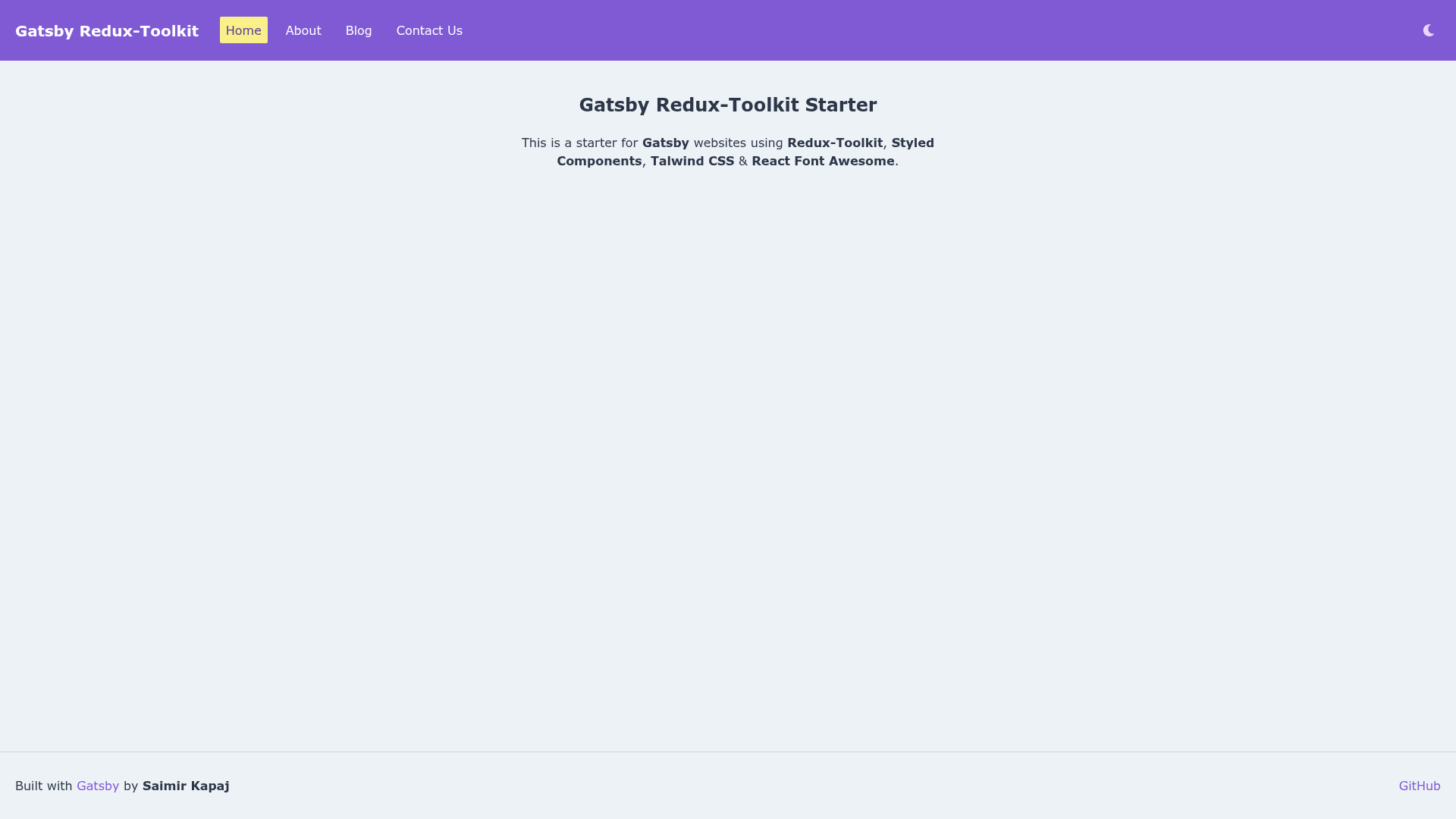
Gatsby starter with Redux Toolkit, Styled Components, Tailwind CSS, and React Font Awesome pre-configured.
About this template
Gatsby Redux-Toolkit Typescript Starter is a boilerplate Gatsby starter that pre-configures Redux Toolkit, Styled Components, Tailwind CSS, and React Font Awesome for building static websites. It provides a ready-to-use foundation for developers who want to skip the repetitive setup and start building a Gatsby site with a modern state-management stack.
What is the Gatsby Redux-Toolkit Typescript Starter?
This is a starter template for Gatsby, the React-based static site generator. The starter wires together Redux Toolkit for predictable state management, Styled Components for CSS-in-JS styling, Tailwind CSS for utility-first styling, and React Font Awesome for icons. It is written in TypeScript, as indicated by the title. The repository is maintained by Saimir Kapaj, and it ships with a live demo hosted on Netlify and one-click deployment buttons for Netlify and ZEIT Now.
Key Features
- Redux Toolkit — Provides a pre-configured Redux store setup using the toolkit's recommended patterns, including the
configureStoreAPI and built-in middleware. - Styled Components — Installed and configured for writing scoped CSS directly inside React components.
- Tailwind CSS — The utility-first CSS framework is set up alongside Styled Components, giving developers both utility classes and component-level styling options.
- React Font Awesome — Font Awesome icons are available as React components, so you can import icons and use them directly in JSX.
- TypeScript — The starter is TypeScript-based, enabling type-checking and editor autocompletion across your Gatsby project.
- One-click deployment — The README includes deploy buttons for Netlify and ZEIT Now, allowing you to deploy the starter to either platform without leaving the repository page.
- Demo site — A live demo is available at gatsby-redux-toolkit.netlify.com, so you can preview the starter's behavior before cloning.
Who is it for?
- Gatsby developers who want to skip the boilerplate of wiring Redux Toolkit into a Gatsby project and start with a working state management setup.
- Frontend developers who want both Tailwind CSS and Styled Components available in the same project, allowing them to choose between utility classes and styled components per component.
- TypeScript users building a Gatsby site who value type safety from the initial scaffold.
- Hobbyists and teams launching a static site who want a quick path from
gatsby newto a deployed site on Netlify or ZEIT Now.
What can you do with the Gatsby Redux-Toolkit Typescript Starter?
- Scaffold a new site — Run
gatsby new my-site-name https://github.com/saimirkapaj/gatsby-redux-toolkit-starterto generate a Gatsby project with the starter's dependencies and configuration already in place. - Develop locally — Use
gatsby developto start a hot-reloading development server at http://localhost:8000. - Create an optimized production build — Use
gatsby buildto generate static HTML plus JavaScript and CSS bundles. - Test production output — Use
gatsby serveto preview the built site locally at http://localhost:9000.
How does the Gatsby Redux-Toolkit Typescript Starter work?
The starter is a GitHub repository that Gatsby's CLI can consume as a template. After you clone it with gatsby new, you have a standard Gatsby project structure with additional configuration for Redux Toolkit, Styled Components, Tailwind CSS, and React Font Awesome. The README outlines a four-step workflow: create the site, develop, build, and serve.
FAQ
How do I create a new site with the Gatsby Redux-Toolkit Typescript Starter?
Use the Gatsby CLI: gatsby new my-site-name https://github.com/saimirkapaj/gatsby-redux-toolkit-starter. This will download the starter and install its dependencies.
How do I run the development server?
Navigate into the project directory and run gatsby develop. The site will be available at http://localhost:8000.
How do I build and serve the production version?
Run gatsby build to generate optimized static files, then gatsby serve to host them locally at http://localhost:9000.