Template details
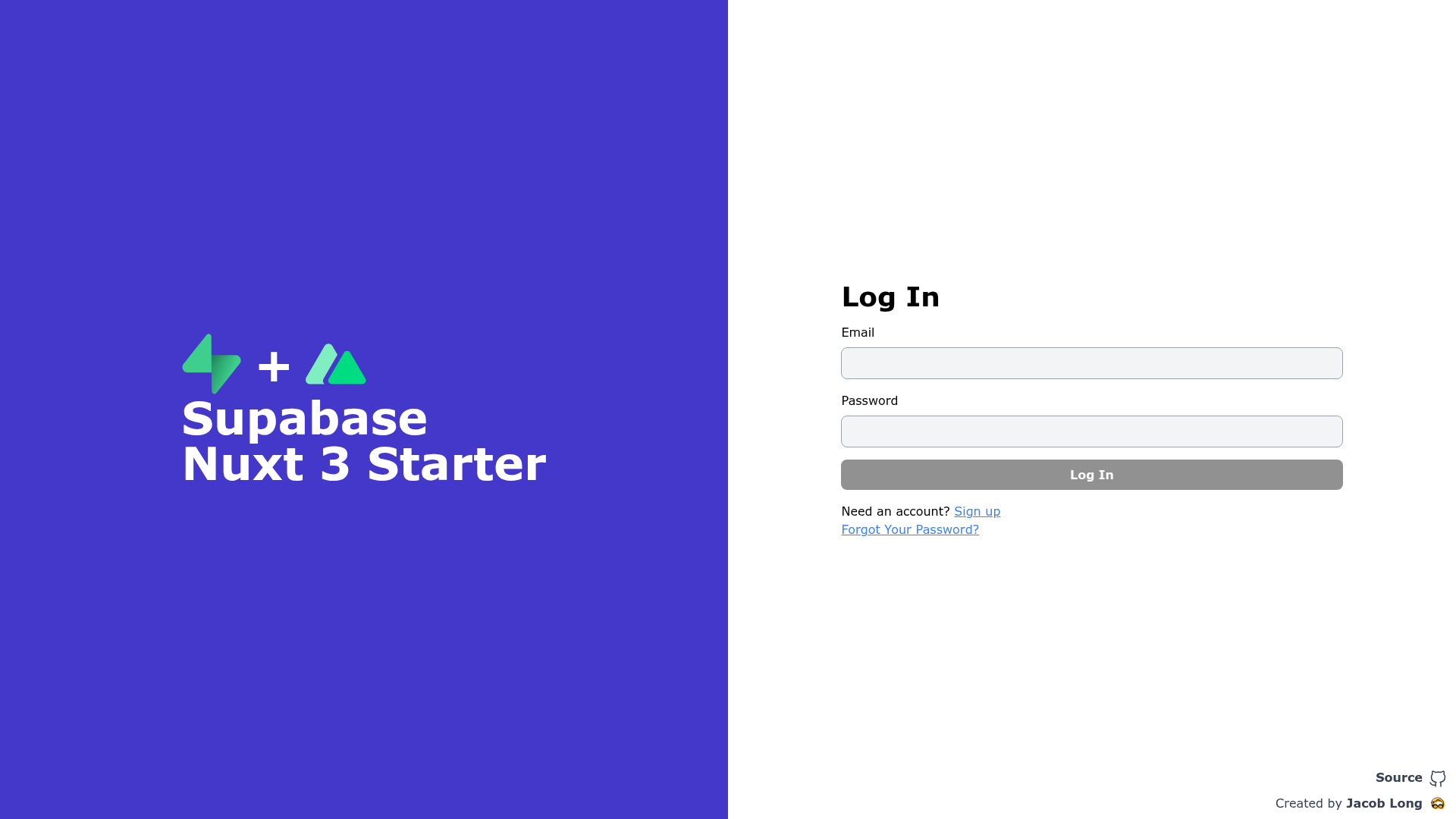
Supabase Nuxt 3 Starter
Supabase Nuxt 3 Authentication Starter
About this template
The Supabase Nuxt 3 Starter is a boilerplate template that scaffolds a Nuxt 3 application pre-configured for Supabase authentication, giving developers a working starting point for login and user-management features.
What is the Supabase Nuxt 3 Starter?
The Supabase Nuxt 3 Starter is a boilerplate project built on Nuxt 3, the Vue.js meta-framework, with Supabase as the backend service for authentication. It takes your Supabase project credentials as input via a .env file containing SUPABASE_URL and SUPABASE_KEY, and it outputs a running Nuxt 3 application with the Supabase client configured. The project includes standard scripts for development, production building, and local preview, and it relies on pnpm for package management. The repository is described as a "Supabase Nuxt 3 Authentication Starter" and lists UnoCSS among its topics.
Key Features
- Nuxt 3 framework — The starter uses Nuxt 3 with its file-based routing and server-side rendering capabilities, as documented at v3.nuxtjs.org.
- Supabase authentication integration — The template wires up Supabase for authentication, letting you connect to your Supabase project and add auth flows.
- Environment variable setup — A
.envfile is required withSUPABASE_URLandSUPABASE_KEY; the README shows exactly which variables to create. - pnpm commands — Install with
pnpm install --shamefully-hoist, run the dev server withpnpm dev, build withpnpm build, and preview the production build withpnpm preview. - UnoCSS styling — The repository topics include UnoCSS, an atomic-CSS engine, indicating the template uses it for utility-based styling.
- Nuxt 3 documentation links — The README points to the Nuxt 3 documentation and its deployment guide for further configuration.
Who is it for?
- Vue developers who want a Nuxt 3 codebase with Supabase authentication already installed, saving setup time on a new project.
- Indie hackers and startups building a web app with Supabase as the backend and needing a starting point for auth-heavy features.
- Developers learning the Nuxt 3 + Supabase stack who want a minimal, documented example to follow along with.
What can you do with the Supabase Nuxt 3 Starter?
- Add authentication to a new Nuxt 3 project: Use the pre-configured Supabase client to implement sign-up, login, and session management.
- Prototype a full-stack app quickly: Combine Nuxt 3's frontend with Supabase's database and auth services to scaffold a working app without initial wiring.
- Set up a local dev environment for testing Supabase: Follow the README's steps to connect a local Nuxt 3 server to your Supabase project using environment variables.
How does the template work?
Start by installing dependencies with pnpm install --shamefully-hoist. Then create a .env file with your SUPABASE_URL and SUPABASE_KEY values. Run pnpm dev to launch the development server at http://localhost:3000. When you're ready to ship, use pnpm build to compile the production bundle and pnpm preview to serve it locally.
FAQ
What does the Supabase Nuxt 3 Starter do?
It gives you a Nuxt 3 project with Supabase authentication pre-configured. After adding your Supabase URL and key to a .env file, you can run the app and start building authentication features.
Which Nuxt version is this template for?
The template targets Nuxt 3, as shown by the v3.nuxtjs.org documentation link and the project setup instructions.
Is the template free to use?
The starter itself is open source and free to clone and modify. You will need your own Supabase project to actually use the authentication features, which may have its own pricing.
What package manager should I use?
The README consistently uses pnpm for all commands: pnpm install, pnpm dev, pnpm build, and pnpm preview. Using a different package manager is not documented.
Does the starter include more than authentication?
The repository description focuses on authentication, and the topics mention UnoCSS for styling. The README does not list any additional pages or features, so it should be treated as a minimal starting point.