Template details
Gatsby Starter Blog Grommet
A Gatsby v2 starter based on Grommet v2 UI with theme switching, Markdown posts, and responsive design.
About this template
Gatsby Starter Blog Grommet is a Gatsby v2 starter for building a blog with the Grommet v2 UI library, generating a static site from Markdown posts.
What is Gatsby Starter Blog Grommet?
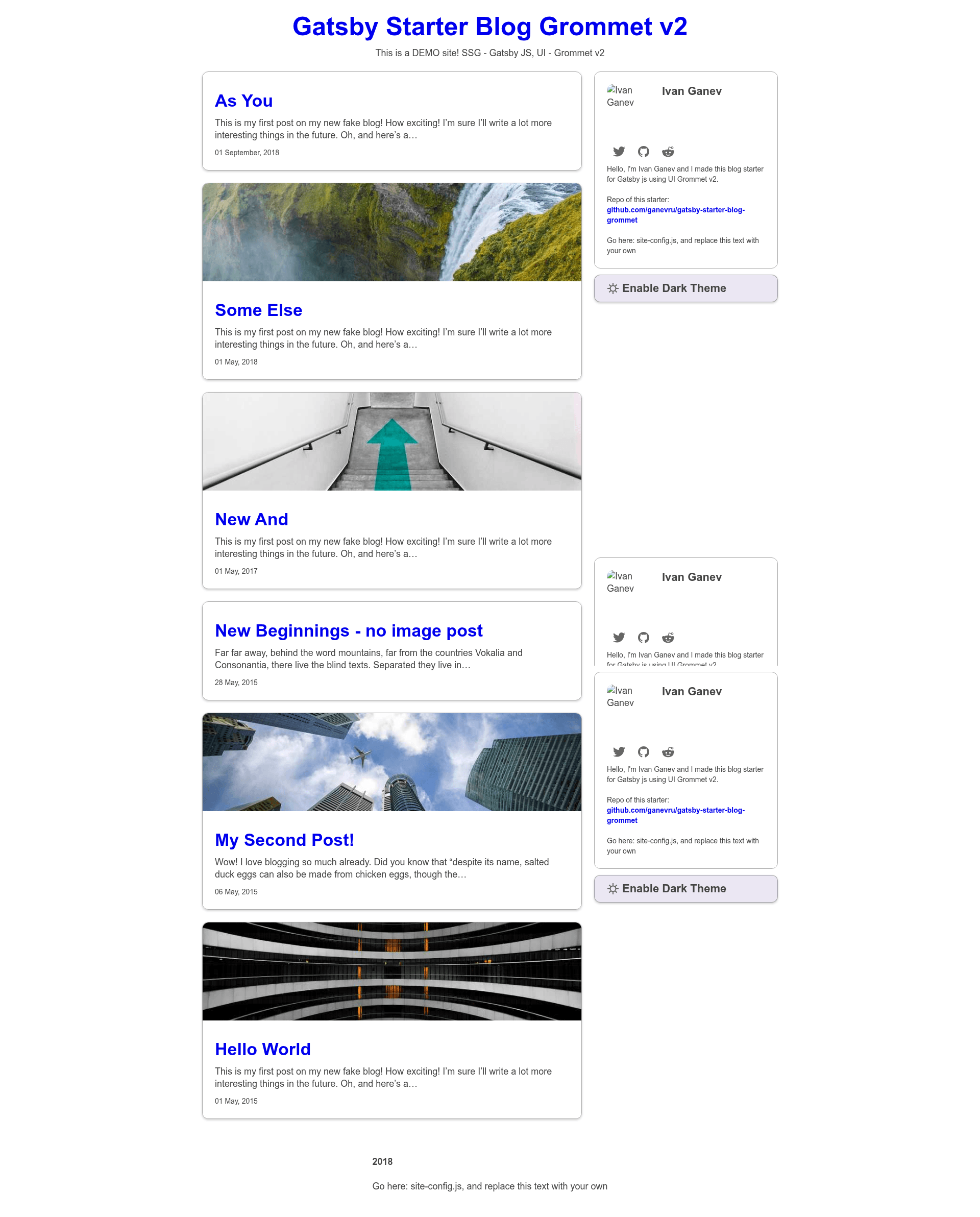
Gatsby Starter Blog Grommet is a starter template that creates a blog using Gatsby v2 as the static site generator and Grommet v2 as the UI component library. It takes Markdown files placed in the content/blog folder as input and produces a static website with card-style post previews, light/dark theme switching, and a sticky sidebar. The starter is authored by Ganevru and hosted on GitHub, with a live demo deployed to Netlify.
Key Features
- Configurable site settings — A single site-config.js file in the root controls site metadata, navigation, and other options without touching component code.
- Multiple Grommet themes — Switch between dark, base, dxc, aruba, and grommet (default) themes, all defined in the Grommet library.
- Markdown blog authoring — Write posts in Markdown format using the example templates provided in the content/blog folder.
- Card-style post previews — Posts render as cards with optional cover images, making the blog visually organized.
- Responsive design — Layout is optimized for mobile devices and adapts to different screen sizes.
- Dark/light theme toggle — Visitors can switch between light and dark modes, and the choice can be persisted (based on Grommet theming).
- Sticky sidebar — Uses react-sticky to keep the sidebar visible while scrolling.
- TypeScript support — The starter is written in TypeScript, providing type safety and better editor tooling.
Who is it for?
- Bloggers who want a Grommet-based design: They can set up a blog quickly and focus on writing Markdown posts without designing from scratch.
- Developers learning Gatsby: They can study a real-world example of Gatsby combined with TypeScript, redux, styled-components, and a component library.
- Teams that need theme switching: Organizations can give users a light/dark mode toggle using the built-in Grommet themes.
What can you do with Gatsby Starter Blog Grommet?
- Start a personal blog: Create Markdown posts, configure site details in site-config.js, and deploy the static output to Netlify or another host.
- Prototype a themed blog: Switch among Grommet's themes or add custom themes to visualize different UI styles.
- Learn Gatsby with TypeScript: Explore the integration of TypeScript, redux, react-redux, and styled-components in a working project.
How does it work?
Install the Gatsby CLI, then run gatsby new blog-grommet https://github.com/Ganevru/gatsby-starter-blog-grommet to download the starter. After that, cd blog-grommet and gatsby develop starts a local development server. The starter includes pre-commit hooks via husky and lint-staged that run ESLint and a gatsby build, which helps catch errors before committing. Posts are added as Markdown files in the content/blog folder and become static pages at build time.
FAQ
Is Gatsby Starter Blog Grommet free?
Yes, the starter is open source on GitHub, so you can download, modify, and use it without paying a fee.
What are the prerequisites?
You need Node.js and npm, plus the Gatsby CLI installed globally. The README links to the Gatsby tutorial for beginners.
Can I change the theme?
Yes, the starter supports dark, base, dxc, aruba, and grommet (default) themes. You can switch them in site-config.js.
Does it use TypeScript?
Yes, the starter is written in TypeScript and includes eslint with typescript-eslint for type-aware linting.
Where can I deploy it?
It's a static Gatsby site, so it works on Netlify, Vercel, or any static hosting service. The demo uses Netlify.