Template details
Gatsby Theme Aoi
TypeScript-based Gatsby theme for MUI with responsive layout, dark mode, and global state.
About this template
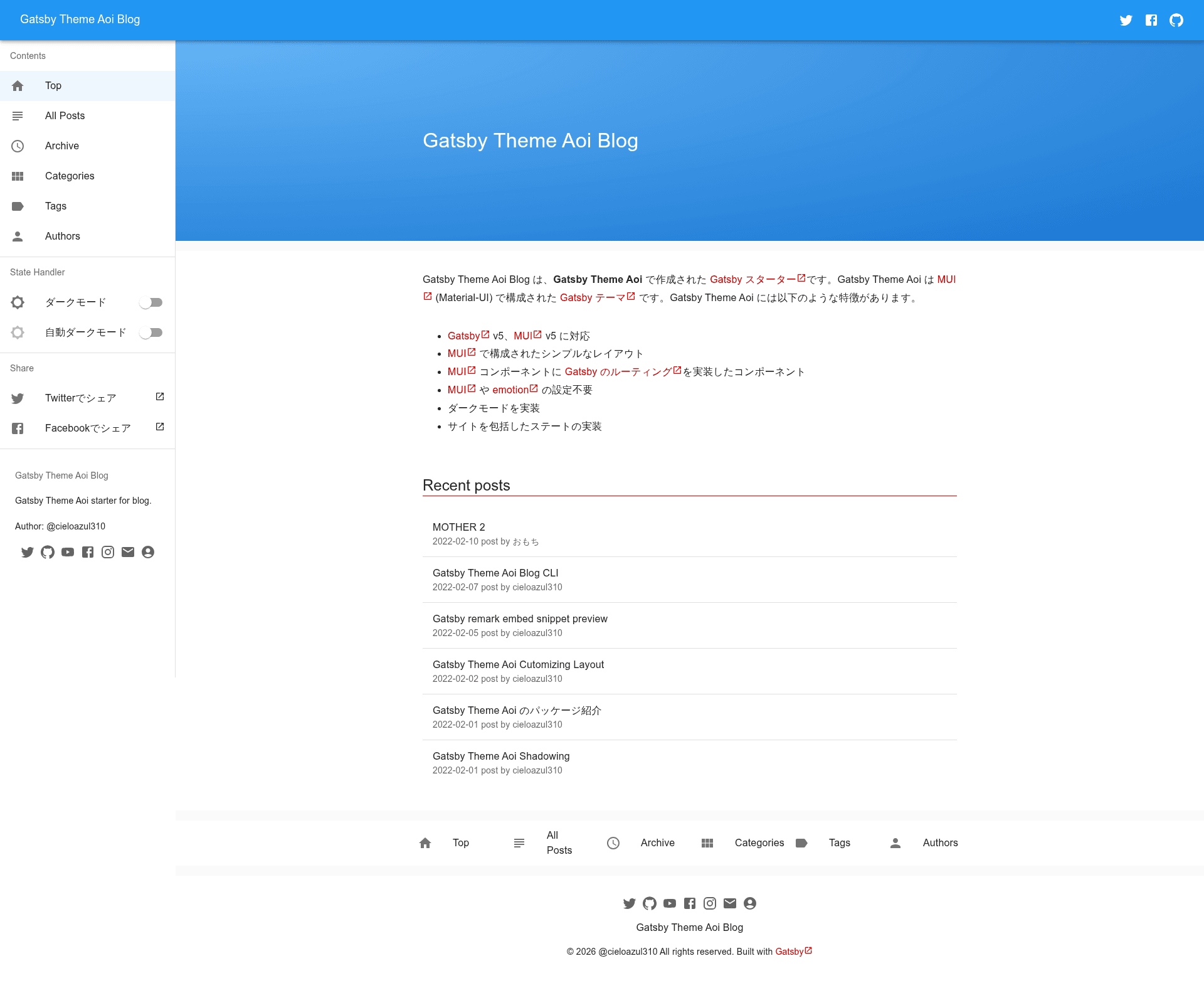
Gatsby Theme Aoi is a TypeScript-based Gatsby theme, in the Boilerplate category, that supplies a complete Material-UI (MUI) layout system, reusable components, dark mode, and global app state for Gatsby sites.
What is Gatsby Theme Aoi?
Gatsby Theme Aoi is a Gatsby theme built in TypeScript that integrates MUI (Material-UI) components with Gatsby routing. It takes a Gatsby project as input and outputs a Layout component, MUI theme, and several ready-to-use components. The theme is published on npm as @cieloazul310/gatsby-theme-aoi and is part of a monorepo containing separate layout, components, top-layout, and utils packages, all under the cieloazul310/gatsby-aoi GitHub repository.
Key Features
- MUI integration — Composes MUI components like AppBar, Drawer, BottomNavigation, and Fab into a Gatsby-aware Layout component.
- TypeScript — The theme source is written in TypeScript, providing typed props for components and theme options.
- Mobile-friendly responsive UI — The layout adapts to mobile screens using a Drawer and BottomNavigation.
- Global app state — Includes a reducer-based AppState context with actions such as INCREMENT, DECREMENT, RESET, and SET_COUNT, customizable through shadowing.
- Dark mode — Built-in dark mode support is controlled through the MUI theme configuration in the top-layout package.
- Shadowing support — The layout and top-layout packages allow shadowing to override the theme, menu, and app state files in your
srcfolder. - Starters — Two starters are available: a simple theme starter and a blog starter, both installable via curl from the repository.
- Reusable components — Includes AppLink (MUI Link composed with Gatsby Link), Jumbotron, Section, SectionDivider, Article, ArticleTitle, and Paragraph.
Who is it for?
- Gatsby developers who want to build a MUI-styled site without manually wiring theme, layout, and routing.
- Blog authors who use the Gatsby Starter Aoi Blog to publish a TypeScript and MUI powered blog.
- Theme developers who want to study a monorepo structure of five interrelated Gatsby theme packages and learn shadowing.
What can you do with Gatsby Theme Aoi?
- Customize the MUI theme — Shadow the
theme.tsfile ingatsby-theme-aoi-top-layoutto set primary and secondary colors using MUI'screateThemeandresponsiveFontSizes. - Add global state — Shadow
AppState.tsandAppStateContext.tsxto define your own state shape and reducer actions, then use theuseAppStateanduseDispatchhooks in your pages. - Build component-driven pages — Combine Layout with Jumbotron, Section, Article, and AppLink to assemble pages quickly.
How does Gatsby Theme Aoi work?
Install the theme via npm along with its peer dependencies (@mui/material, @mui/icons-material, @emotion/react, @emotion/styled), add it as a plugin in gatsby-config.js with a siteId option, then import Layout and components from the package. The theme uses Gatsby's shadowing mechanism so you can override theme, menu, and app state files in your src folder.
FAQ
Is Gatsby Theme Aoi free?
Yes, it is an open-source npm package. The repository is public on GitHub under cieloazul310/gatsby-aoi, and the npm package can be installed without a license fee.
What are the peer dependencies?
It requires @mui/material, @mui/icons-material, @emotion/react, and @emotion/styled to be installed alongside the theme.
Can I customize the menu?
Yes, shadow the menu.tsx file in @cieloazul310/gatsby-theme-aoi-layout to define menu items with a title, path, and icon.
Does the theme support dark mode?
The theme includes dark mode support, and it is controlled through the MUI theme configuration in the top-layout package.