Template details
Gatsby Theme Galleon
Build a gorgeous developer blog with Typescript, MDX, syntax-highlighted code blocks, and tags.
About this template
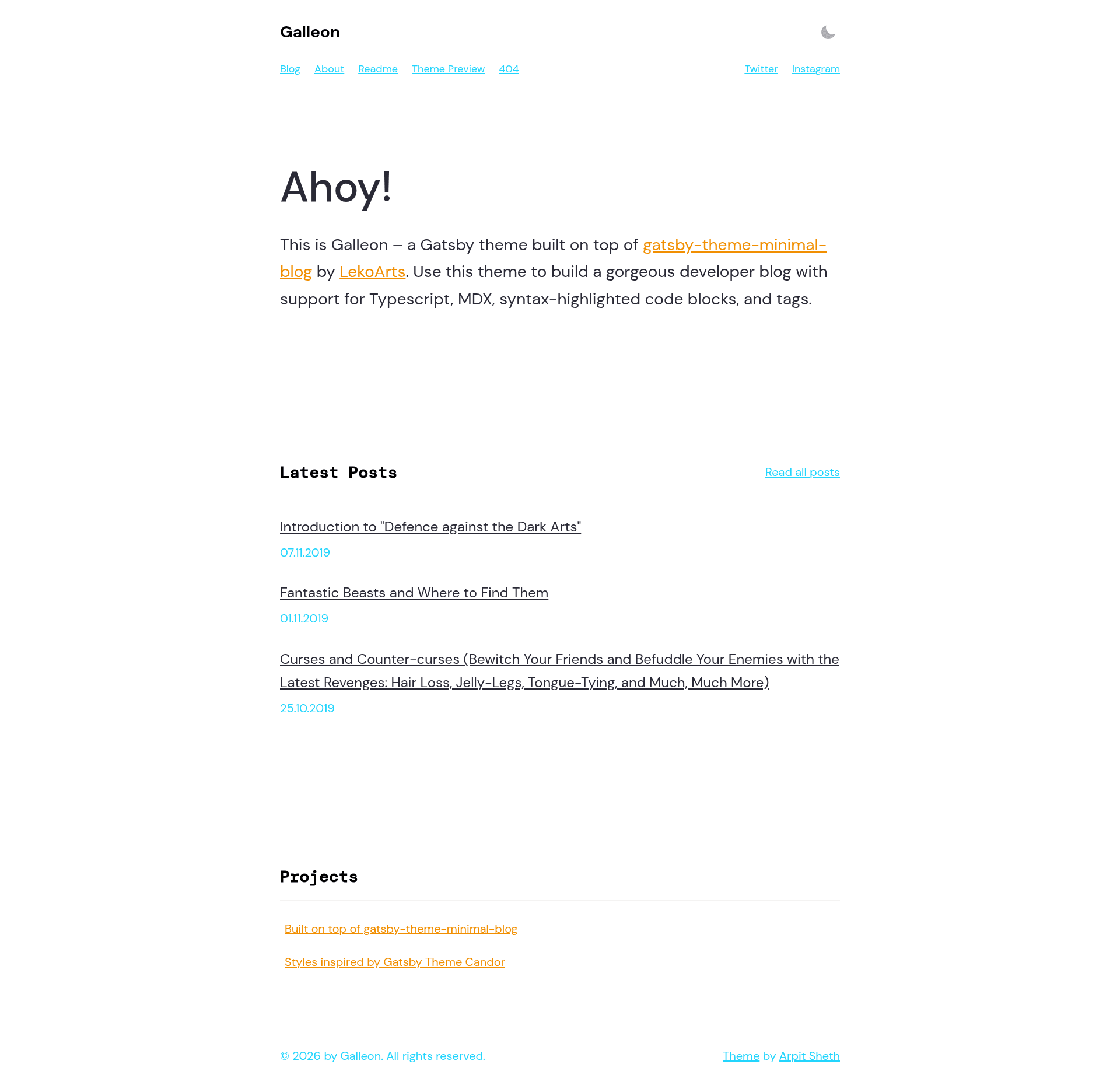
Gatsby Theme Galleon is a Gatsby theme for building developer blogs with MDX, TypeScript, syntax-highlighted code blocks, and tags, built on top of the minimal-blog theme by LekoArts.
What is Gatsby Theme Galleon?
Gatsby Theme Galleon is a Gatsby-based theme that transforms MDX files in content/posts and content/pages into a complete developer blog with a homepage, blog overview, and tag pages. It is published as the npm package @shetharp/gatsby-theme-galleon and also ships as a workspace starter repository with separate theme and demo directories. The theme was created by the GitHub user shetharp and extends @lekoarts/gatsby-theme-minimal-blog with additional code-block features and a nautical, typography-driven visual style.
Key Features
- MDX content model — Write blog posts and pages as MDX files with YAML frontmatter; the index page shows the three most recent posts automatically.
- Syntax highlighting — Code blocks are rendered with prism-react-renderer and react-live, supporting line numbers, line highlighting, language tabs, and file titles via metadata like
jsx:title=your-title. - Light/dark mode — Built with Theme UI, the theme offers light and dark color modes out of the box.
- Tags and categories — Add
tagsto frontmatter, and the theme generates tag-based organization for posts. - Theme shadowing — Override components, styles, and homepage text by placing files in
src/@shetharp/gatsby-theme-galleon/, following Gatsby's shadowing convention. - Workspace starter — The repository includes a
themeworkspace for publishing your own theme and ademoworkspace to deploy a sample site, making it a starting point for theme development. - Optional frontmatter —
descriptionandbannerfields are optional; the theme falls back to an excerpt from the post or a default site image from siteMetadata.
Who is it for?
- Developer bloggers who want a clean, code-focused blog with MDX and advanced syntax highlighting without building the site structure from scratch.
- Gatsby theme developers who can use the galleon workspace as a template to scaffold their own publishable theme with a demo site.
- Technical writers who publish tutorials or docs and need tag support, line highlighting, and file-title displays in code samples.
What can you do with it?
- Create a blog — Install the theme, add MDX files, and get a homepage, blog overview, and tag pages with minimal configuration.
- Customize the design — Shadow the theme's components and styles, including light/dark mode, typography, and code styling.
- Build a custom theme — Clone the workspace, rename the package, and use the
demosite to develop and test your own Gatsby theme.
How does the theme work?
Installation is three steps: add @shetharp/gatsby-theme-galleon as a dependency, add it to the plugins array in gatsby-config.js, and create MDX files in content/posts or content/pages. The theme reads the frontmatter fields title, date (formatted YYYY-MM-DD), description, tags, banner, and optional slug; posts without a description get an auto-generated excerpt, and posts without a banner use the site's default image.
FAQ
How do I add a new blog post?
Create a folder inside content/posts, add an index.mdx file with frontmatter containing at least title and date, and write the post content below the frontmatter. Optionally set description, tags, banner, and a custom slug.
How do I customize the theme?
Use Gatsby theme shadowing: place any file you want to override in src/@shetharp/gatsby-theme-galleon/, matching the theme's file structure. For example, you can shadow texts/hero.mdx to change the homepage hero text or styles/code.js to alter code block styles.
What frontmatter fields are supported?
The supported fields are title (required), date (required, YYYY-MM-DD), and optional description, tags, banner, and slug. If description is omitted, an excerpt is used; if banner is omitted, the site's default siteImage is used.