Template details
Jekyll Clean
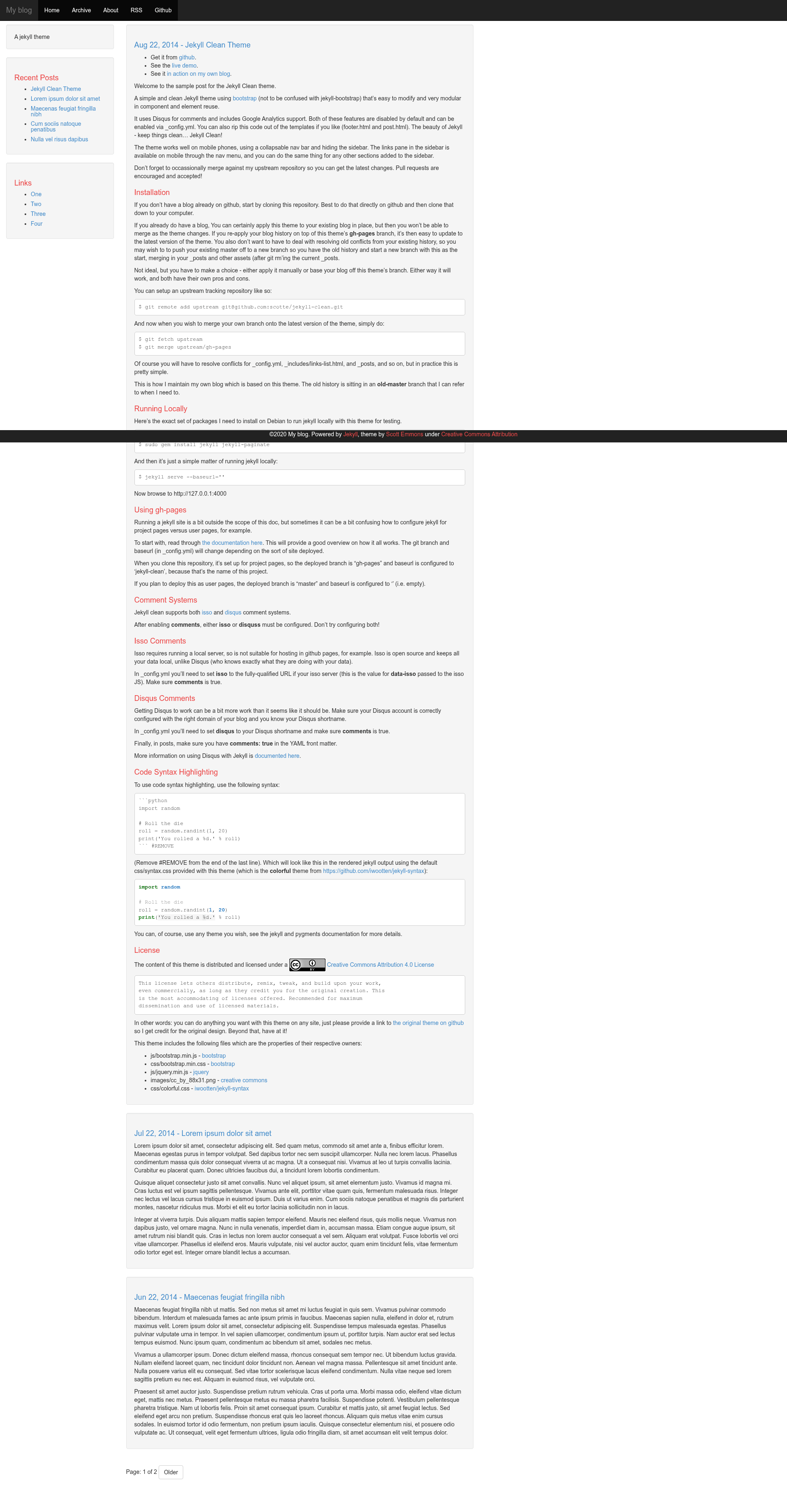
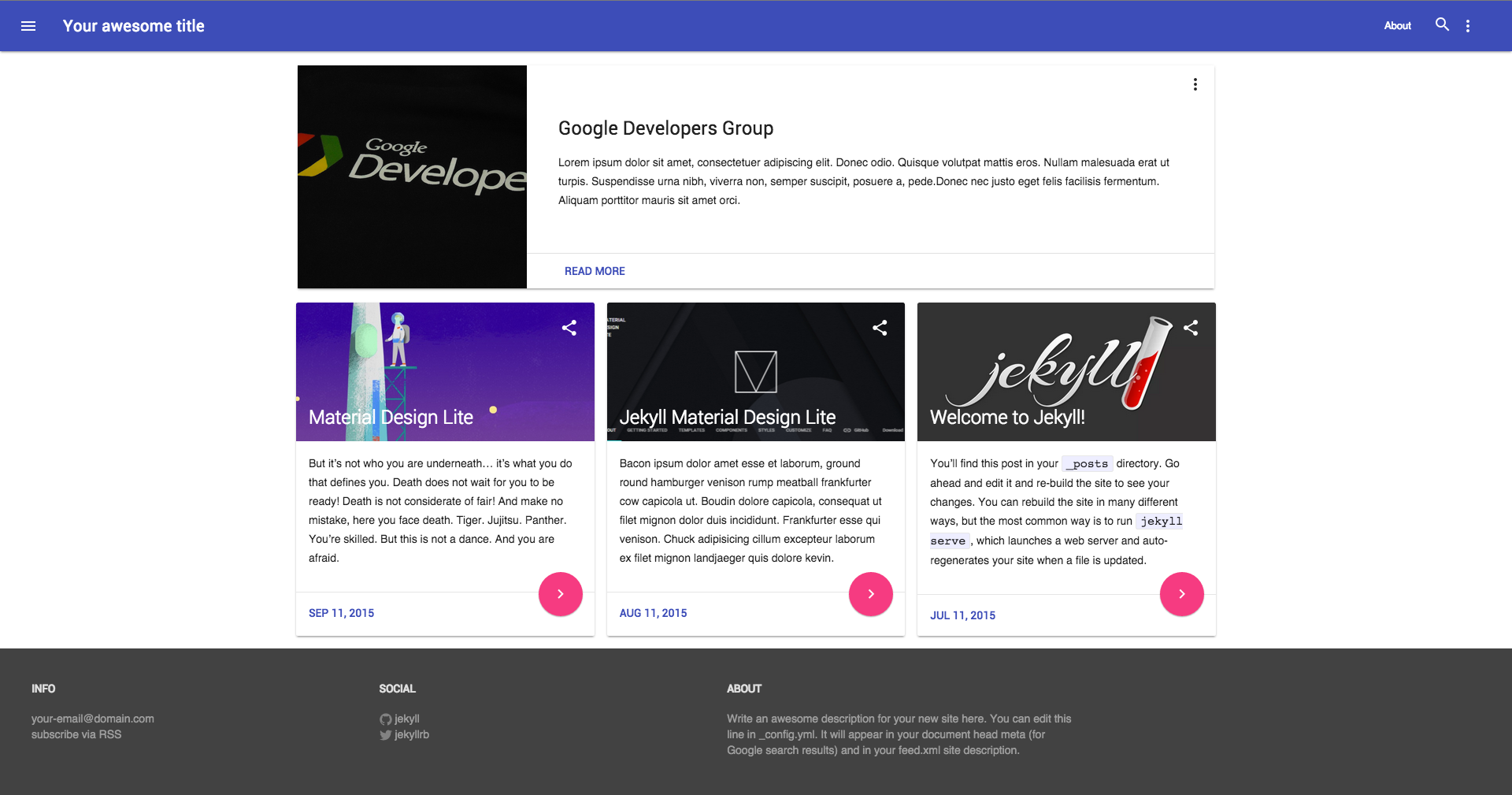
A simple and clean Jekyll theme using Bootstrap that's easy to modify, with Disqus, Isso, Google Analytics, and mobile support.
About this template
Jekyll Clean is a free, open-source Jekyll theme that builds a minimal, Bootstrap-based blog with configurable Disqus or Isso comments, Google Analytics, and a responsive sidebar.
What is Jekyll Clean?
Jekyll Clean is a simple and clean Jekyll theme created by GitHub user scotte for building static blogs. It takes Jekyll markdown posts and renders them into a blog site styled with Bootstrap, featuring a collapsable navigation bar, a sidebar with a links pane, and optional comment and analytics integration via _config.yml. The theme is distributed under a Creative Commons Attribution 4.0 License and includes its own syntax-highlighting CSS (the colorful theme from iwootten/jekyll-syntax).
What makes Jekyll Clean stand out?
- Bootstrap styling — Uses bootstrap.min.css and bootstrap.min.js for responsive layout, including a collapsable nav bar on mobile that hides the sidebar.
- Disqus and Isso comments — Both comment systems are supported and disabled by default; enable either by setting the corresponding key in _config.yml, and set comments: true in post front matter.
- Google Analytics support — Include your Analytics tracking code via _config.yml; the snippet lives in footer.html.
- Mobile-friendly design — The sidebar hides on phones and its links are available through the nav menu, with the collapsable navbar.
- Code syntax highlighting — Built-in CSS (colorful from iwootten/jekyll-syntax) renders highlighted code blocks using standard Jekyll pygments syntax.
- Easy to modify — Component and element reuse keeps templates modular; footer.html and post.html can be edited or stripped of comment/analytics code.
- GitHub Pages and GitLab Pages ready — Includes a .gitlab-ci.yml and clear instructions for both user pages (master branch, empty baseurl) and project pages (gh-pages branch, baseurl set to project name).
Who should use Jekyll Clean?
- Jekyll bloggers who want a minimal theme — Set up a blog quickly by cloning the repo and replacing _posts with your own markdown files.
- GitHub Pages hosts — Deploy to project pages or user pages by following the branch and baseurl instructions in the README.
- Developers who want to customize a Jekyll theme — Since the theme is modular and open source, you can modify templates and merge upstream changes via git remotes.
What can you do with Jekyll Clean?
- Publish a personal blog — Create markdown posts, enable Disqus comments, and get a clean Bootstrap-based site hosted for free on GitHub Pages.
- Run a self-hosted comment setup — Use Isso with Jekyll Clean by pointing the _config.yml "isso" value to your local Isso server URL, keeping comment data on your own infrastructure.
- Test locally — Serve the site on your machine with
jekyll serve --baseurl=''after installing jekyll and jekyll-paginate.
How does Jekyll Clean work?
The theme works as a standard Jekyll site: you clone the repository, add or edit markdown posts in _posts, configure _config.yml with your site title, Disqus shortname, Isso URL, or Google Analytics ID, and then build with Jekyll. For deployment on GitHub Pages, push to either the master branch (user pages) or gh-pages branch (project pages) depending on your setup. The README recommends setting the upstream remote to merge future theme updates.
Pricing
Jekyll Clean is free to use and distribute, licensed under the Creative Commons Attribution 4.0 License. There is no paid tier; the only requirement is providing a link back to the original GitHub repository.
Alternatives
- Jekyll Bootstrap — a different Jekyll theme that the README explicitly distinguishes from Jekyll Clean.
- Minima — the default Jekyll theme that ships with Jekyll itself.
FAQ
Is Jekyll Clean free?
Yes, Jekyll Clean is completely free and open source under the Creative Commons Attribution 4.0 License. You can use it commercially, remix it, and distribute it as long as you credit the original theme by linking to the GitHub repository.
How do I enable Disqus comments?
Set the disqus value in _config.yml to your Disqus shortname, set comments to true, and add comments: true to the YAML front matter of each post. Ensure your Disqus account is configured for the correct domain.
Does Jekyll Clean support Isso comments?
Yes, it supports both Disqus and Isso. For Isso, set the isso key in _config.yml to the full URL of your Isso server and set comments to true. Note that Isso requires running your own local server, so it isn't suitable for GitHub Pages hosting.
Can I use Jekyll Clean on GitHub Pages?
Yes. For user pages, deploy on the master branch with an empty baseurl; for project pages, use the gh-pages branch with baseurl set to your repository name. The README provides exact instructions and also includes a .gitlab-ci.yml for GitLab Pages.
How do I update the theme to a newer version?
Add the original repository as an upstream remote with git remote add upstream git@github.com:scotte/jekyll-clean.git, then fetch and merge upstream/gh-pages. You'll need to resolve conflicts in _config.yml, _includes/links-list.html, and _posts.