Template details
Heckle
A static-site compiler in Haskell that builds a blog from Markdown and LaTeX posts.
About this template
Heckle is a static-site compiler written in Haskell that builds a blog from Markdown and LaTeX posts, producing an HTML homepage and post pages. It was created as a simpler alternative to Jekyll, explicitly supporting both Markdown/HTML and LaTeX/PDF content in the same site.
What is Heckle?
Heckle is a command-line static-site generator that takes a posts/ directory containing Markdown files (.md) and LaTeX files (.tex with compiled .pdf counterparts) and generates a complete blog homepage (index.html). Markdown posts are converted to HTML using Pandoc, while LaTeX posts are linked as PDFs. The tool is written in Haskell, distributed on Hackage, and installable on macOS via brew install 2016rshah/tools/heckle or via Stack for developers. Its author is Rishabh Shah, who originally built the LaTeX-only predecessor BlaTeX before adding Markdown support.
Key Features
- Dual-format publishing — Heckle supports both Markdown (converted to HTML via Pandoc) and LaTeX (linked as PDF files) in the same blog, so you can mix post types freely.
- Minimal setup —
heckle initcreates the skeleton file structure, andheckle buildgenerates the site; there is no configuration file beyond the layout templates themselves. - Plain-HTML customization — The homepage layout (
index.html.hkl) and Markdown post layout (template.html.hkl) are ordinary HTML files; Heckle injects content at theul id="blog-posts"element on the homepage and inside thediv id="blog-post"element in the post template. - LaTeX metadata — Each
.texfile must include\titleand\datein its preamble so Heckle can display the post title and date on the homepage. - Markdown metadata — Markdown files must begin with three comment lines (
% Title,% Author,% Date) that Heckle parses for display and ordering. - Four date formats — Valid dates include
1 January 2016,January 1, 2016,9:47AM 1 January 2016, and9:47AM January 1, 2016, interchangeable across posts. - Haskell toolchain — Requires the Haskell Platform (or Homebrew on macOS); LaTeX is optional and only needed for PDF posts.
Who is it for?
- Academic and technical bloggers who want to publish LaTeX/PDF documents alongside normal Markdown articles, all aggregated on one simple homepage.
- Haskell users looking for a static-site generator they can install and maintain with Stack or Homebrew, without adding a Ruby or Node.js dependency.
- Former Jekyll users who found Jekyll's default directory structure too elaborate and want a "throw posts in a directory" workflow with minimal scaffolding.
What can you do with Heckle?
- Publish a mixed-format blog: Write some posts in Markdown and others in LaTeX/PDF, with all links and dates generated automatically on the index page.
- Create a static site from scratch: Run
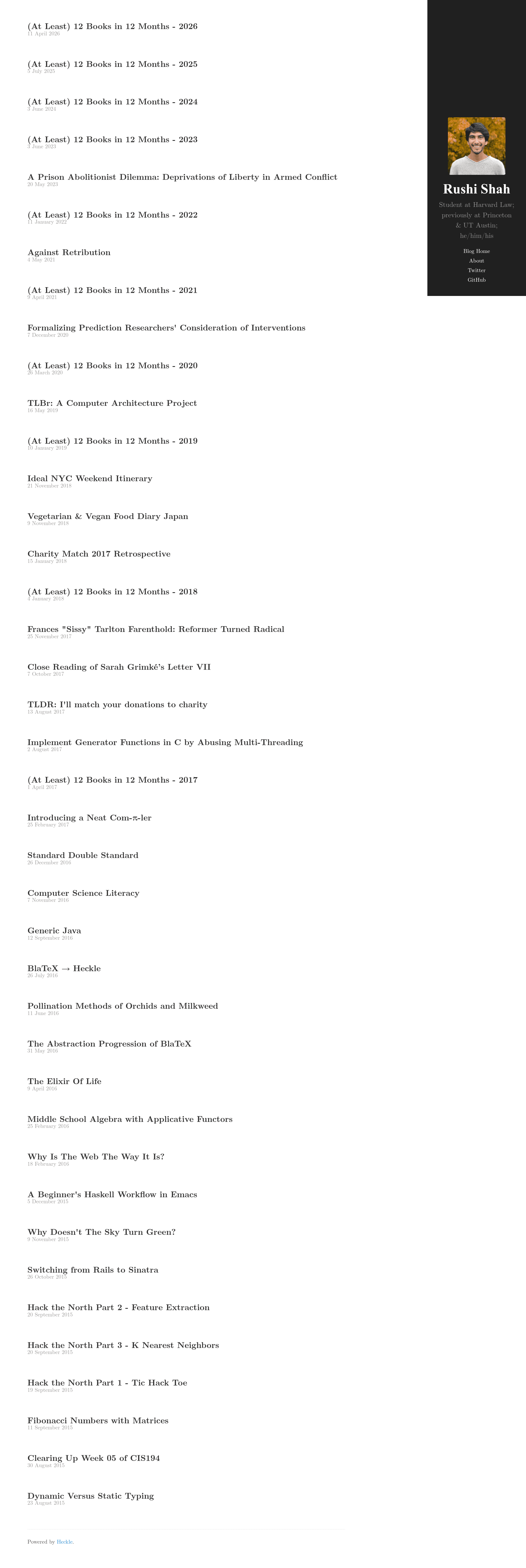
heckle initin an empty directory, add your post files with the required metadata, runheckle build, and deploy the resulting static HTML. - Port an existing Jekyll theme: The author's own blog uses a ported version of the Hyde theme, demonstrating that a familiar Jekyll look can be maintained with Heckle's simpler structure.
How does Heckle work?
After installation, you run heckle init to generate the default skeleton (index.html.hkl, template.html.hkl, and a posts/ folder with examples). You then add your own .md files and .tex/.pdf pairs to posts/, ensuring each file has the required metadata, and run heckle build. Heckle scans the posts directory, converts Markdown via Pandoc, reads titles and dates from LaTeX preambles, and regenerates the homepage with links to every post.
FAQ
How do I install Heckle?
On macOS, the recommended method is brew install 2016rshah/tools/heckle. For development or other platforms, use stack update && stack install heckle, which requires the Haskell Platform to be installed.
What are Heckle's requirements?
macOS users need Homebrew; everyone else needs the Haskell Platform. LaTeX is listed as optional, but it is required if you want to write LaTeX/PDF posts, since you must compile the PDFs yourself with pdflatex.
What metadata does a Markdown post need?
Each Markdown file must start with three lines: % Title, % Author, and % Date, where the date uses one of the four supported formats. Heckle reads these first three lines to generate the post link and date on the homepage.
How do I create a LaTeX post?
Write a .tex file that includes \title and \date in its preamble, compile it to a .pdf with pdflatex, and place both the .tex and .pdf in the posts/ directory. Heckle automatically finds the pairs and adds links to the homepage.