Template details
Editorial Jekyll Theme
A Jekyll version of the 'Editorial' theme by HTML5 UP.
About this template
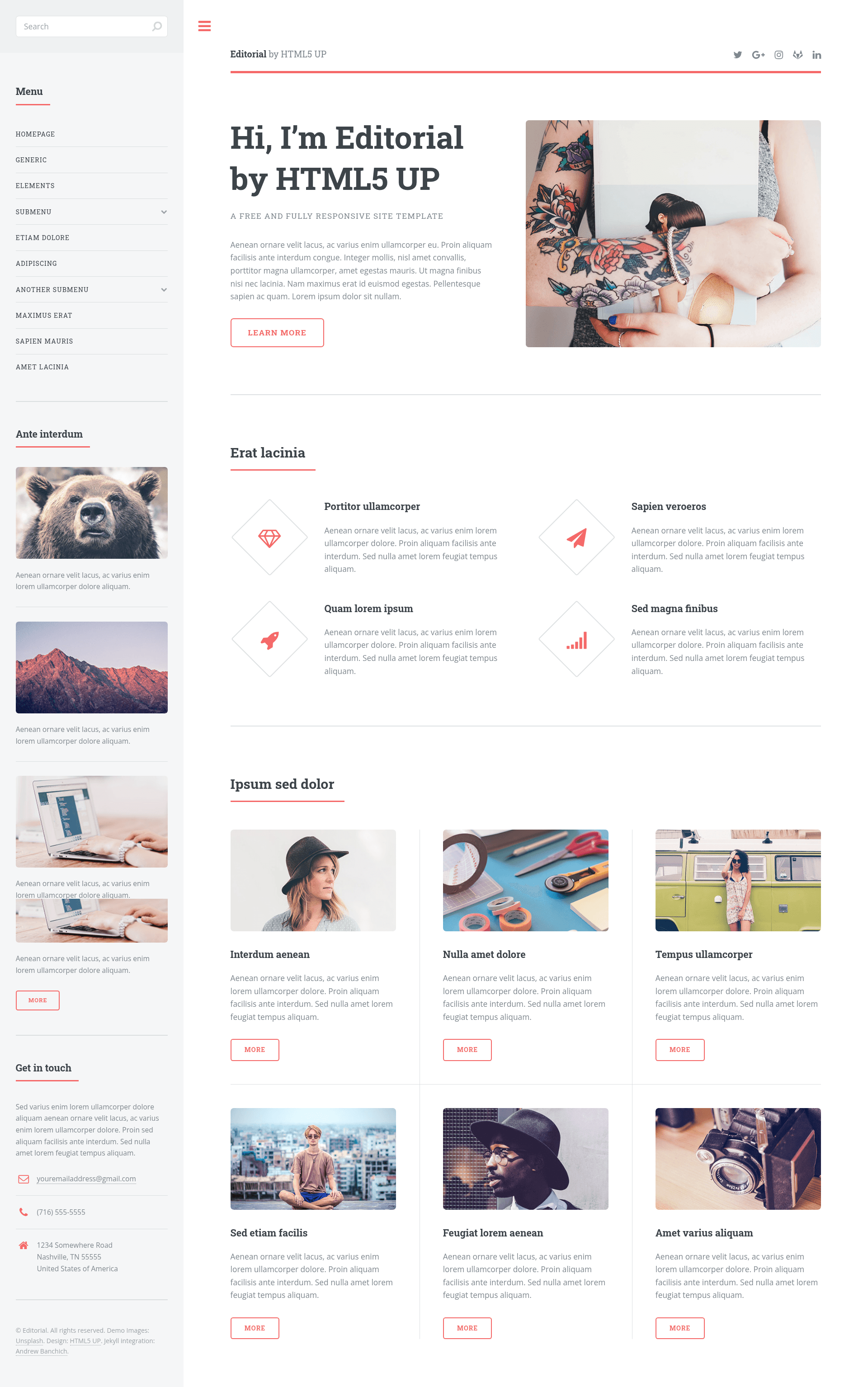
Editorial is a Jekyll port of the HTML5 UP 'Editorial' template that turns the original blog/magazine-style design into a static-site theme configured through a single _config.yml file.
What is Editorial (Jekyll theme)?
Editorial is an open-source Jekyll theme that recreates the HTML5 UP 'Editorial' template for Ruby-based static sites. It accepts Markdown posts and pages as input and outputs a fully static website with a toggleable locking sidebar and an accordion-style menu. The original design was created by HTML5 UP (html5up.net) and ported to Jekyll by the maintainers of this repository; the theme is available as a Ruby gem according to the repository metadata. It is licensed under the CCA 3.0 license, free for personal and commercial use.
Key Features
- Social profile links — Configure up to ten social URLs (500px, Facebook, GitHub, GitLab, Google+, Instagram, LinkedIn, Pinterest, Slack, Twitter) directly in
_config.yml. - Custom subtitle — Set lighter-colored text next to your site's title using the
subtitleparameter in_config.yml. - Toggleable locking sidebar — The layout includes a sidebar that can be locked or unlocked, inherited from the original HTML5 UP design.
- Accordion-style menu — Navigation uses an accordion interaction style from the original Editorial template.
- Jekyll static-site generation — Builds a fast, static website from Markdown content using Jekyll's standard post and page workflow.
- Asset stack — Includes Font Awesome icons, jQuery, html5shiv.js, Respond.js, Skel, and Sass functions, as listed in the original credits.
- GitHub Pages ready — Can be deployed by forking the repository and creating a
gh-pagesbranch, as described in the README.
Who is it for?
- Jekyll bloggers — who want a magazine-style layout with a sidebar and accordion navigation for their posts.
- Static-site developers — who need a ready-made theme with customizable social links and a site subtitle defined in
_config.yml. - Content publishers — who run small multi-page publications and want a distinctive side-panel design.
Use cases
- Personal blogs: Write posts in Markdown under
_postsand let Jekyll generate an organized site with a locking sidebar. - Magazine-style content sites: Use the accordion menu to structure multiple sections and articles.
- Portfolio or project sites: Present a personal brand with the Editorial design's clean, editorial look.
How to use
Fork the repository on GitLab or GitHub (on GitHub, create a branch named gh-pages), then edit the _config.yml file to set your site's title, subtitle, and social profile URLs. Jekyll processes Markdown files in _posts and standard pages to generate the static site; for Jekyll basics, refer to the official documentation on front matter, writing posts, and creating pages.
FAQ
Is the Editorial Jekyll theme free?
Yes, it is released under the CCA 3.0 license, which permits free personal and commercial use, as stated in the original HTML5 UP credits.
How do I deploy this theme on GitHub Pages?
Fork the repository, create a branch named gh-pages, then edit _config.yml to customize your site. GitHub Pages will build and serve the static site from that branch.
Are demo images included?
No, the demo images from Unsplash are not included in this repository, as noted in the README credits.
What social networks are supported?
The _config.yml supports 500px, Facebook, GitHub, GitLab, Google+, Instagram, LinkedIn, Pinterest, Slack, and Twitter URLs.