Template details
Hello World
A starter Jekyll repository for GitHub Pages with Markdown editing, automatic rebuilds, and theme switching.
About this template
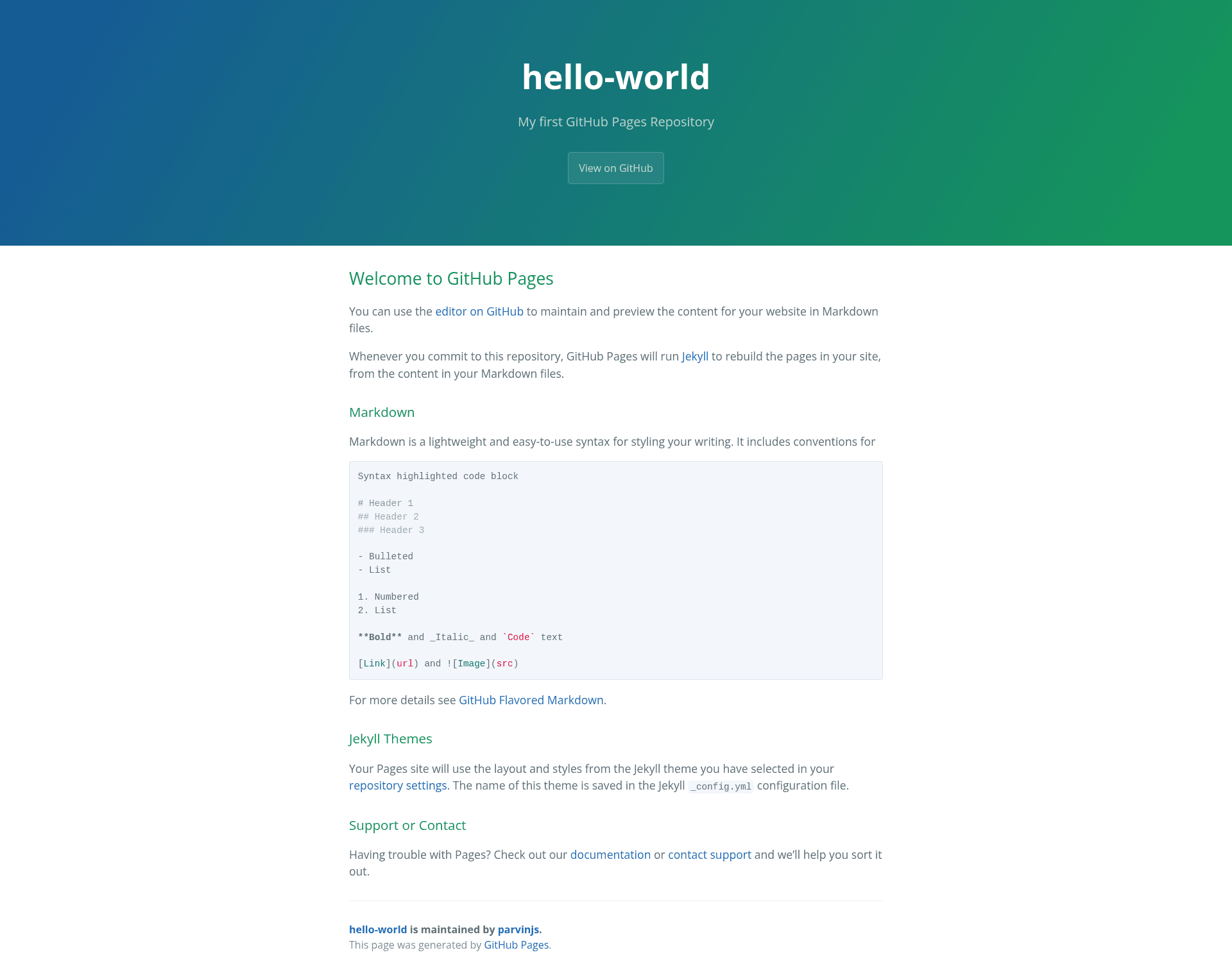
Hello World is a boilerplate GitHub Pages repository that demonstrates how to build and deploy a Jekyll-powered website by editing Markdown files and committing them to the repository.
What is Hello World?
Hello World is the default starter repository GitHub creates for a new Pages site, here hosted under the GitHub account parvinjs with the description "My first GitHub Pages Repository". It takes Markdown files as input and, on every commit, runs Jekyll to rebuild the site's HTML pages. The repository contains a sample README that doubles as a tutorial covering Markdown syntax, Jekyll themes, and GitHub Pages settings.
Key Features
- Markdown content editing — The site's content lives in Markdown files; the sample shows syntax for headers, bulleted and numbered lists, bold, italic, inline code, links, and images.
- Automatic Jekyll rebuilds — Every commit to the repository triggers Jekyll to regenerate the site from the Markdown source, so no local build step is needed.
- GitHub Flavored Markdown — The README links to the official GitHub Flavored Markdown guide for the extended Markdown dialect Jekyll supports on GitHub Pages.
- Jekyll theme switching — The layout and styles come from a Jekyll theme selected in repository settings, with the theme name saved in the
_config.ymlconfiguration file. - Built-in support links — The page links to GitHub Pages documentation and to GitHub contact support for troubleshooting.
- Repository metadata — The repository is tagged with the topics "github-page", "jekyll", and "jekyll-themes", identifying it as a Jekyll-based Pages starter.
Who is it for?
- First-time GitHub Pages users — Someone who wants a minimal working example of a Pages site can clone this repository, edit the Markdown, and observe the Jekyll build in action.
- Jekyll beginners — Developers new to Jekyll can study the default README to learn how content is structured and how themes are configured.
- Students and hobbyists — Anyone creating a personal or project landing page can push Markdown-only changes and let GitHub Pages host the result, without installing a static site generator locally.
What can you do with it?
- Publish a personal homepage — Replace the default README content with your own Markdown text, then push the commit to have GitHub Pages serve the site at yourusername.github.io.
- Test Jekyll themes — Change the theme in repository settings and watch the same Markdown content re-render with different layouts and styles.
- Practice Markdown authoring — Use the sample's syntax examples as a reference for writing headers, lists, code blocks, and links in GitHub-flavored Markdown.
How does it work?
The workflow is: edit the Markdown files (the README by default), commit the changes to the repository, and GitHub Pages automatically runs Jekyll to rebuild the site. The Jekyll theme selected in repository settings, saved in _config.yml, determines the layout and styling applied to the generated pages.
FAQ
Is Hello World free to use?
GitHub Pages is free for public repositories. This starter repository requires no paid plan and is the default template GitHub provides for new repositories.
How do I change the Jekyll theme?
Go to the repository settings on GitHub, find the Pages section, and choose a theme from the list. The theme name is recorded in the Jekyll _config.yml file, and the site rebuilds automatically after the change.
What Markdown syntax is supported?
The README shows standard Markdown: headers from level 1 to 3, bulleted and numbered lists, bold and italic text, inline code, links, and images. It also links to the GitHub Flavored Markdown guide for additional syntax.
What if I need help with GitHub Pages?
The starter README provides direct links to the GitHub Pages documentation and to GitHub contact support. Those resources cover the basics of using Pages with Jekyll.