Template details
Hexo Theme Ayer
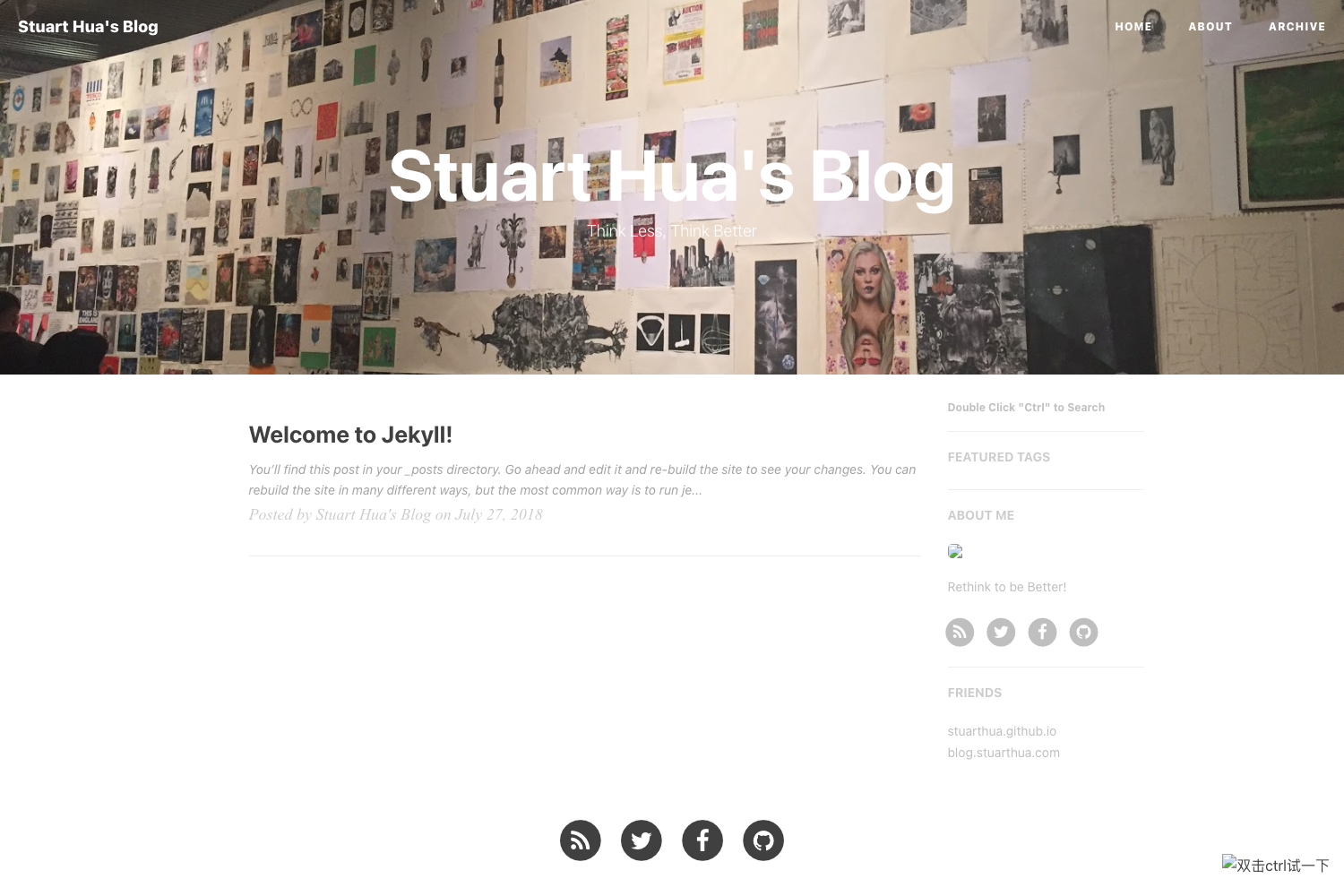
A clean and elegant theme for Hexo with multi-language support, dark mode, math rendering, and multiple comment systems.
About this template
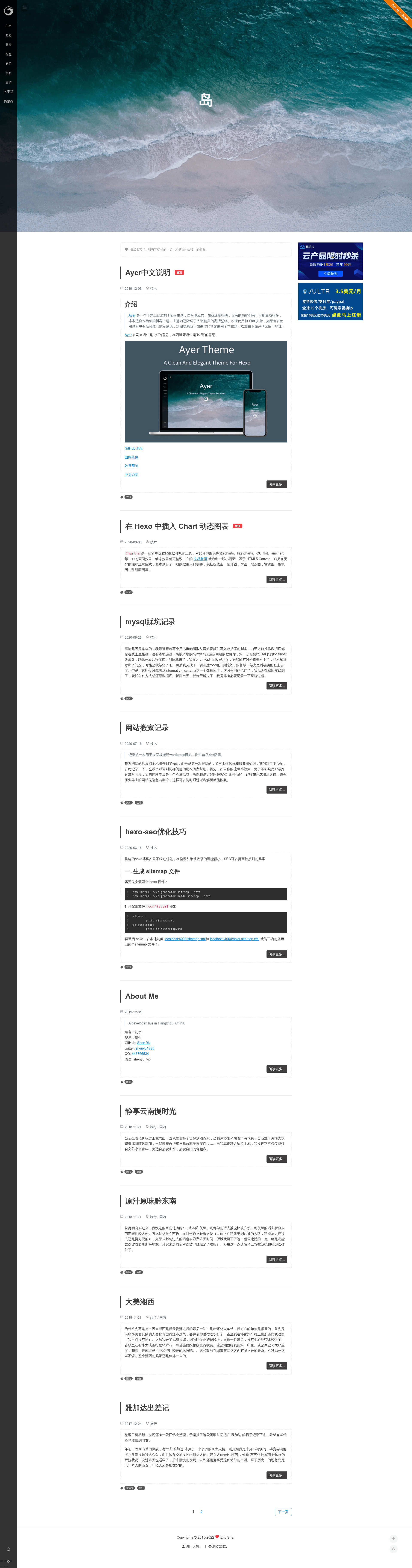
Hexo Theme Ayer is a clean and elegant blog theme for the Hexo static site generator, built with EJS templates and Stylus styles by developer Eric-Shen.
What is Hexo Theme Ayer?
Ayer is a ready-to-use theme that transforms a Hexo-powered site into a polished blog with a sidebar, cover image, and article-centric layout. It accepts standard Hexo markdown posts and front-matter and outputs a static HTML website with support for categories, tags, friends links, and a gallery page. The theme is distributed through npm (hexo-theme-ayer) and GitHub, and it supports both Hexo 5.0 and earlier versions. It is open-sourced under the SATA license, which builds on MIT and asks users to star the repository.
Key Features
- Multi-language support — 13 languages built in (zh-CN, en, zh-TW, ja, es, de, fr, ru, ko, vi, nl, no, pt); English is the default, switchable via the
languageoption in your Hexo_config.yml. - Flexible installation — for Hexo 5.0+, install with
npm i hexo-theme-ayer -Sand a_config.ayer.ymlis auto-generated; for Hexo under 5.0,git clone https://github.com/Shen-Yu/hexo-theme-ayer.git themes/ayer. - Customizable menu and subtitle — define menu links (Home, Archives, Categories, Tags, Gallery, Travel, About) and a typed.js animated subtitle with up to three lines and configurable typing speed.
- Multiple comment systems — integrates Valine (with Leancloud App ID/Key), Gitalk (GitHub OAuth), and Twikoo; comments can be disabled per post using
comments: falsefront-matter. - Reading helpers — Tocbot-generated table of contents (toggle with
toc: true, disable per post viano_toc: true), image click-to-fullscreen, word count via hexo-wordcount, and a copy-code button. - Analytics and SEO integrations — built-in toggles for busuanzi (PV/UV), cnzz, Google Analytics, and Baidu Analytics, plus optional RSS via hexo-generator-feed.
- Math rendering — supports both MathJax and KaTeX; KaTeX requires replacing the marked renderer with
hexo-renderer-markdown-it-katex. - Customizable extras — dark mode, canvas background (moveline), custom cursor, click effects (love, boom, particles), GitHub ribbon, Chinese ICP and gongan filing display, ad slots, and a site-wide post password lock.
Who is it for?
- Hexo bloggers — anyone running a blog on Hexo who wants a feature-rich theme without hand-coding layouts; it covers standard pages like categories, tags, archives, and friends.
- Chinese and multilingual writers — with 13 languages and ICP/gongan filing options, it suits Chinese websites and non-English blogs; the README includes a Chinese mirror on Gitee.
- Technical authors — the optional MathJax/KaTeX support and code-oriented features (copy button, TOC) make it practical for tutorial and documentation-style posts.
What can you do with it?
- Personal blogs: publish markdown posts and get a responsive site with cover images, dark mode, and a sidebar; configure your own menu and friends links.
- Project or documentation sites: use the gallery page (via front-matter
albumsarray) and TOC to present screenshots and structured content. - Ad-supported sites: place custom ad blocks in the theme config with image, title, and URL, and track traffic with busuanzi, cnzz, or Google Analytics.
How does it work?
Install the theme through npm (Hexo 5+) or by cloning it into themes/ayer, then set theme: ayer in your Hexo root _config.yml. Create special pages by adding front-matter such as type: categories or type: friends, and configure features in _config.ayer.yml (or the theme's own config for older versions). Posts are written normally; the theme renders them with the selected layout, sidebar, and comment system.
FAQ
Is Hexo Theme Ayer free?
Yes, Ayer is open source under the SATA license, which permits use with MIT terms and asks users to star the repository and thank the author. There are no paid tiers.
How do I enable dark mode?
Set darkmode: true in _config.ayer.yml (or the theme config) and a dark mode toggle will appear.
Which comment systems are supported?
Ayer includes configuration blocks for Valine (recommended, requires a Leancloud app), Gitalk (needs GitHub client ID/secret and a repo), and Twikoo (with envId). Only one is enabled at a time via its enable flag.
Can I use MathJax or KaTeX?
Yes. Set mathjax: true for MathJax, or enable katex.enable and install hexo-renderer-markdown-it-katex instead of the default marked renderer.
Is the theme still maintained?
The author states in the README that they have left the programming field and the project is paused, kept for learning purposes. Feature requests may not be fulfilled.