Template details
Hexo Theme Chic
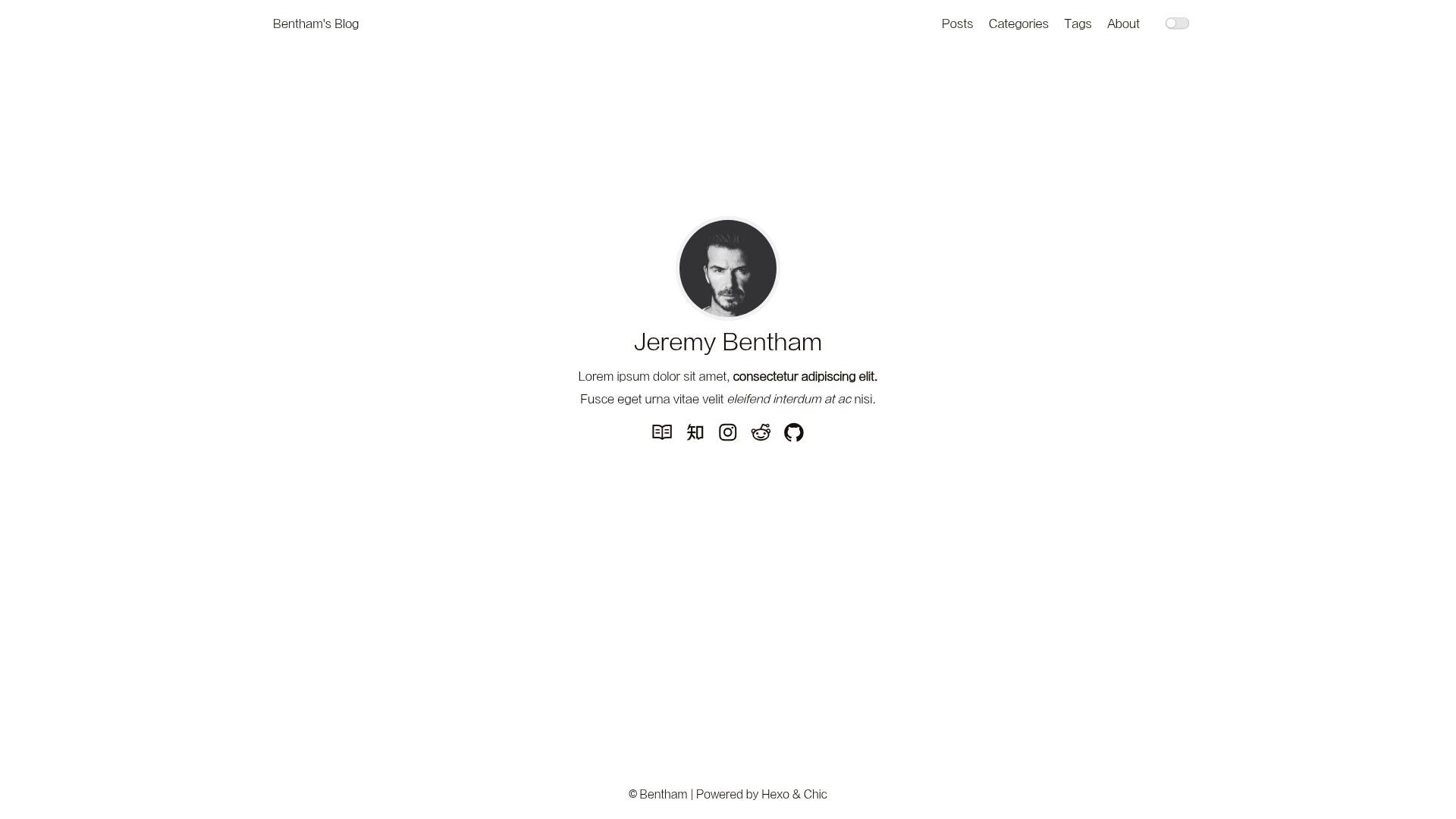
A responsive, elegant Hexo blog theme with light/dark mode, MathJax support, and customizable profile.
About this template
Chic is an open-source Hexo blog theme created by Siricee that turns a standard Hexo blog into a responsive, elegant reading site with a one-click light/dark toggle, LaTeX math rendering, and a fully customizable profile. It runs on Node.js 6.0+ and Hexo 3.0+, and is written in Stylus and JavaScript.
What is Hexo Theme Chic?
Chic is a Hexo theme, not a standalone site builder. You install it into an existing Hexo blog's themes directory, then adjust the theme's _config.yml to set navigation, avatar, social links, and plugin behavior. The theme outputs a static website with a clean blog layout, a profile block, post pages with metadata and TOC, and optional tag/category archives. The project's demo is available at siricee.github.io/hexo-theme-Chic, and the code is maintained in the Siricee/hexo-theme-Chic GitHub repository.
Key Features
- Light/dark theme toggle — Visitors can switch between light and dark appearances with one click; webmasters can force a default theme by editing the
default_themevariable insource/js/script.js. - MathJax LaTeX support — Renders inline formulas wrapped in single dollar signs and block formulas wrapped in double dollar signs, with two import modes:
globalloads on all pages,demandloads only on posts that declaremathjax: truein front-matter. - Responsive design — Automatically adapts to mobile and desktop screens, with carefully selected fonts and a recommendation of 'Microsoft Jhenghei' for the best reading experience.
- Interchangeable code highlighting — Light and dark have separate highlight packages in
_highlight, which you can swap by editing the Stylus file; pairs likeatelier-forest-lightanddarkulaare included. - TOC generation — Uses the tocbot library (tscanlin/tocbot) to build a table of contents from post headings, toggleable through
post_toc_enablein the theme config. - Profile and social links — The header displays a nickname, description (Markdown supported), avatar, and a configurable set of social icons/text for Zhihu, GitHub, Instagram, Reddit, and others.
- Post metadata controls — Each post can show or hide author, date, category, copyright notice, and a custom license slogan, all set from
_config.yml. - Subdirectory deployment — Supports sites hosted under a second-level URL by setting
urlandrootin the main Hexo config, preventing missing CSS/avatar 404s.
Who is it for?
- Hexo bloggers who want a more elegant default — Replace the stock theme with Chic to get a reading-focused layout, dark mode, and typography refinement without building a theme from scratch.
- Technical writers and academics — Use the demand-mode MathJax to compose mathematics-heavy posts in LaTeX while keeping the rest of the site free of the extra JavaScript.
- Developers who like to tweak — Edit the Stylus sources in
source/cssto change colors and highlights, and add custom JavaScript files by referencing them in the theme config'sscriptslist.
What can you do with Chic?
- Create a personal blog with a custom header and profile: Fill in the
nav,nickname,description,avatar, andlinkskeys in the theme config to make the site reflect your identity. - Write posts with images that have captions: Use Hexo's built-in
imgtag instead of Markdown to display an alt text and a title text below the image; the title is the visual caption. - Set up tag and category archive pages: Run
hexo new page tagandhexo new page category, then set the layout totagandcategoryin the generatedindex.mdfiles.
FAQ
Is Chic theme free?
Yes, the theme is open source, but it is licensed under Creative Commons Attribution-NonCommercial-ShareAlike 4.0 International, so commercial use is not permitted and derivative work must be shared under the same license.
How do I make the dark theme the default for all visitors?
Edit themes/Chic/source/js/script.js, find the document.ready function, and change default_theme from 'light' to 'dark'. That sets dark mode as the initial appearance for every page.
Why do my CSS, avatar, and images return 404 after deploying to a subdirectory?
The main _config.yml must specify the correct url and root values, for example root: /hexo-theme-Chic/. The theme reads those paths to generate asset URLs, and without them static files point to the wrong location.
What is the difference between MathJax global and demand mode?
global loads the MathJax script on every page, which is convenient but can misparse consecutive dollar signs and wastes bandwidth on non-math pages. demand only loads MathJax on posts that include mathjax: true in the front-matter, and is the recommended option in the documentation.