Template details
Tranquilpeak
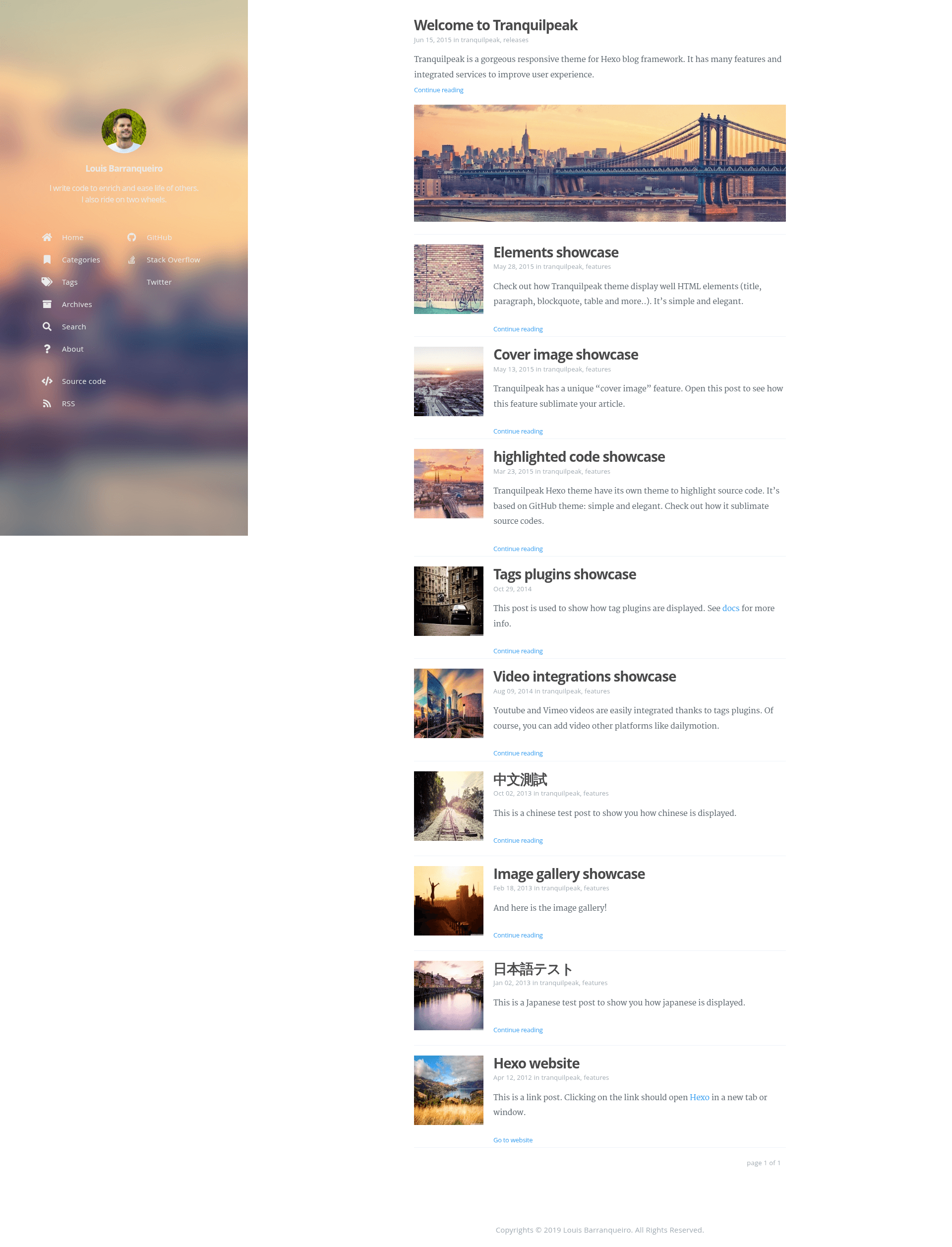
A gorgeous responsive theme for Hexo blog framework
About this template
Tranquilpeak is a responsive theme for the Hexo static site generator that turns Markdown blog posts into a feature-rich website with a customizable sidebar, cover images, and support for multiple comment systems.
What is Tranquilpeak?
Tranquilpeak is a free, open-source Hexo blog theme developed by Louis Barranqueiro and distributed under GNU GPL v3.0. It takes a Hexo blog's Markdown content as input and produces a fully styled, responsive static website as output, with a sidebar menu, tag and category archive pages, and an about page built in.
Key Features
- Fully responsive layout — adapts to tablets and mobiles, with an optimized touch experience for smaller screens.
- Customizable sidebar menu — configurable navigation, plus dedicated pages for filtering tags, categories, and archives.
- Post cover and thumbnail images — each post can carry a thumbnail and a full cover image, with responsive video and image embeds.
- Image gallery and FancyBox — supports image galleries and FancyBox lightbox behavior, wide images, tabbed code blocks, highlighted text, and alerts in posts.
- Table of contents — automatically generates a contents list for long posts, plus navigation menus between posts.
- Integrated services — built-in connections to Disqus, Google Analytics, Baidu Analytics, Gravatar, Algolia search, Facebook Insights, Gitment, and Gitalk.
- Open Graph and i18n — supports the Open Graph protocol for social sharing and internationalization for multiple languages.
- Customizable appearance — fonts, colors, layout elements, and code highlighting (GitHub theme by default) can all be changed.
Who is it for?
- Bloggers using Hexo — set up a personal or tech blog with a polished default look, then customize the sidebar and colors to match their brand.
- Developers — extend or modify the theme because it's open source, with configuration options for layouts, fonts, and services.
- Content creators who publish long-form posts — use the built-in table of contents, cover images, and galleries to structure articles.
- Site owners who need multi-language support — leverage the i18n support to publish content in several languages.
What can you do with Tranquilpeak?
- For a personal blog: publish Markdown posts with cover images, thumbnails, and a table of contents, all behind a responsive layout and a customizable sidebar.
- For a photography or portfolio blog: use the image gallery, wide images, and FancyBox to showcase photo series and visual work.
- For a tech blog: enable code highlighting with the GitHub theme, plus Disqus or Gitalk for comments, and Algolia for searchable content.
How does Tranquilpeak work?
To install Tranquilpeak, download the latest release from GitHub, rename the folder to tranquilpeak, and place it inside the themes folder of a Hexo blog. Then set theme: tranquilpeak in the Hexo _config.yml, run npm install && npm run prod in the theme directory, and follow the documentation to configure sidebar, services, and layout.
FAQ
Is Tranquilpeak free?
Yes, Tranquilpeak is open source and released under the GNU General Public License v3.0, so it is free to use and modify.
How do I install Tranquilpeak?
Download the latest version, rename it to tranquilpeak, place it in your Hexo themes folder, update the theme variable in _config.yml, then run npm install && npm run prod inside the theme folder.
What comment systems does Tranquilpeak support?
Tranquilpeak supports Disqus, Gitment, and Gitalk, so readers can leave comments through any of these platforms.
Does Tranquilpeak support analytics?
Yes, it integrates Google Analytics, Baidu Analytics, and Facebook Insights, letting you track site traffic and engagement.