Template details
Hexo Theme Lite
Lightweight single-page Hexo blog theme built with Vue, Vuex, and ElementUI.
About this template
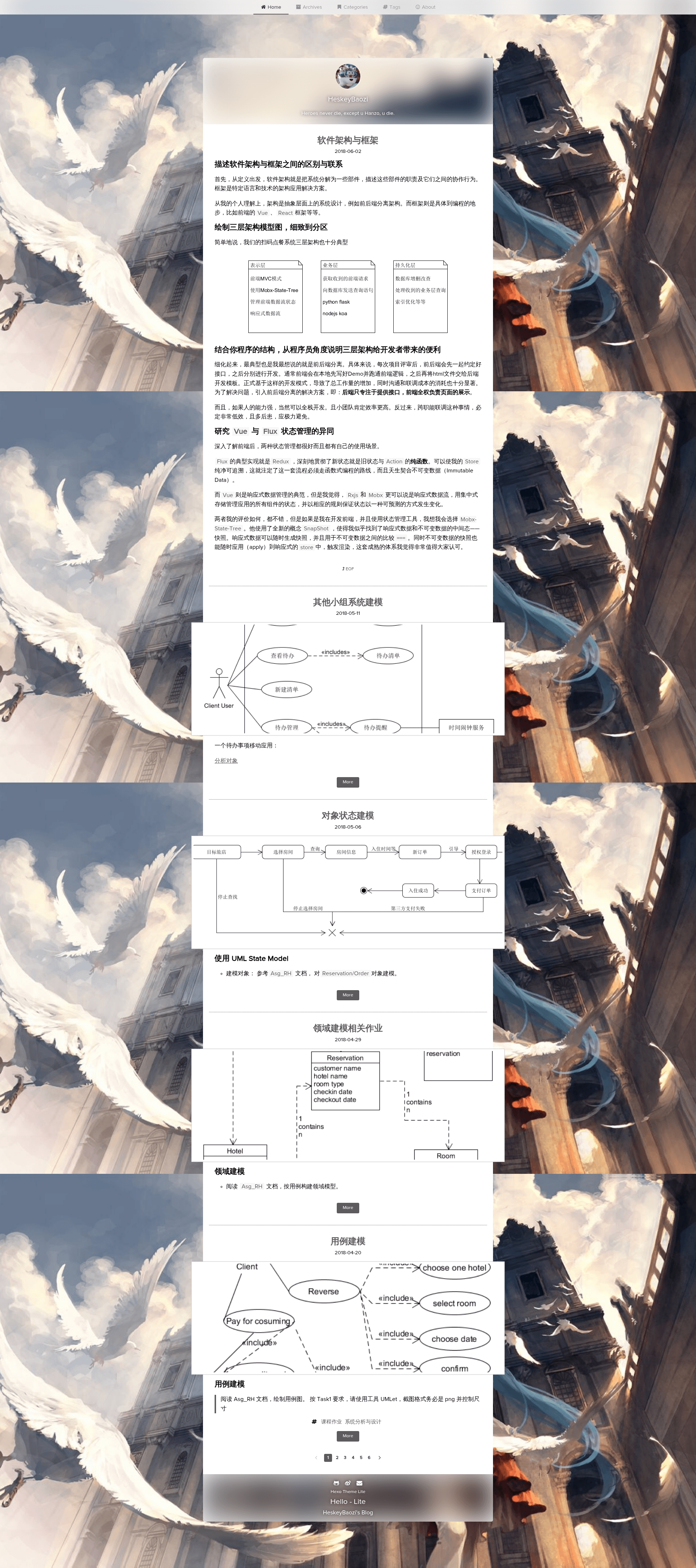
Hexo Theme Lite is a free, open-source single-page blog theme for the Hexo static site generator, built with Vue, Vuex, and ElementUI, that produces a light, filter-blurred personal blog with customizable layout and social features.
What is Hexo Theme Lite?
Hexo Theme Lite is a lightweight single-page blog theme for Hexo, developed by HeskeyBaozi and published on GitHub. It takes the markdown posts, pages, and theme configuration from a Hexo site and renders them as a Vue-powered single-page application. The theme uses Vuex for state management and ElementUI for UI components, and all customization happens through the theme's _config.yml file. A live demo is available at https://heskeybaozi.github.io/.
Key Features
- Gaussian blur filter — Configure the blur radius for the top navigator, header, and footer separately, plus a background color and font color for the blurred area.
- Custom background image or gradient — Set a background picture with CSS size and position, or switch to a CSS gradient (for example,
linear-gradient(to right, rgb(74, 135, 193), rgb(179, 177, 251))); enabling the gradient disables the picture. - Post excerpts — Insert Hexo's standard post-excerpt marker (an HTML comment containing the word
more) in a markdown post to manually truncate the excerpt shown on list pages. - Customizable menu — Toggle default Home, Archives, Categories, and Tags items, and add custom menu entries that link to pages in the
sourcedirectory. - Social links and Font Awesome icons — Add GitHub, weibo, email, wechat, QQ, and other links; each has a configurable Font Awesome icon class.
- Gitment comments — Built-in support for Gitment, which stores comments in GitHub Issues via OAuth; requires GitHub ID, repository name, client ID, and client secret.
- Google Analytics — Optional integration that accepts a
UA-track ID and is enabled from the config. - Layout and misc options — Toggle a "dependent footer," set a custom favicon, override the 404 page, and change the "powered by" text and link.
Who is it for?
- Bloggers using Hexo — Anyone running a Hexo blog who wants a single-page, Vue-based theme instead of the default landscape theme.
- Developers who like to tweak configs — Users who want control over blur effects, backgrounds, menus, and social icons without writing template code, all through YAML config.
- GitHub users who want issue-based comments — Bloggers who want a comment system with no server-side setup, since Gitment stores comments as GitHub Issues.
What can you do with Hexo Theme Lite?
- Personal bloggers — Build a clean single-page blog with a blurred header and customizable background, editing only
_config.ymland markdown posts. - Portfolio and About pages — Use the top menu to add a custom About page by creating
/about/index.mdin your source directory. - Comment-enabled blog posts — Register a GitHub OAuth application to enable Gitment comments per post, with configurable comments per page and max comment height.
How does Hexo Theme Lite work?
Installation uses git clone https://github.com/HeskeyBaozi/hexo-theme-lite themes/lite, then set theme: lite in your Hexo root _config.yml, and generate with hexo g and serve with hexo s. The theme requires the hexo-pagination package and the highlight plugin enabled in the root config. All customization is done in themes/lite/_config.yml, including avatar URL, blur radius, background, menu, social links, comments, analytics, and 404 page. To upgrade, run git pull inside the theme directory.