Template details
Hexo Theme PureBlue
A simple blue-styled Hexo theme with bilingual, responsive support and third-party integrations.
About this template
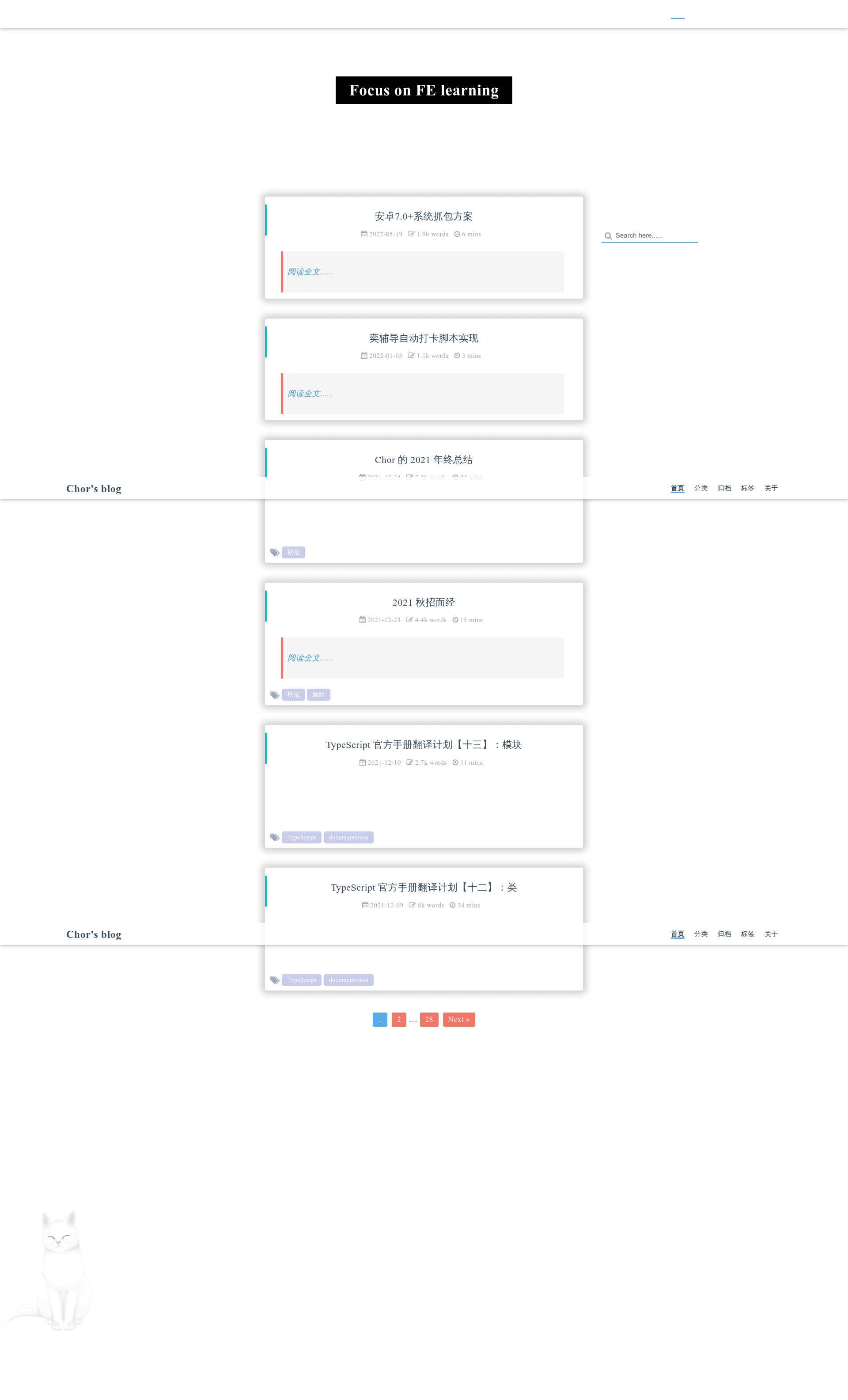
Hexo Theme PureBlue is a simple, blue-styled theme built for Hexo 3.8.0 that turns Markdown blog content into a static bilingual site with responsive layouts. This GitHub-hosted theme uses Stylus for CSS preprocessing and EJS for templating, and is distributed under the MIT License from the repository by Chorer.
What is Hexo Theme PureBlue?
Hexo Theme PureBlue is a Hexo theme designed for personal blogs and static websites running on Hexo version 3.8.0. It takes your Markdown posts, pages, and tags, and generates static HTML, CSS, and JavaScript through Hexo's build process, with Stylus handling styling and EJS rendering templates. The theme produces a clean blue-accented interface that works on both desktop and mobile, and it includes built-in layouts for the homepage, archives, categories, and tags.
Key Features
- Stylus and EJS stack — Style rules are written in Stylus, and pages are rendered with EJS templates, giving developers familiar preprocessor and templating syntax.
- Bilingual support out of the box — Language strings for Simplified Chinese (zh-CN) and English are included by default, switchable via the theme configuration.
- Responsive and mobile-adaptive — The layout adapts to PC and mobile screen widths, with mobile-specific styling included.
- Table of contents (TOC) — Articles can display a TOC with the current heading highlighted as you scroll.
- Fancybox lightbox — Images in posts can be opened in a fancybox overlay for easier viewing.
- Third-party plugin integrations — Optional support for code highlighting via hexo-prism-plugin (requires disabling Hexo's built-in highlight), word count via hexo-wordcount, comments via Valine (using LeanCloud appid and appkey), and sharing via AddThis (using a pubid).
- Category, tag, and archive layouts — Dedicated pages for categories and tags, plus archives, with total post counts displayed.
- jQuery-based interactions — The theme currently relies on jQuery, and the roadmap lists moving to vanilla JavaScript as a future improvement.
Who is it for?
- Personal bloggers using Hexo who want a simple blue color scheme and don't want to design from scratch.
- Chinese and English bilingual writers who need a theme that ships with both language strings and can switch UI labels.
- Developers who prefer Stylus and EJS and want a lightweight theme they can fork and customize under the MIT license.
What can you do with Hexo Theme PureBlue?
- Bloggers: publish Markdown posts and show a categorized, tagged archive with a clean blue layout.
- Tech writers: use TOC and optional code highlighting to produce documentation-style blog posts.
- Site owners: add Valine comments and AddThis sharing without installing additional plugins, only filling in credentials in the config.
How does Hexo Theme PureBlue work?
Installation is a two-step process: clone the repository into the themes folder of your Hexo project, then set theme: hexo-theme-PureBlue in the site's _config.yml. After that, run your normal Hexo generate and deploy commands. To update the theme later, run git pull inside the theme folder.
Pricing
The theme is free and open source under the MIT License. There are no paid tiers or premium features listed on the repository.
FAQ
Is Hexo Theme PureBlue free?
Yes, the theme is licensed under the MIT License, so you can use, modify, and distribute it freely, including for commercial purposes. No payment is required.
How do I install Hexo Theme PureBlue?
Clone the repository into your Hexo project's themes directory, then edit the site's _config.yml to set theme: hexo-theme-PureBlue. You can then run hexo generate and hexo server to preview.
Which browsers does it support?
The repository states that it will not support IE6, IE7, or IE8. It is designed for modern browsers and responsive mobile viewing.
Does it support comments?
Yes, comments are supported through the Valine plugin. You need to enable valine in the theme config and provide your LeanCloud appid and appkey. No extra plugin installation is required.
Can I customize the theme?
Yes, because it's open source. The theme configuration is in the theme's _config.yml, and you can edit Stylus and EJS files directly. The changelog shows frequent updates and bug fixes.