Template details
hexo-theme-ztopic
A simple, open-source Hexo theme for building clean static blog sites, with Sass styling and support for Hexo 3.2 and 7.
About this template
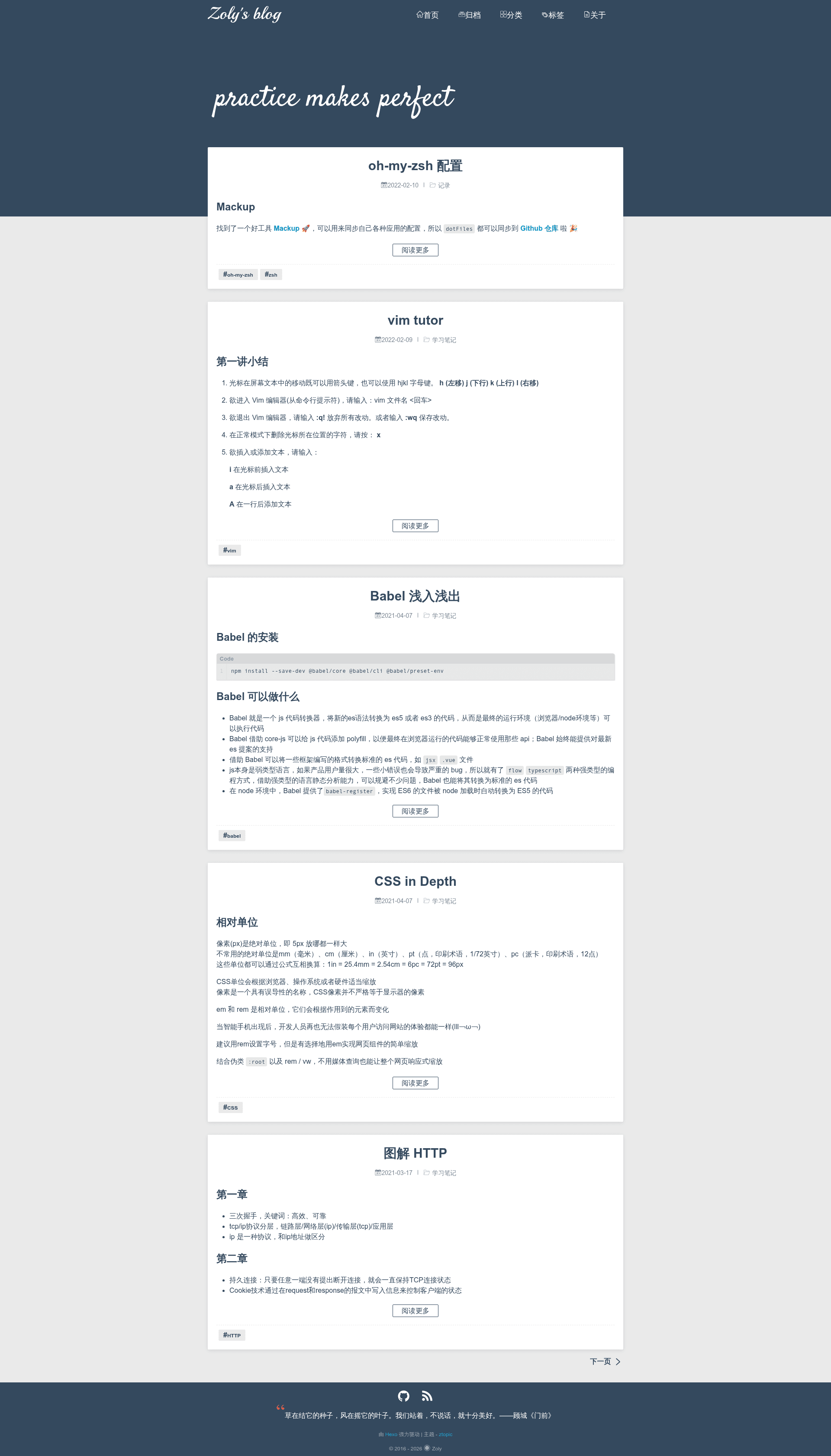
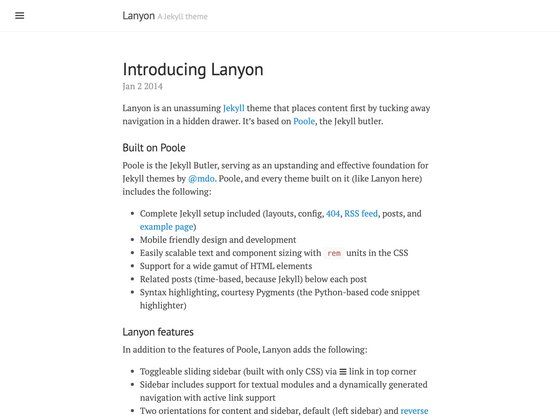
hexo-theme-ztopic is a simple, open-source theme for the Hexo static site generator that turns Markdown posts into a blog website, with a live demo available at zo-ly.github.io/blog. It focuses on a minimal, clean presentation and is installed by cloning the GitHub repository into your Hexo project's themes directory.
What is hexo-theme-ztopic?
hexo-theme-ztopic is a lightweight Hexo blog theme that renders Markdown content into a static site. It requires the hexo-renderer-sass package to compile Sass stylesheets, and installation instructions are provided for two Hexo versions: Hexo@3.2 with Node@12 and Hexo@7 with Node@18. The theme is created by GitHub user zo-ly and is distributed through the repository zo-ly/hexo-theme-ztopic. Its core output is a visually simple blog generated from standard Hexo posts.
Key Features
- Simple design — The theme's stated purpose is to be "a simple theme for Hexo", offering a clean, uncluttered layout for blog content.
- Hexo compatibility — Explicit installation commands are provided for Hexo@3.2 (Node@12) and Hexo@7 (Node@18), covering two major versions of the generator.
- Sass styling — The theme depends on
hexo-renderer-sass; on older Hexo versions it uses the author's forkzo-ly/hexo-renderer-sass, while newer versions use the standard npm package. - Git-based installation — Installed via
git clone --depth 1into thethemes/ztopicfolder, making updates straightforward through Git pull. - Live demo — An online preview at zo-ly.github.io/blog shows the theme rendering a real blog site, likely hosted on GitHub Pages.
Who is it for?
- Hexo bloggers who want a straightforward theme without complex configuration or heavy JavaScript frameworks.
- Developers who need a minimal starting point for creating a custom Hexo theme, with Sass as the styling preprocessor.
- Static site enthusiasts who prefer a simple, fast blog that compiles to static HTML and can be deployed to services like GitHub Pages.
What can you do with it?
- Publish a personal blog: Write posts in Markdown and use Hexo with this theme to generate a static blog with a clean layout.
- Customize the visual style: Modify the Sass files to change colors, fonts, and spacing, leveraging the hexo-renderer-sass compiler.
- Deploy to GitHub Pages: Follow the pattern of the demo site to host your generated blog on GitHub Pages or any static host.
How does it work?
Installation follows these steps:
- Install the Sass renderer: for Hexo@3.2 run
npm install --save zo-ly/hexo-renderer-sass; for Hexo@7 runnpm install --save hexo-renderer-sass. - Clone the theme into your project:
git clone --depth 1 https://github.com/zo-ly/hexo-theme-ztopic themes/ztopic. - Set
theme: ztopicin your Hexo_config.ymland runhexo generateto build the site.
FAQ
Is hexo-theme-ztopic free?
Yes, it is an open-source theme published on GitHub, so it can be used and modified without charge. There is no license file visible in the README, but the source is publicly accessible for anyone to download and adapt.
What Hexo versions does it support?
The README provides install commands for two environments: Hexo@3.2 with Node@12, and Hexo@7 with Node@18. This covers older and newer Hexo installations, though other versions may work with adjustments.
Does it require any additional npm packages?
Yes, the theme relies on a Sass renderer. For Hexo@3.2 you need zo-ly/hexo-renderer-sass, and for Hexo@7 you need the standard hexo-renderer-sass. Both are installed via npm.
How do I activate the theme after cloning?
After cloning the repository into the themes/ztopic folder, open your Hexo site's _config.yml file and set the theme field to ztopic. Then run hexo generate to build the static site.
Is there a demo I can see?
Yes, the author provides a live preview at zo-ly.github.io/blog. It shows the theme rendering a blog with posts and a simple navigation layout.