Template details
Hexo Themes Yearn
A simple and elegant theme for Hexo, focusing on simplicity and extreme performance.
About this template
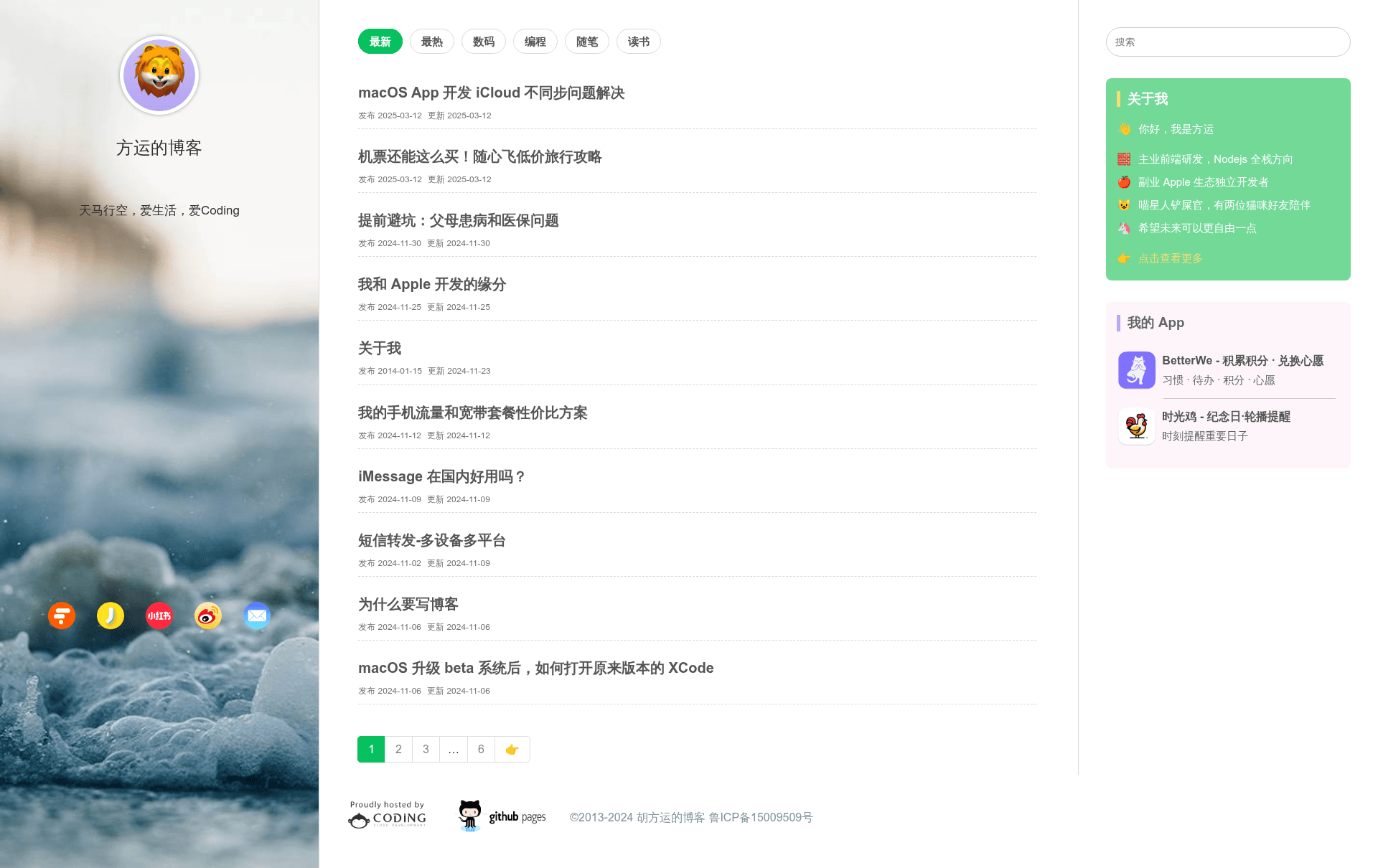
Hexo Themes Yearn is a free, open-source theme for the Hexo static site generator that turns Markdown content into a simple, elegant blog with a focus on extreme performance. It is designed for bloggers who want a minimal aesthetic without sacrificing functionality, and it includes details like a QR-code mobile preview, an overdue reminder widget, and console easter eggs. The theme is publicly developed on GitHub, where the repository description reads "一个简洁优雅的hexo主题 A simple and elegant theme for hexo", and the author's blog at https://hufangyun.com serves as the live preview.
What is Hexo Themes Yearn?
Hexo Themes Yearn is a theme that you install into a Hexo blog by cloning https://github.com/Youthink/hexo-themes-yearn into the themes/yearn directory. It consumes the Markdown posts and static content that Hexo builds and renders them with a clean, responsive layout. The theme is configured by editing its own _config.yml file, and detailed options are documented in the project's wiki. The theme's stated design goals are simplicity, elegance, and extreme performance.
Key Features
- Minimal and elegant design — The theme's core philosophy is simplicity and elegance, prioritizing fast loading and a clean reading experience.
- Overdue reminder function — A recently added feature that displays reminders for overdue items, useful for task-oriented blogs.
- Console easter eggs — Visitors who open the browser console see playful messages, a small detail for the technically curious.
- QR-code mobile preview — The site includes a QR code that lets mobile visitors quickly open the blog on their phone, confirming its responsive layout.
- Configuration via
_config.yml— All theme options are centralized in the theme's configuration file, with a wiki available for reference. - Git-based updates — Because the theme is a git repository, updating to the latest release is a simple
git pullinside the theme folder. - Source-driven development workflow — The theme's source files live in
source-src; developers can runyarn installandyarn devto preview changes, thenyarn dist(ornpm dist) to produce the final theme build.
Who is it for?
- Hexo bloggers — People who maintain a Hexo blog and want an elegant, fast theme that can be installed in a single clone command and customized through one config file.
- Theme developers — Developers who need a clean, well-structured Hexo theme to study or extend, with a modern JavaScript build pipeline based on Yarn or npm.
- Mobile-oriented readers — Bloggers whose audience frequently visits from phones; the theme's responsive layout and QR-code shortcut make mobile access easy.
What can you do with it?
- Launch a personal blog: Write posts in Markdown and use Hexo to generate a static site with a refined, minimal design.
- Add playful touches: Impress visitors with console easter eggs and keep track of deadlines with the overdue reminder widget.
- Customize the theme: Modify the source in
source-src, rebuild withyarn dist, and deploy your own variant of the theme without touching the generated files directly.
FAQ
Is Hexo Themes Yearn free?
Yes. The repository is public on GitHub, and the theme is open source. You can clone it, use it on your Hexo blog, modify it, and contribute to its development.
How do I install Hexo Themes Yearn?
Clone the repository into your Hexo project's themes folder: git clone https://github.com/Youthink/hexo-themes-yearn.git themes/yearn, then set your site's _config.yml to use the yearn theme.
How do I update the theme?
Change into the theme directory (cd themes/yearn) and run git pull. This will fetch the latest changes from the remote repository.
Does the theme support PWA?
PWA support is listed in the project's roadmap as a planned feature, but it is not yet implemented in the current release. The theme currently focuses on static HTML output and performance.
Can I customize the theme's source code?
Yes. Source files are in source-src. Run yarn install (or npm install) followed by yarn dev for development, then use yarn dist to build the final theme into the dist folder.