Template details
astroblog
Personal Astro blog edited through self-hosted Pages CMS and deployed on Vercel.
About this template
astroblog is a personal blog template built with Astro that turns markdown files in the repository into a statically generated site, edited through a self-hosted Pages CMS and deployed on Vercel.
What is astroblog?
astroblog is an open-source personal blog template that uses the Astro framework to convert markdown content into a static site. It takes markdown files from content/posts, content/projects, and content/pages as input and produces a fully statically generated website with RSS, sitemap, and SEO metadata as output. The template runs on Vercel with no backend or database, and it was built by HighCraft.io.
Key Features
- Git-as-CMS content workflow — Markdown files in the
content/directory are the single source of truth, and the GitHub repository acts as the database, with no separate content API. - Pages CMS integration — The
.pages.ymlconfiguration lets editors use a web interface at cms.alexpavlov.dev to edit and commit content through a GitHub App, triggering automatic Vercel redeploys. - Typed content collections — Astro content collections parse the markdown with a zod schema in
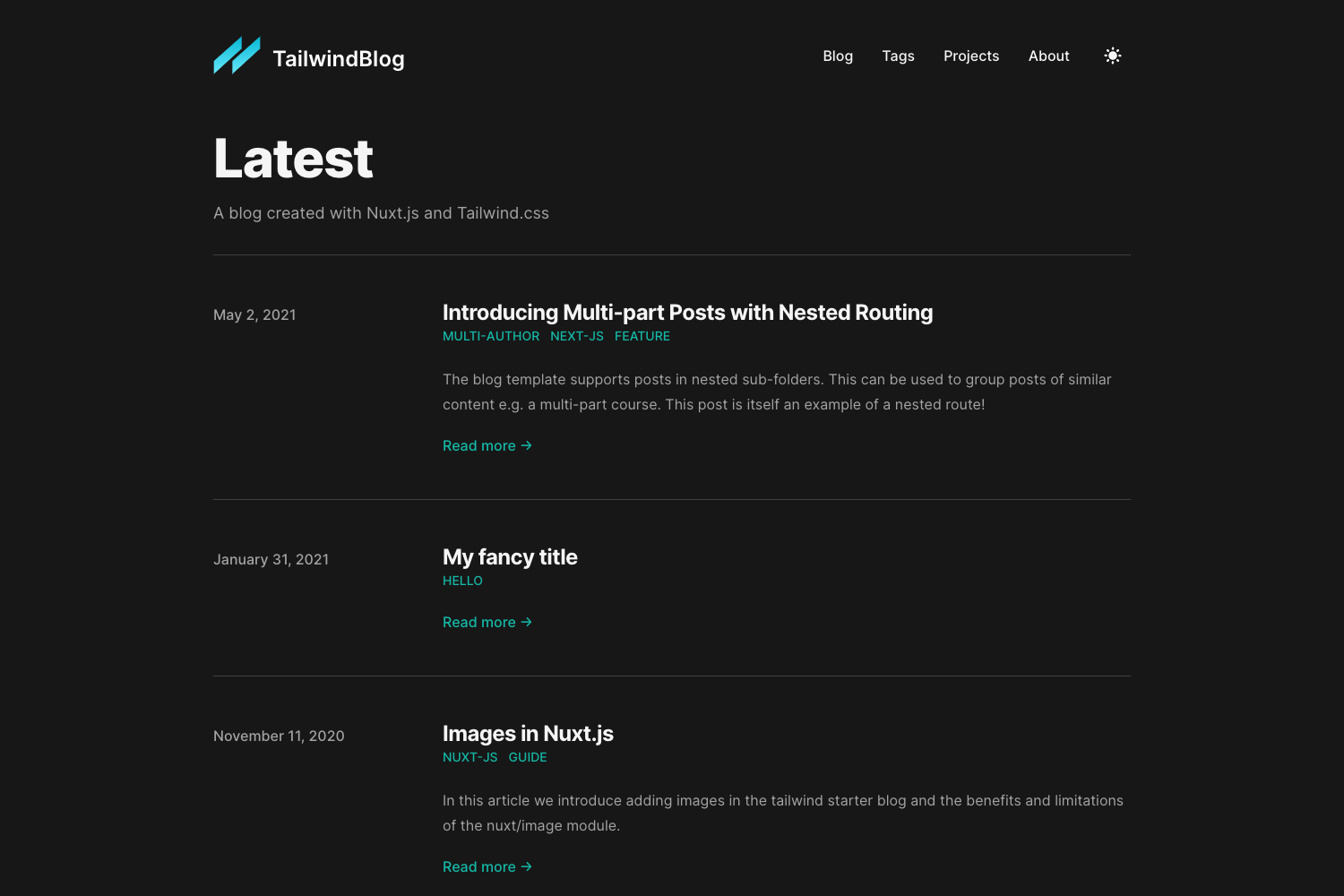
content.config.ts, giving type safety on frontmatter fields like title, status, slug, tags, and publishedAt. - Near-zero client-side JavaScript — No React or other framework; only small vanilla scripts power the header typewriter and the about-me notation effect, keeping pages fast.
- Tailwind CSS styling — Styling is handled by Tailwind CSS, configured in
tailwind.config.js, with a self-hosted Inter variable font and a forced dark mode design. - Comments via Giscus — Readers can comment through GitHub Discussions, so comments are stored in your repository without a third-party comment service.
- Code highlighting and table of contents — The markdown pipeline includes rehype-prism-plus for syntax highlighting and automatic table of contents for long posts.
- SEO and security defaults — The template includes canonical URLs, OpenGraph tags, BlogPosting JSON-LD structured data, a sitemap, robots.txt, and security headers like CSP and HSTS set in
vercel.json.
Who is it for?
- Developers and technical bloggers who want a fast, statically generated blog with full control over content in markdown and a purely Git-based publishing workflow.
- Astro users looking for a production-ready starter that already wires up content collections, Tailwind, and Vercel deployment.
- Writer-editors in a dev team who prefer a CMS-like editing interface (Pages CMS) instead of editing raw markdown, but still want every change to go through a GitHub commit.
What can you do with astroblog?
- Write and publish posts: Add a markdown file to
content/postswith frontmatter fields like title, tags, and a featured flag, then commit to deploy. - Manage drafts: Set
status: draftin a post's frontmatter to keep it out of the build, sitemap, and tag pages, with direct access returning a 404. - Add project pages: Use the
content/projectscollection to showcase work, alongside the pages collection for static pages like About. - Collect reader comments: Connect Giscus to your GitHub Discussions and readers can leave comments under any post without a separate moderation dashboard.
How does astroblog work?
- Markdown files live in
content/{posts,projects,pages}. - Pages CMS, configured by
.pages.yml, edits those files through a GitHub App and commits them. - The commit triggers a Vercel redeploy.
- Astro content collections parse the markdown with zod, and the markdown pipeline adds GitHub-flavored markdown, table of contents, Prism highlighting, and heading anchors.
- The statically generated site updates.
Pros and cons
- Pros: No backend or database required, near-zero client JavaScript for fast loads, typed content with zod, built-in SEO and security headers, and a comments system tied to GitHub Discussions.
- Cons: The forced dark mode design and the dependence on GitHub and Vercel for the full workflow may not suit every site, and setting up Pages CMS requires installing a GitHub App.
FAQ
Does astroblog require environment variables?
No required environment variables. The site builds and runs without any secrets. Content editing is handled by the self-hosted Pages CMS GitHub App at cms.alexpavlov.dev, and comments go through Giscus.
How do I edit content without using code?
Open the repository in the Pages CMS interface at cms.alexpavlov.dev with the Pages CMS GitHub App installed. You can edit Posts, Projects, and Pages, then save; the commit triggers a Vercel redeploy automatically.
What post frontmatter fields are supported?
Posts support title, status (published or draft), slug, description, tags (a list), coverImage, featured (boolean), and publishedAt. Draft posts are excluded from the build, sitemap, and tag pages.
What integrations are included in the build?
The tech stack includes Astro, Tailwind CSS, Pages CMS, Giscus, rehype-prism-plus for code highlighting, and Vercel Analytics plus Speed Insights. There is no React or other client framework.
Is the design based on another project?
Yes, the design is based on the blog at pycoder2000/blog on GitHub, and the project structure and workflow are adapted for Pages CMS and Vercel deployment.