Template details
Hover Preview
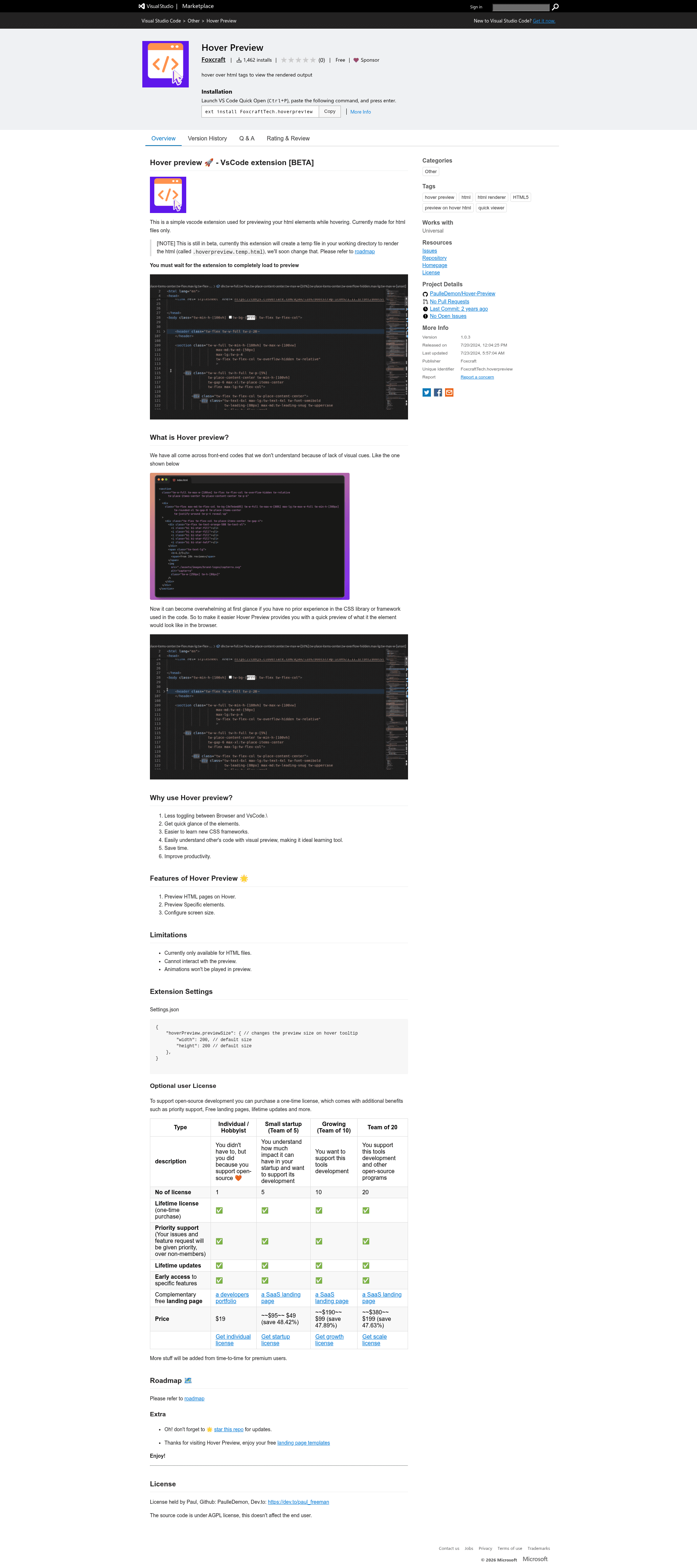
A beta VS Code extension that renders HTML element previews in hover tooltips.
About this template
Hover Preview is a beta VS Code extension that renders a live visual preview of an HTML element inside the editor's hover tooltip, so you can see what markup looks like in a browser without leaving your code.
What is Hover Preview?
Hover Preview is a Visual Studio Code extension that displays a rendered preview of HTML elements when you hover over them in the editor. It takes the HTML markup under your cursor and produces an in-editor visual snapshot of how that element would appear in a browser. The extension is currently limited to HTML files and is authored by Paul (GitHub: PaulleDemon). Because the project is in beta, it creates a temporary file named .hoverpreview.temp.html in your working directory to render the previews; the roadmap indicates this will change.
Key Features
- Preview HTML pages on hover — Hover over any HTML element in a
.htmlfile and get an immediate visual render inside the tooltip. - Preview specific elements — Instead of loading the whole page, the extension isolates and renders the particular element you're hovering over.
- Configurable preview size — Adjust the tooltip preview dimensions using the
hoverPreview.previewSizesetting, with both width and height defaulting to 200 pixels. - Works with CSS frameworks — Because it renders the element as a browser would, the preview reflects the styling of any linked CSS or framework, making it easier to learn new libraries.
- No browser toggling — Reduces the time spent switching between VS Code and a browser to check how markup looks.
- Free and open source — The source code is available under the AGPL license, and the extension is free to use.
Who is it for?
- Front-end developers who want to quickly inspect the visual output of unfamiliar HTML or CSS without leaving the editor.
- Learners exploring CSS frameworks who need instant visual feedback on how framework classes change the appearance of elements.
- Code reviewers and maintainers who want a fast glance at component rendering when studying other people's markup.
- Anyone reading front-end codebases that rely on less-common CSS libraries and want to reduce the cognitive load of pure text.
What can you do with Hover Preview?
- Rapidly validate markup: Hover over a section, button, or layout container to confirm it looks as expected before running a live server.
- Learn a new framework: Open a project using an unfamiliar CSS framework, hover over its class names, and immediately see their effect.
- Understand existing code: When inheriting a project with hundreds of lines of HTML, hover to get a visual map of each block without tracing style rules.
How does Hover Preview work?
The extension creates a temporary .hoverpreview.temp.html file in your active working directory and uses it to render the hovered HTML element, displaying the result in the tooltip. You must wait for the extension to fully load after installation before previews appear, and the current beta leaves the temp file behind.
Pros and cons
- Pros: saves time by removing constant browser switching, provides instant visual feedback, helps with learning and understanding CSS frameworks, and is completely free.
- Cons: currently limited to HTML files only; the preview is not interactive (no clicking or scrolling); animations are not played; and the beta version creates a temporary file in your workspace.
Pricing
Hover Preview is free to use. The source code is released under the AGPL license, which applies to the project itself and does not affect end users of the extension.
FAQ
Is Hover Preview free?
Yes, Hover Preview is a free, open-source extension. The code is licensed under AGPL, and there are no paid tiers or premium features listed.
What file types does Hover Preview support?
Currently, Hover Preview only works with HTML files. It will not preview in other languages like JavaScript, CSS, or markdown files.
Can I interact with the preview?
No. The preview is a static visual snapshot. You cannot click links, hover over nested elements, or play animations.
How do I change the preview size?
Open your VS Code settings.json and set hoverPreview.previewSize with width and height values. Both default to 200 pixels.
Why does a .hoverpreview.temp.html file appear in my project?
That is a known behavior of the beta version. The extension generates this temporary file in your working directory to render the hover previews. The roadmap indicates this will change in future versions.