Template details
hugo-pure
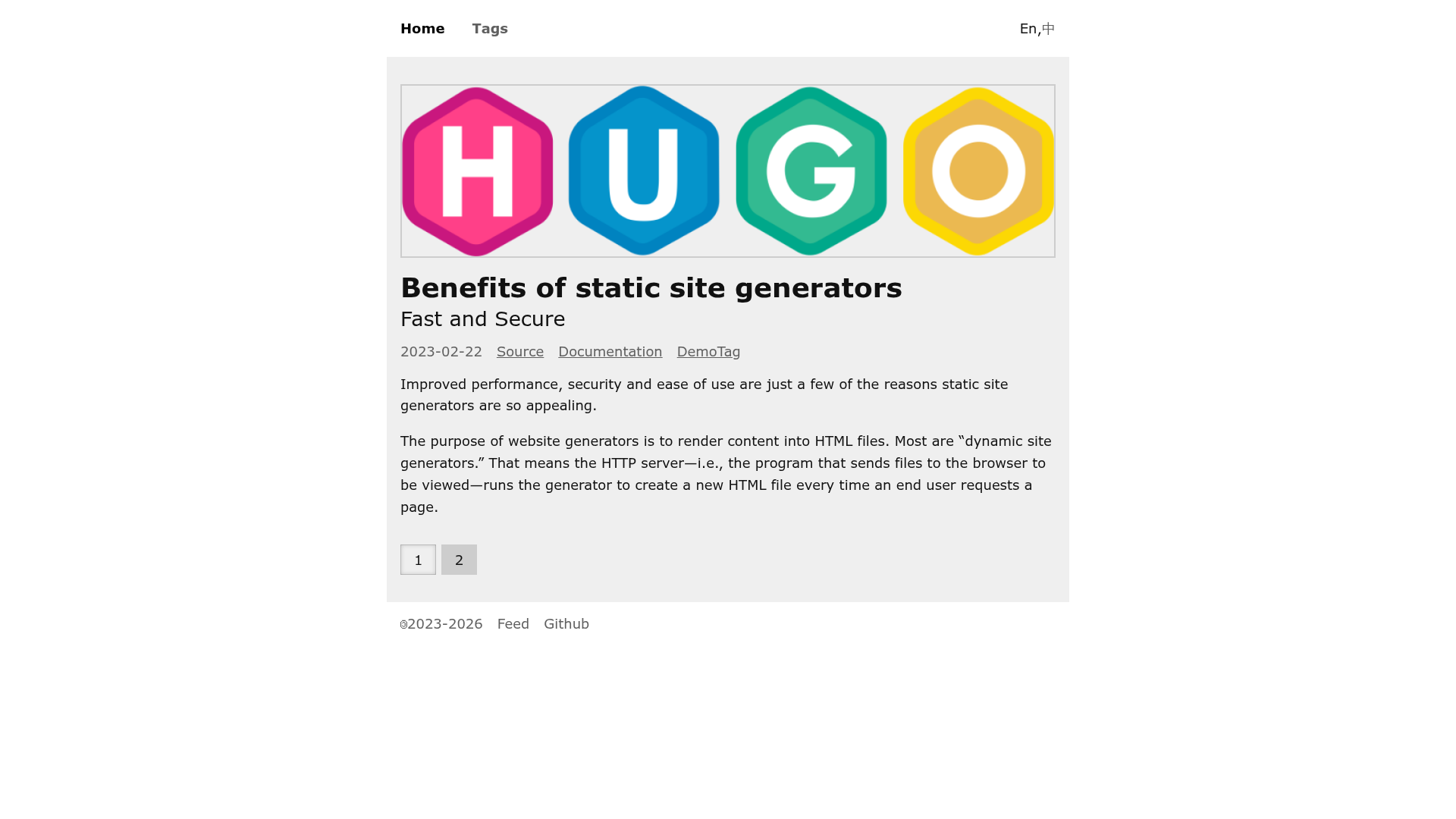
A minimalist, JavaScript-free Hugo theme with responsive design, dark mode, multilingual support, and AI crawler blocking.
About this template
hugo-pure is a minimal, JavaScript-free Hugo theme for static blogs and documentation sites, built on the Pure.css framework and tested on Hugo v0.147.3. It turns Markdown content and Hugo front matter into a responsive, multilingual static website with dark mode support, and it ships without any client-side JavaScript.
What is hugo-pure?
hugo-pure is a theme for the Hugo static site generator, created by GitHub user undus5. It takes Hugo content files (Markdown with TOML/YAML front matter) as input and produces a static HTML website as output. The theme is intentionally simple: it uses Pure.css for styling, has no JavaScript, and includes a live demo at https://hugo-pure.undus.net. Being a Hugo theme, it runs during Hugo's build process and requires no server-side runtime.
Key Features
- Responsive design — layouts adapt to mobile devices and desktop screens.
- Dark mode with auto switch — follows the user's system preference automatically.
- Multilingual support — built-in i18n for sites published in multiple languages.
- No JavaScript — the theme ships with zero client-side scripts, which improves performance and accessibility.
- AI crawler blocking — includes a robots.txt that disallows AI crawlers by default.
- Custom front matter — per-page options such as
showToc,showSummary,hidden,subtitle, and externalsourceslinks; list pages supportpaginateanddoubleColumns. - Customizable assets — add a favicon via
assets/favicon.png, extend footer menu items with link/plain types, and override CSS or add JS through Hugo partial templates with specific block names.
Who is it for?
- Bloggers who want a lightweight, fast personal blog without interactive page bloat.
- Technical writers publishing documentation or knowledge bases with Hugo, who need TOC and source links.
- Open-source maintainers who want a no-nonsense theme for project sites or docs and prefer to avoid JavaScript dependencies.
What can you do with hugo-pure?
- Set up a multilingual blog — use the built-in i18n support to publish content in English, Chinese, or other languages, with automatic dark mode and responsive layouts.
- Create a documentation site — enable per-page table of contents and external source links to give readers clear navigation and citation.
- Deploy a personal portfolio or landing page — customize the footer menu, hide pages from listings with the
hiddenfront matter, and control the number of posts per page via front matter or global config.
How does hugo-pure work?
Installation follows a standard Hugo theme workflow: add the repository as a git submodule with git submodule add https://github.com/undus5/hugo-pure themes/hugo-pure, then set theme = 'hugo-pure' in your config.toml. A demo can be started directly with ./demo.sh run. Content is authored in Markdown with Hugo front matter, and the theme exposes optional front matter keys to control layout and visibility.
Pros and cons
- Pros: Zero JavaScript means faster loads and less maintenance; dark mode and responsive design come out of the box; no build step beyond Hugo itself.
- Cons: The lack of JavaScript also means no interactive widgets like client-side search, comment boxes, or animations without adding your own partial templates.
Pricing
hugo-pure is free and open source, distributed via GitHub. There are no paid tiers or pro features mentioned in the repository.
Alternatives
- PaperMod — a popular Hugo theme that offers more built-in features such as search and post cover images.
FAQ
Does hugo-pure support dark mode?
Yes. The theme includes built-in dark mode that automatically switches based on the user's system preference. No configuration is required for the automatic switching behavior.
Does hugo-pure require JavaScript?
No. The theme is completely JavaScript-free. All behavior is server-rendered by Hugo, and there is no client-side scripting bundled. If you need JavaScript for custom features, you can add it via partial template overrides.
How do I add a favicon to my hugo-pure site?
Put a file named favicon.png in the assets folder of your Hugo project. The theme will pick it up automatically. The default favicon is empty, so without this file no favicon is served.
Can I use hugo-pure for a multilingual website?
Yes. Multilingual support is a listed feature. Hugo's built-in i18n works with the theme, so you can publish content in multiple languages.
Is hugo-pure free?
Yes. The theme is open source and hosted on GitHub. There are no paid tiers, and you can use it for personal or commercial projects.