Template details
Hugo Tailwind Nord Theme
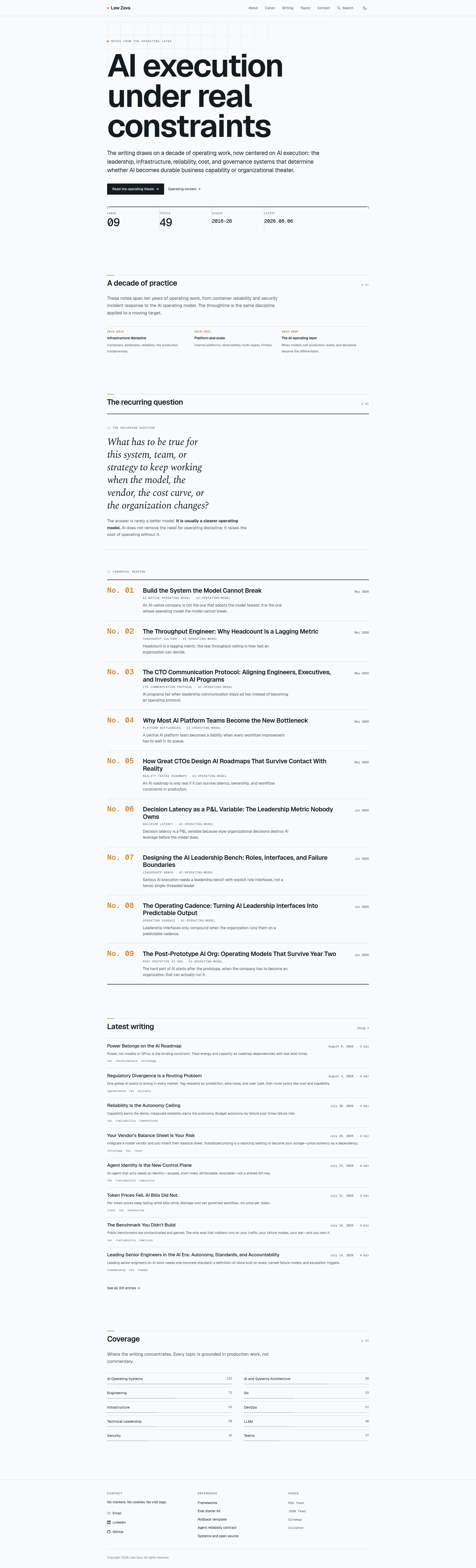
A Hugo starter theme combining Tailwind CSS and the Nord color palette for static site projects.
About this template
Hugo Tailwind Nord Theme is a starter theme for the Hugo static site generator that combines Tailwind CSS with the Nord color palette to produce a ready-to-use foundation for building static websites.
What is Hugo Tailwind Nord Theme?
Hugo Tailwind Nord Theme is a Hugo theme package that provides a pre-configured integration of Tailwind CSS and the Nord color scheme. It runs on Hugo with Hugo Pipes for asset processing, takes Markdown content from a Hugo site's content directory, and outputs a static HTML site styled with Tailwind utility classes and Nord colors. The theme is hosted on GitHub under the lawzava account and cites the hugo-theme-tailwindcss-starter as its inspiration.
Key Features
- Tailwind CSS integration — The theme wires Tailwind CSS through Hugo Pipes, so utility classes compile into a site-specific stylesheet during the Hugo build without a separate front-end build step.
- Nord color scheme — The visual design uses the Nord palette from nordtheme.com, a widely adopted Arctic-inspired color system.
- PostCSS pipeline — Styles are processed with Hugo's PostCSS support, which requires globally installed postcss-cli and autoprefixer npm packages.
- Minimum Hugo version — The theme requires Hugo v0.80.0 or above to function correctly.
- Simple installation — Install by cloning the repository into the themes folder of a Hugo site, running npm install in the theme directory, and setting the theme name in config.toml.
- Clear content and layout separation — Content authors write Markdown in the site root's content folder, while layout templates live in themes/hugo-tailwind-nord-theme/layout and can be customized there.
Who should use Hugo Tailwind Nord Theme?
- Hugo developers who want a Tailwind CSS setup already configured with Hugo Pipes and PostCSS, avoiding manual wiring of PurgeCSS and the PostCSS toolchain.
- Front-end designers who prefer the Nord palette and utility-first CSS and need a minimal starting point for a new static site.
- Indie web publishers who want to quickly launch a personal blog, portfolio, or documentation site by writing Markdown and relying on a styled theme.
What can you do with Hugo Tailwind Nord Theme?
- Launch a personal blog: Drop Markdown files into the content folder and run the Hugo server to get a styled site with Tailwind and Nord colors.
- Prototype a landing page: Use the theme's layout files as a base and modify them in the theme folder to iterate on design.
- Learn Hugo and Tailwind integration: Study the theme's PostCSS and Hugo Pipes setup to understand how the two tools work together in a real project.
How does Hugo Tailwind Nord Theme work?
The README describes a three-step setup: clone the theme into the site's themes directory, run npm install to fetch the Tailwind and PostCSS dependencies, then add theme = "hugo-tailwind-nord-theme" to config.toml. After that, hugo server --disableFastRender serves the site, with content placed in the content folder and layouts edited in the theme folder.
Alternatives
- hugo-theme-tailwindcss-starter — A separate Hugo and Tailwind CSS starter theme that Hugo Tailwind Nord Theme cites as its inspiration.
FAQ
What Hugo version is required?
The README specifies that you need Hugo v0.80.0 or higher to use this theme.
Do I need to install global npm packages?
Yes, the theme requires postcss-cli and autoprefixer installed globally, because Hugo's PostCSS pipe depends on them.
How do I install the theme?
Clone the repository into your Hugo site's themes folder, remove the embedded .git directory, run npm install inside the theme folder, and set theme = "hugo-tailwind-nord-theme" in your config.toml.
Where does site content go?
Content is placed in the content directory of the Hugo site, while the visual layout is developed inside the theme's layout folder.
Can I use this theme as a learning resource?
Yes, the README links to official Hugo PostCSS documentation and Tailwind CSS docs on controlling file size, making it a useful reference for learning the setup.