Template details
Huguette
A simple boilerplate theme for Hugo with optional classless CSS and Netlify CMS support.
About this template
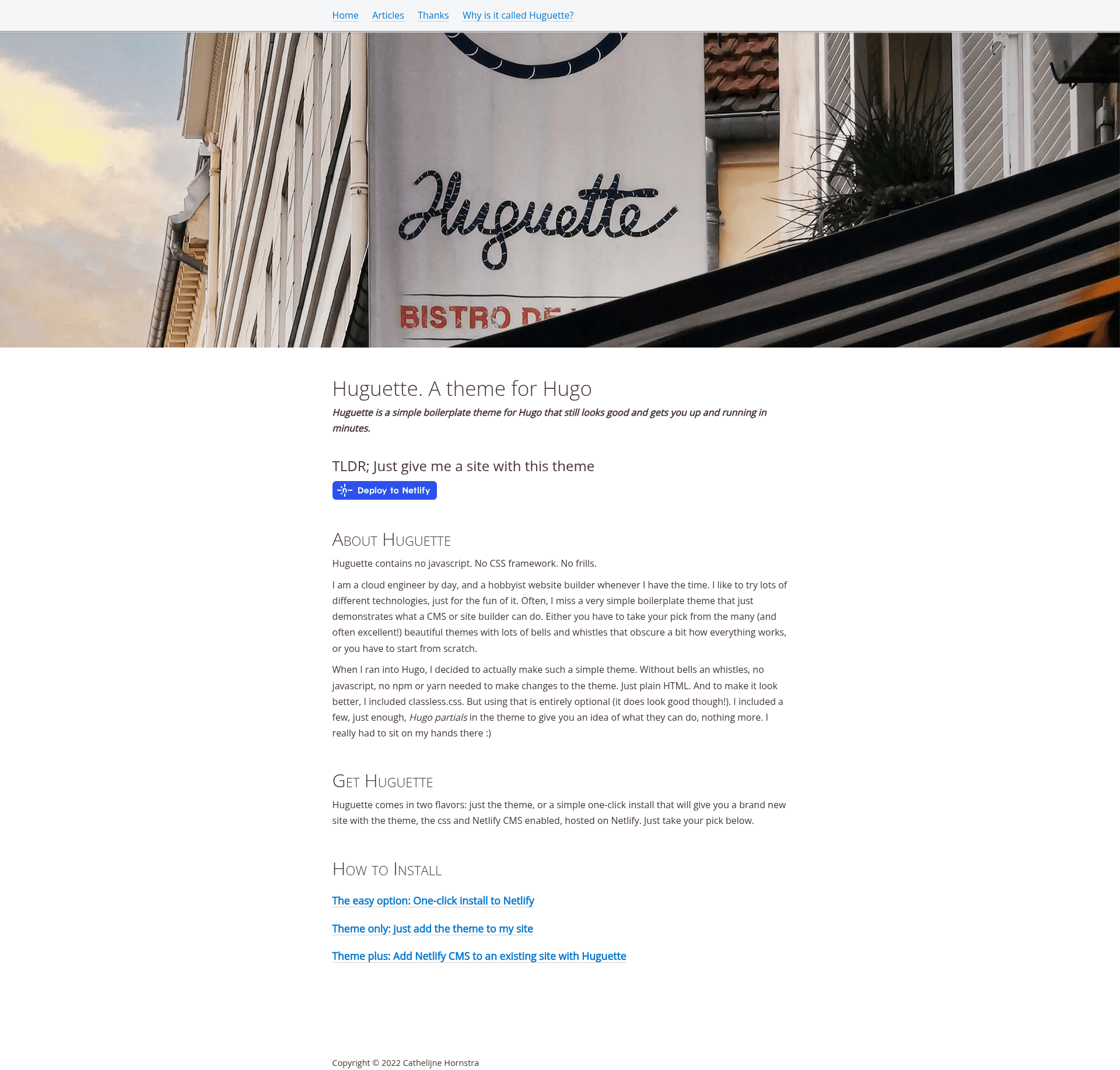
Huguette is a minimal Hugo boilerplate theme that delivers a plain HTML starting point, with optional classless CSS and Netlify CMS support.
What is Huguette?
Huguette is a theme for the Hugo static site generator, created by a cloud engineer and hobbyist website builder. It accepts typical Hugo content (Markdown files) and renders a static site using plain HTML, with no JavaScript, npm, or yarn required to modify the theme. The repository contains the theme only; a separate example repository provides a one-click Netlify deploy setup. The theme is available as a public GitHub repository and can be added to any Hugo project as a git submodule.
Key Features
- Plain HTML core — No JavaScript, npm, or yarn needed; the theme consists of HTML and a few Hugo partials.
- Optional classless CSS — Includes classless.css, enabled by setting the
cssparameter to true and copying the static folder from the theme to your site. - Netlify CMS integration — Set
netlifycmsto true in the config parameters, copy the static/admin folder, and edit config.yml to enable a CMS for content editing. - Minimal Hugo partials — Includes just enough partials to demonstrate how they work, without overwhelming the theme.
- One-click deployment — A dedicated example repository includes a Netlify deploy button that sets up Hugo, Huguette, the CSS, and Netlify CMS automatically.
- Easy installation — Two commands: add the submodule and set the theme name in config.toml; no other configuration is required for the base theme.
Who is it for?
- Beginner Hugo developers — Learn Hugo's template system by reading a theme with minimal abstractions and no build tooling.
- Developers wanting a blank slate — Start from plain HTML and add their own styling or a classless CSS framework.
- Content-focused site owners — Use Netlify CMS to manage content through a web UI on a statically hosted site.
What can you do with Huguette?
- Create a simple blog — Build a blog with Markdown posts and deploy it to Netlify using the example repository's one-click setup.
- Prototype a static site — Quickly test layouts or content ideas without configuring a frontend pipeline.
- Learn Hugo partials — Examine the included partials to see how to organize reusable template components.
- Add a CMS to a static site — Enable Netlify CMS to give editors a dashboard for creating and updating markdown content.
How does Huguette work?
Installation starts with adding the theme as a git submodule and setting the theme name in config.toml. For optional CSS, enable the css parameter and copy the static directory. For Netlify CMS, enable the netlifycms parameter, copy the admin folder, and edit config.yml to point to your repository.
FAQ
Is Huguette free?
Yes, it is a public GitHub repository. The readme does not mention a license, so review the repository's license file for usage terms.
Does Huguette require JavaScript?
No, the theme's base is plain HTML and Hugo's templating. Optional CSS and Netlify CMS features are only loaded when you enable them in the configuration.
How do I add Huguette to an existing Hugo site?
Run git submodule add https://github.com/cathelijne/hugo-theme-huguette.git themes/huguette and then add theme = 'huguette' to your site's config.toml file.
Can I use Huguette with Netlify CMS?
Yes. Set netlifycms = true in the config params, copy the static/admin folder to your site, and edit config.yml according to Netlify CMS's Hugo documentation.
What is classless CSS?
Classless CSS is a minimal stylesheet that styles semantic HTML elements without requiring class attributes. Huguette includes an optional integration with classless.css, toggled via the css parameter.