Template details
Ink
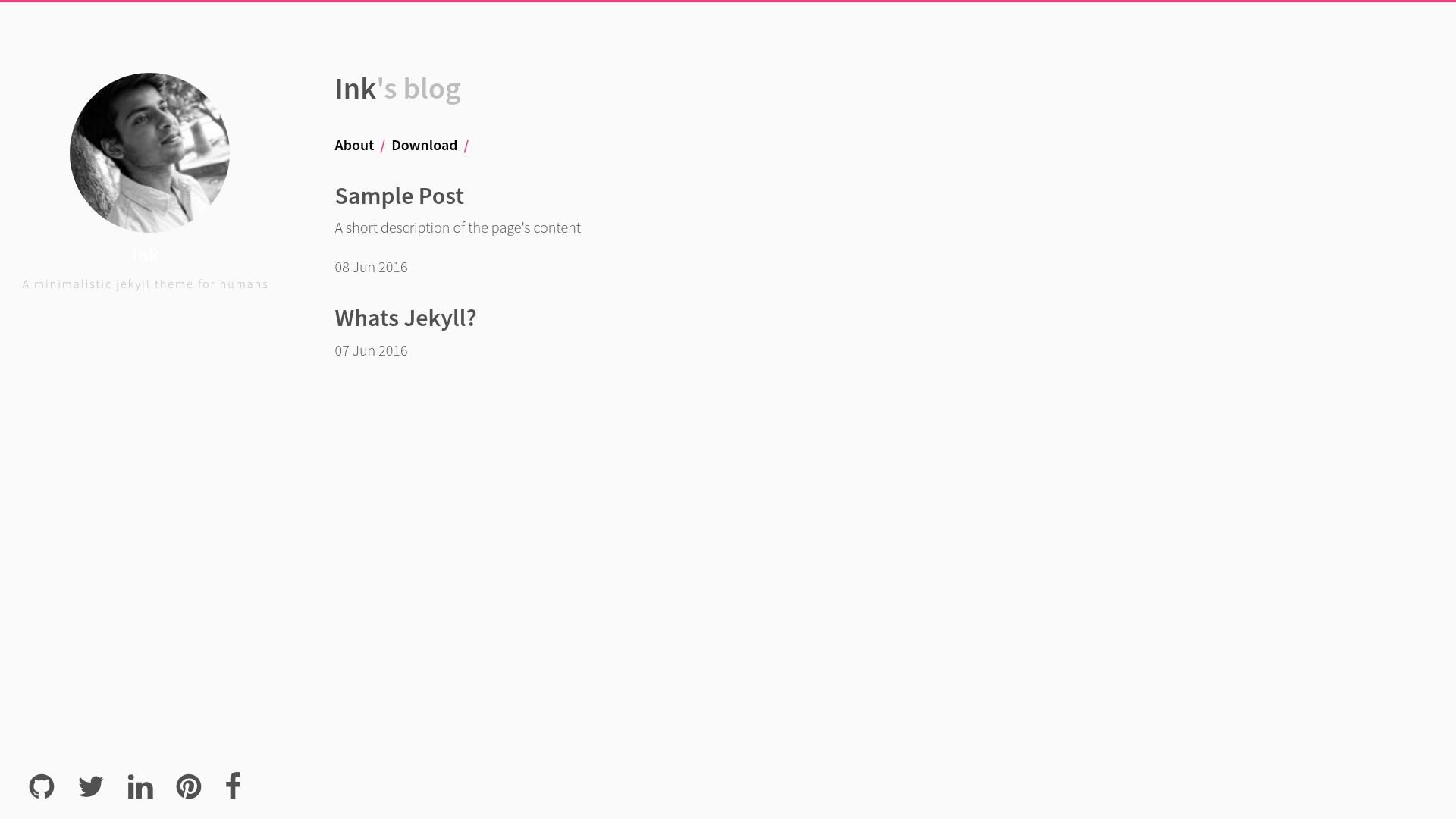
A minimal two-column Jekyll theme for blogs, with pagination, custom social links, and GitHub Pages support.
About this template
Ink is a minimal two-column Jekyll theme for building a personal blog or simple website, created by thinker3197 and released under the MIT license.
What is Ink?
Ink is a Jekyll theme that provides a two-column layout with a minimal design. It is built for Jekyll, a Ruby-based static site generator, so you write content in Markdown and it generates a static HTML site. The theme is configured through a _config.yml file, where you set the site name, description, author info, social media links, and pagination. It is available on GitHub and can be installed by cloning the repository.
Key Features
- Two-column layout — The theme uses a minimal two-column design suitable for a blog with a sidebar.
- Pagination support — Set the
paginateoption in_config.ymlto control how many posts appear per page; the default is 5. - Configurable social links — Add links to Twitter, GitHub, Pinterest, LinkedIn, Facebook, and an email address in the configuration file.
- Custom navigation — Extend the
navsection in_config.ymlto add more menu items. - Custom background — Point the
backgroundoption to a custom background image URL. - Gravatar integration — Use a
gravatar_hashin the config to display an avatar. - MIT license — The theme is open sourced under the MIT license, permitting free use and modification.
- GitHub Pages ready — The
gh-pagesbranch demonstrates a basic setup for hosting the blog on GitHub Pages.
Who is it for?
Ink suits writers and developers who want a no-frills blogging platform without the overhead of a CMS. It is for users comfortable with command-line tools, since you need Ruby and Bundler to run it locally. It also appeals to Jekyll users who want a lightweight alternative to heavier themes and prefer to customize their site by editing a single config file.
What can you do with Ink?
- Personal bloggers — Launch a minimal blog with pagination, social links, and a custom background in a few lines of configuration.
- Developers — Host a project blog or personal site on GitHub Pages using the provided
gh-pagesbranch setup. - Designers — Customize the navigation structure and visual background without touching template code, just by editing
_config.yml.
How does Ink work?
Installation is command-line based: clone or download the repository, install Bundler with gem install bundler, run bundle install, and start a local development server with bundle exec jekyll serve. Configuration is centralized in _config.yml, where you change the site name, description, author, URLs, social accounts, pagination limit, navigation items, and background.
Pricing
Ink is free and open source. It is licensed under the MIT License, so there are no costs to use, modify, or distribute it.
FAQ
Is Ink free to use?
Yes, Ink is released under the MIT license, which means it is free for personal and commercial projects.
Do I need to install Ruby to use Ink?
Yes, Ink is a Jekyll theme and requires Ruby and Bundler on your system to run it locally. The README provides instructions for installing these.
How do I change how many posts appear per page?
Edit the paginate option in your _config.yml file. The default value is 5, and any positive integer will work.
Can I host my Ink blog on GitHub Pages?
Yes, the repository includes a gh-pages branch that demonstrates a basic blog setup for GitHub Pages. You can fork the repo and follow the configuration steps.
How do I add social media links to my site?
In _config.yml, fill in the twitter, github, pinterest, linkedin, and facebook fields with your usernames or profile URLs.