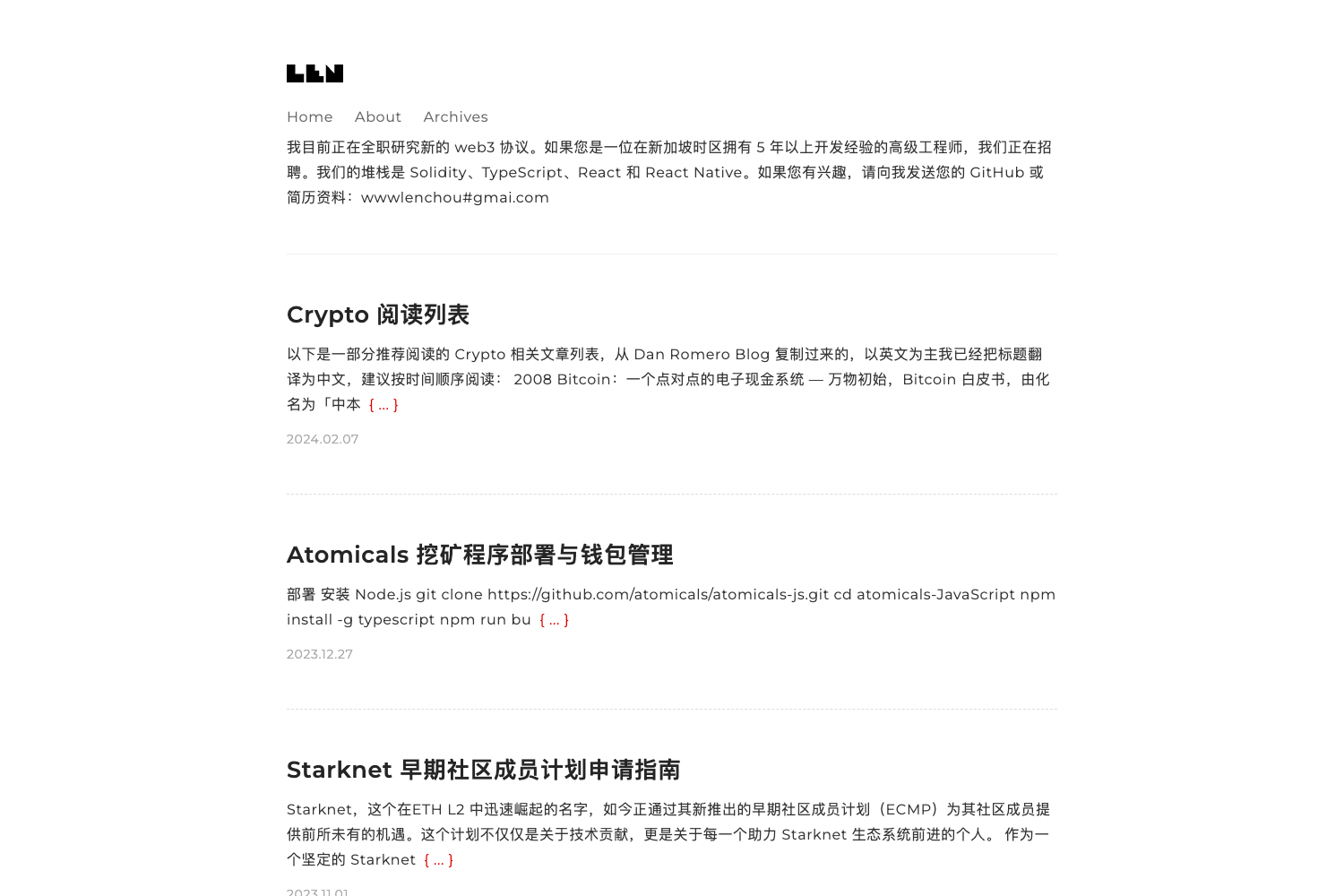
Template details
Hexo Theme Maple
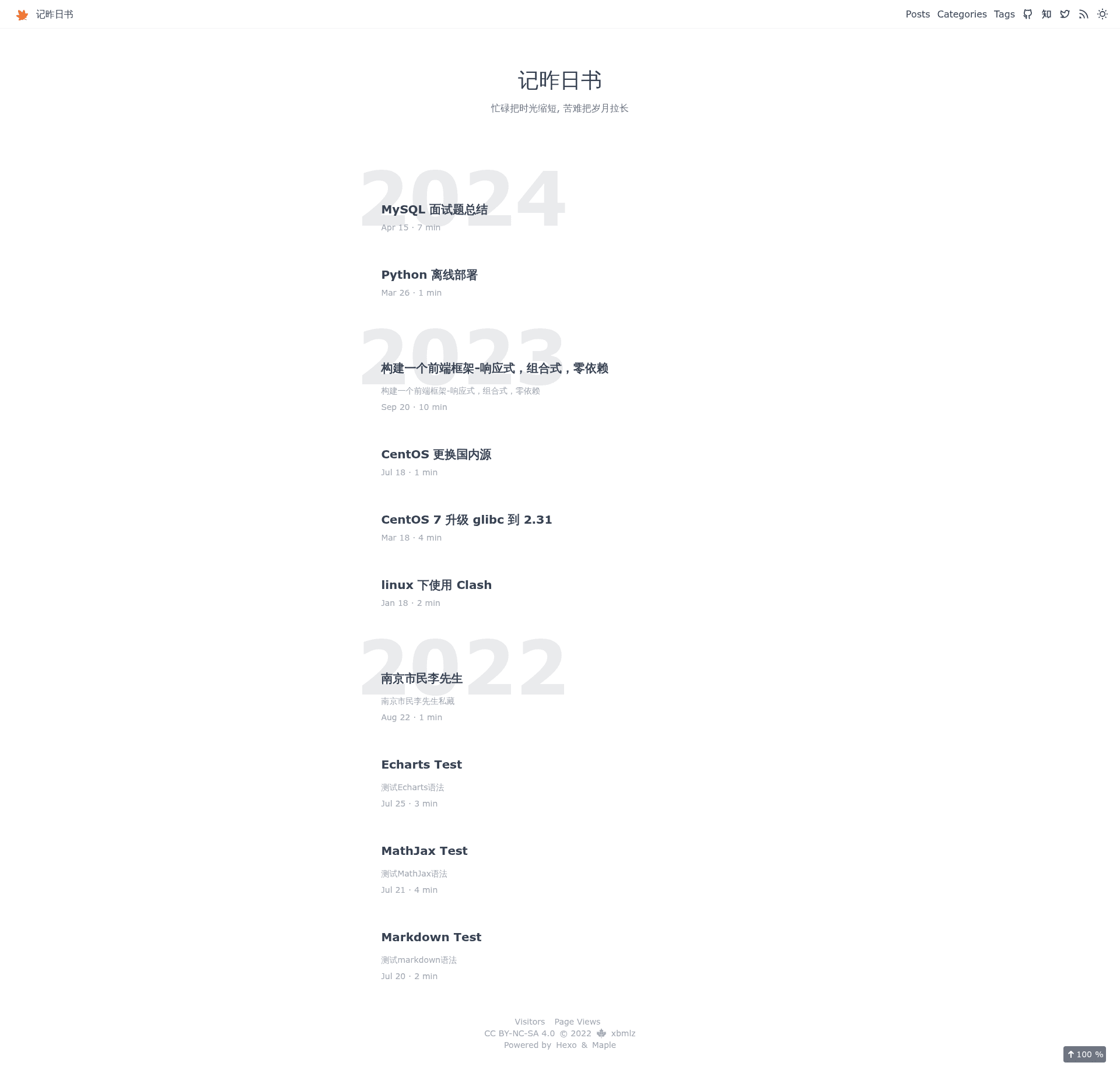
A concise, zero-config Hexo blog theme with automatic light/dark mode and MathJax, Mermaid, Giscus, and ECharts support.
About this template
Hexo Theme Maple is an open-source Hexo blog theme that delivers a minimal, responsive blog layout with automatic light/dark switching and built-in support for MathJax, Mermaid, Fancybox, Giscus, and ECharts. It is designed to work out of the box with almost zero configuration, making it a straightforward choice for developers who want a clean blog without spending time on theme setup.
What is Hexo Theme Maple?
Hexo Theme Maple is a theme for the Hexo static site generator, installed by cloning the GitHub repository into the themes/maple directory and enabled by setting the theme option in _config.yml to maple. It takes Hexo's markdown content and outputs a mobile-friendly blog that automatically switches between light and dark color schemes. The theme is maintained by xbmlz on GitHub and currently has 99 stars. A live demo is available at https://xbmlz.github.io.
What makes Hexo Theme Maple stand out?
- Out of the box – Nearly zero configuration is required; clone the repo, enable the theme, and start writing posts.
- Automatic light/dark theme – The theme switches between light and dark modes based on the user's system preference without manual toggling.
- Responsive layout – Auto fits both mobile and desktop screens, providing a consistent reading experience across devices.
- Analytics integration – Supports both Google Analytics and Baidu Analytics via simple configuration fields in the theme's YAML file.
- MathJax support – Renders LaTeX math notation in posts, ideal for technical and academic content.
- Mermaid support – Renders Mermaid diagrams inside Markdown, with selectable themes including default, dark, forest, and neutral.
- Fancybox support – Adds lightbox effects for image galleries in blog posts.
- Giscus support – Enables comments through GitHub Discussions, requiring configuration of repo, repo_id, category, category_id, and mapping.
- ECharts support – Allows embedding ECharts data visualizations in posts.
Who is Hexo Theme Maple for?
- Hexo bloggers – People running a Hexo blog who want a clean, modern theme without extensive setup or ongoing maintenance.
- Technical writers – Authors who need math rendering and diagram support to document algorithms, workflows, or scientific concepts.
- Developers – Users comfortable with Git and YAML who want a self-hosted comment system via Giscus and easy integration with analytics tools.
What can you do with Hexo Theme Maple?
- Write math-heavy posts – Enable MathJax in the theme config and use LaTeX notation for inline and display formulas in your Markdown.
- Add visual diagrams – Use Mermaid syntax to create flowcharts, sequence diagrams, and Gantt charts, styled with one of four built-in Mermaid themes.
- Embed interactive charts – Use ECharts to include data visualizations that render directly on the page.
- Manage blog navigation – Configure the header links to archives, categories, and tags through the theme's nav setting.
How does Hexo Theme Maple work?
Installation is a git clone: git clone https://github.com/xbmlz/hexo-theme-maple.git themes/maple from your blog's themes directory. Then set theme: maple in _config.yml and update the theme later by running git pull inside the themes/maple folder. The theme reads a YAML configuration file where you enable features like MathJax, Mermaid, Giscus, and analytics, and customize the logo, favicon, and external links.
FAQ
Is Hexo Theme Maple free?
Yes, Hexo Theme Maple is open-source and freely available under the GitHub repository. There is no paid version or premium tier.
How do I install Hexo Theme Maple?
Clone the repository into your Hexo themes directory, then change the theme setting in _config.yml to maple. No additional dependencies are required beyond a standard Hexo installation.
Does Hexo Theme Maple support comments?
Yes, it supports Giscus, which uses GitHub Discussions as the comment backend. You need to configure the repository, category, and related IDs in the theme configuration.
Can I use MathJax and Mermaid at the same time?
Yes, both features can be enabled independently in the theme config. This makes it possible to write posts that combine mathematical formulas with diagrams without conflicts.