Template details
Jekyll Chapterbook
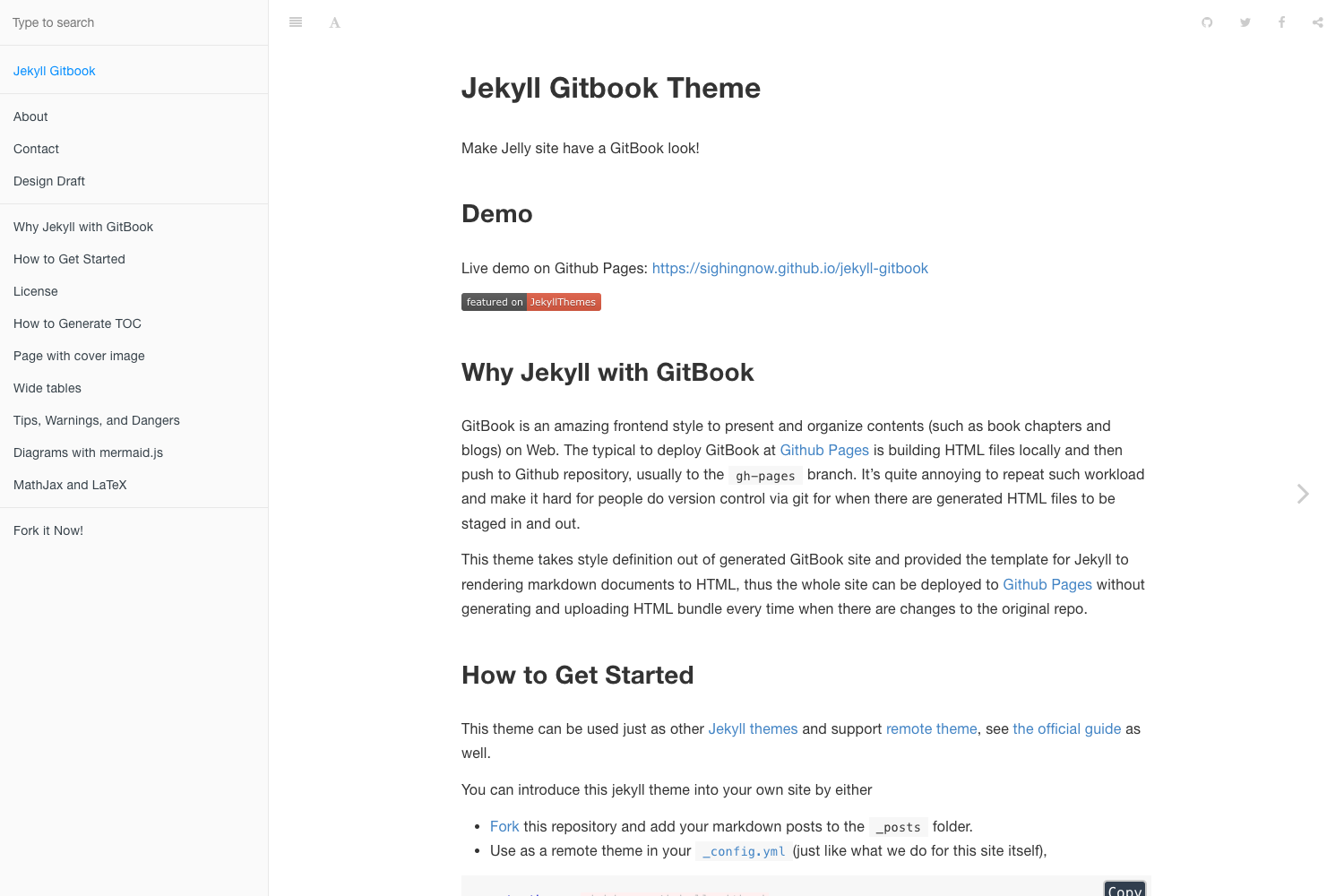
GitHub Pages-compatible Jekyll theme for a book with chapters and parts in a style reminiscent of GitBook.
About this template
Jekyll Chapterbook is an open-source Jekyll theme that converts a folder of Markdown chapter files into a GitBook-style book with automatically numbered parts and chapters, and it is built to run natively on GitHub Pages without any plugins.
What is Jekyll Chapterbook?
Jekyll Chapterbook is a Jekyll theme created by Jason Grimes, originally based on Tao He's jekyll-gitbook theme. It takes Jekyll pages written in Markdown, stored in a _chapters directory, and generates a static HTML book with front matter, parts, chapters, and automatic numbering. The output is a flat folder of portable HTML files in _site that can be hosted anywhere or browsed offline. It runs on Jekyll and works with GitHub Pages out of the box because it doesn't depend on custom plugins.
What makes Jekyll Chapterbook stand out?
The theme's key differentiator is its plugin-free design, which keeps GitHub Pages compatibility while adding book-specific structures. Here are its main features:
- Plugin-free GitHub Pages compatibility — no custom Jekyll plugins, so it works natively with GitHub Pages using remote theme configuration.
- Automatic chapter and part numbering — chapters and parts are numbered automatically based on the numeric prefixes in file and directory names, so reordering doesn't require manual renumbering.
- Numeric file prefixes for ordering — chapters like
010-intro.mdand020-thesis.mdappear in order on the filesystem and in the book; inserting a new chapter is as simple as naming it035-synthesis.md. - Front and back matter support — special
000-front/and999-back/directories place unnumbered pages like a preface or references before and after the numbered content. - Draft and outline workflow — adding
.draftto a chapter's numeric prefix hides it from the table of contents and numbering but lists it in a separate outline, letting you write a book from an outline of empty chapters. - GitHub edit links — every page gets an edit link in the top navigation, configured via
github_editin_config.yml, supporting quick edits even from mobile. - Flat HTML output — all generated pages are placed in the root of
_sitewith no subfolders, so links stay stable during reorganization and the book can be browsed offline from a local file system. - Liquid helper includes — built-in helpers like
chapter-link.html,chapterbook-toc.html,figure.html, andchapter-vars.htmlprovide cross-linking, tables of contents, figures, and theme variables without plugins.
Who is it for?
- Book authors who want to write a book gradually over a long period, starting with an outline and eventually publishing chapters.
- Technical writers publishing documentation on GitHub Pages who need a GitBook-like reading experience without using a commercial platform.
- Open source maintainers who want a free, portable book or documentation site that can be edited via GitHub and rebuilt automatically.
What can you do with Jekyll Chapterbook?
- Self-publishers: write a book chapter by chapter in Markdown, see it rendered as a GitBook-style site, and export a flat HTML folder for offline distribution.
- Educators: create a course reader with parts and front/back matter, and keep draft lessons hidden until they're ready.
- Documentation teams: publish an API guide or manual from a GitHub repository, with automatic numbering and edit links for contributors.
How does Jekyll Chapterbook work?
The documentation describes a clear setup: install the theme by forking the repo or using remote_theme: jasongrimes/jekyll-chapterbook in _config.yml, then add Markdown files to _chapters. Chapters use front matter with title, slug, and optional abstract. The theme orders chapters by the numeric prefix, renders the table of contents in the sidebar, and outputs flat HTML to _site.
Pricing
The theme is open source and free to use, released under the Apache License, Version 2.0. Both the theme and its predecessor jekyll-gitbook are Apache-2.0 licensed.
Alternatives
- jekyll-gitbook — the theme Jekyll Chapterbook was originally based on, which uses the same GitBook-like styling but lacks the chapter and part organization features.
- GitBook — the commercial documentation platform whose early theme inspired the look; it is hosted and not a Jekyll theme.
FAQ
Does Jekyll Chapterbook require Jekyll plugins?
No. The theme is designed to work without custom plugins, so it runs natively on GitHub Pages using the remote theme mechanism. It uses Liquid templates and standard Jekyll includes to implement features like chapter links and tables of contents.
Can I use it on GitHub Pages?
Yes. Because it has no plugin dependencies, you can use it on GitHub Pages by setting remote_theme: jasongrimes/jekyll-chapterbook in your _config.yml. You can also fork the repository and add your own chapters.
How do I mark a chapter as a draft?
Rename the file to add .draft to the numeric prefix, for example 010.draft-introduction.md. Drafts are excluded from the table of contents and numbering but appear in the outline view, and you can enable show_drafts_in_dev to preview how they would be numbered.
How do I organize chapters into parts?
Create numbered subdirectories inside _chapters, for example 010-thesis/ and 020-antithesis/, and move chapter files into them. The directory name without the numeric prefix is shown as the part name, and part directory names determine order.
Can I link to chapters without breaking when they're renumbered?
Yes. The theme provides a chapter-link.html helper that renders a link to the chapter with a given slug, using its current title and chapter number. Because it uses the slug, links remain valid as long as the slug stays the same.