Template details
Jekyll Material Design Lite
A Jekyll theme using Google Material Design Lite for card-based blogs with customizable navigation and highlight posts.
About this template
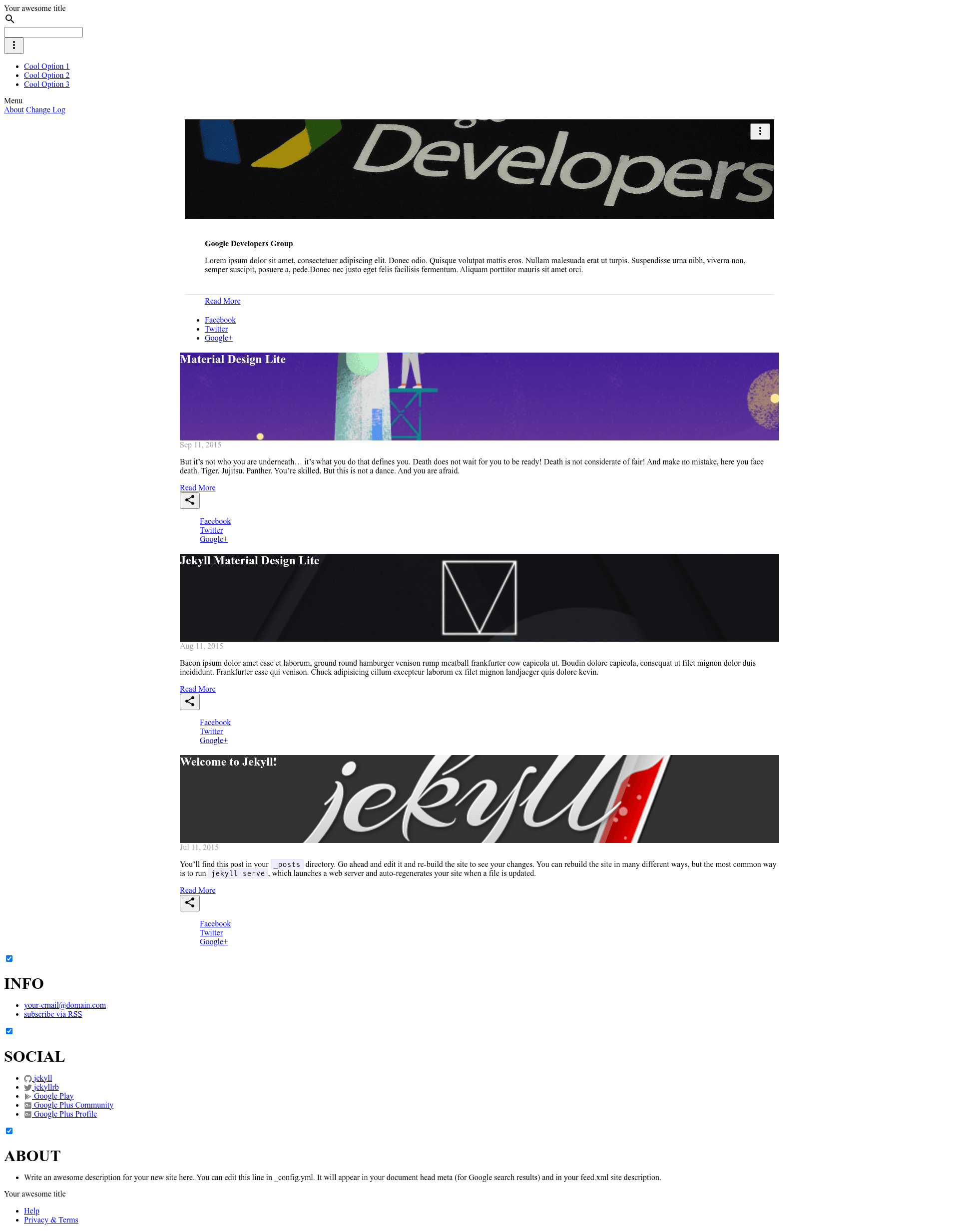
Jekyll Material Design Lite (jekyll-mdl) is a Jekyll theme that applies Google's Material Design Lite (MDL) to static-site blogs, rendering posts as MDL cards with configurable fixed or drawer navigation. It is maintained by Google Developers Group Managua and open-sourced under the Apache 2.0 license.
What is the Jekyll Material Design Lite theme?
Jekyll Material Design Lite is a Jekyll theme built on the Material Design Lite library instead of a heavier framework like Bootstrap. It takes standard Jekyll posts and page metadata and generates a card-based interface using MDL components such as cards, buttons, and navigation bars. The theme is distributed as a GitHub repository and runs on any Jekyll static-site workflow, including GitHub Pages. It was created by Google Developers Group Managua and first released around 2015.
Key Features
- Four layout configurations — Choose between Fixed Nav or Drawer Nav, each optionally combined with a highlighted post that spans 12 columns instead of being a regular card. The layout is selected in the
_config.ymlfile. - Post-level card options — Each post's front matter can declare a
highlightboolean, animageURL used on the card, and anauthorname shown in the card footer. - Custom theme colors — Users can generate a custom CSS color scheme using the MDL theme creator and swap it into
_includes/head.htmlunder the main stylesheet, replacing the default teal-green palette. - Card grid homepage — The homepage automatically displays posts as a card grid; highlighted posts take the full-width 12-column slot on a 12-column grid.
- Material Design Lite components — Buttons, navigation bars, and cards come directly from MDL 1.0.0, referenced from Google's hosted CSS/JS.
- Open-source contribution workflow — The repository includes a CONTRIBUTING guide and a standard pull request flow; contributors are listed with roles.
Who is it for?
- Jekyll bloggers who want a clean Material Design look for their personal journals or tech blogs without writing custom CSS from scratch.
- Event or community sites — The theme was built by Google Developers Group Managua and is used on several developer portfolio sites listed in the README.
- Developers learning Jekyll who want a minimal, readable codebase (layouts, includes, and config are separated) to study how a Jekyll theme is structured.
What can you do with the template?
- Personal portfolio: Use Drawer Nav + Simple Card Grid layouts to create a responsive portfolio where each project is a card with an image and author attribution.
- Highlighted post showcase: Set
highlight: trueon an important post to make it span the full grid width, ideal for featured articles or announcements. - Custom branded site: Generate a color theme from the MDL theme creator and update the single stylesheet link to match your brand colors.
How does the theme work?
After cloning the repository, run jekyll serve --watch to serve the site locally. The theme reads post front matter (title, date, categories, highlight, image, author) and the _config.yml layout setting to render either a fixed or drawer navigation with a card grid homepage. No build step beyond standard Jekyll is required.
Alternatives
- Minimal Mistakes — a Jekyll theme with a wide variety of layout options.
- HPSTR
FAQ
Is the theme free to use?
Yes, the theme is licensed under Apache 2.0, so it is free to use, modify, and distribute for personal or commercial projects with attribution.
Does it require a database?
No. Since it is a Jekyll theme, it outputs static HTML files with no database or server-side processing. Posts are written in Markdown or HTML and built into static pages.
Can I change the colors?
Yes, the README explains how to use the MDL theme creator to generate a custom CSS file and then replace the default stylesheet link in _includes/head.html.
Is the theme compatible with GitHub Pages?
Yes, Jekyll themes that don't rely on custom plugins are ideal for GitHub Pages. This theme uses standard Jekyll conventions and is hosted by the developers on GitHub Pages.