Template details
Jekyll Mdc
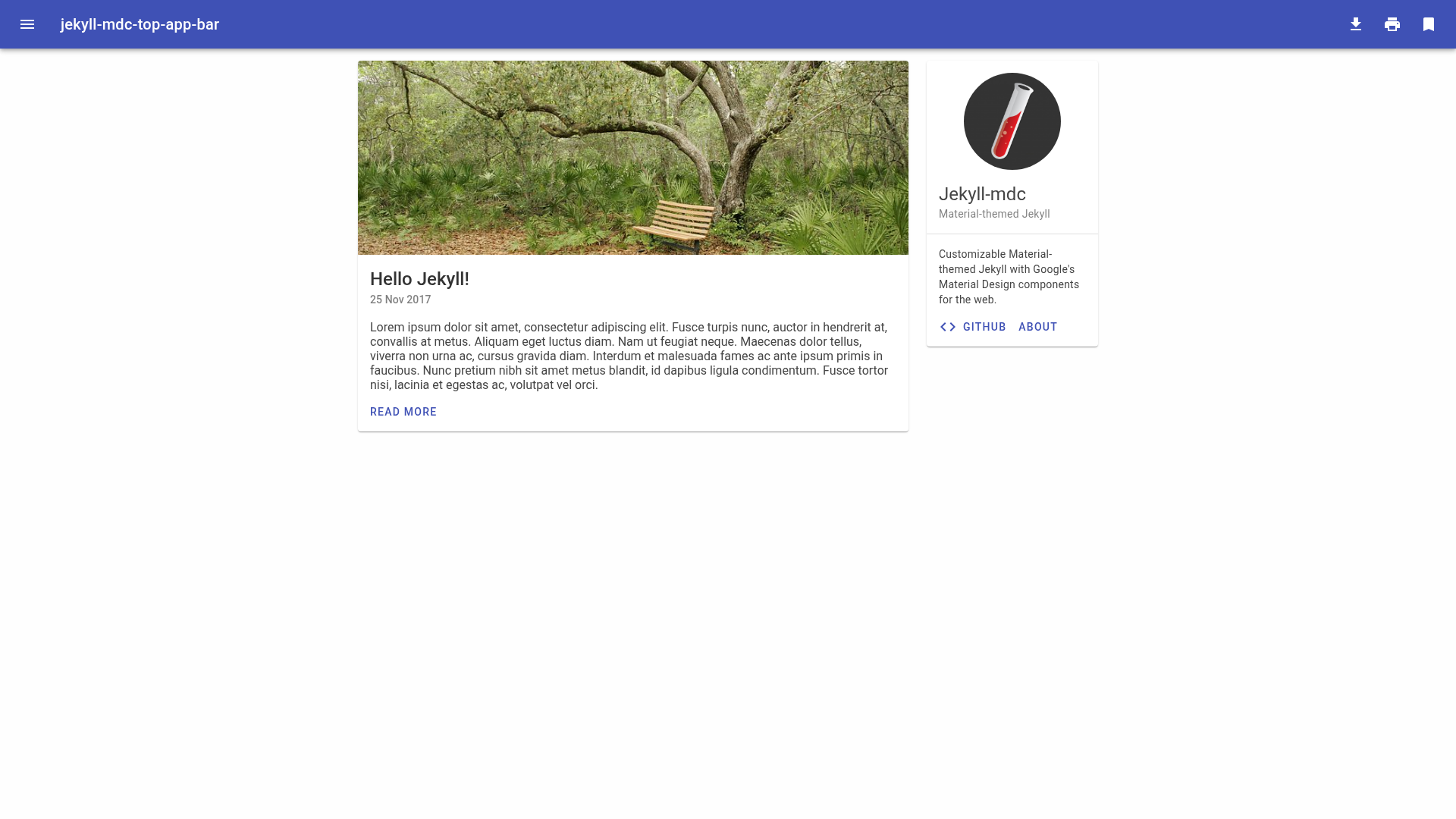
Customizable Material-themed Jekyll with Google's Material Design components for the web.
About this template
jekyll-mdc is a customizable Material-themed Jekyll theme that brings Google's Material Design components to static sites built with the Jekyll generator.
What is jekyll-mdc?
jekyll-mdc is an open-source Jekyll theme that uses Google's Material Design components for the web (material-components-web) to give static sites a Material Design look and feel. It takes a standard Jekyll project as input and outputs a static website styled with Material Design, with the CSS and JavaScript precompiled and served from the unpkg CDN. The project is hosted on GitHub, is still in development, and explicitly welcomes issues and pull requests.
Key Features
- Material Design components — Integrates Google's Material Design components for the web, covering buttons, cards, navigation, and other UI elements with a Material Design appearance.
- CDN-hosted assets — CSS and JavaScript are precompiled and served from unpkg, so the theme can be edited and served without a local build pipeline.
- Customizable templates — As a Jekyll theme, the layout and include files can be modified to match your content and branding.
- Open-source development — The repository accepts contributions, with the project description inviting issues and pull requests.
- Continuous integration — A Travis CI badge is included in the project, indicating automated build status.
Who is it for?
- Jekyll users who want a Material Design aesthetic without hand-writing CSS and JavaScript.
- Front-end developers who prefer a theme that loads dependencies from a CDN and can be run immediately.
- Static-site builders who need a customizable Jekyll theme and are comfortable editing templates.
What can you do with jekyll-mdc?
- Static-site creators: assemble a Material-styled site by editing Jekyll content and configuration rather than writing front-end code.
- Jekyll developers: use the theme's Liquid templates as a starting point, then override layouts and includes for a custom design.
- Prototypers: clone the repository and serve it directly, since the CDN-hosted assets remove the need for a build step.
How does jekyll-mdc work?
The theme loads precompiled CSS and JavaScript from unpkg, so there is no local build step for front-end assets. You edit the Jekyll source files and serve the generated static site, with Material Design styling applied through the bundled templates.
Pros and cons
- Pros: No local CSS/JS build required; assets come from unpkg; based on Google's Material Design components; open to contributions.
- Cons: The project is explicitly still in development, which may mean incomplete features or breaking changes.
Alternatives
- Minima — the default Jekyll theme, which provides a minimal, plain design without Material Design styling.
FAQ
Is jekyll-mdc production-ready?
No. The project description states it is still in development, so it may not be stable or complete for production use.
Does jekyll-mdc require a Node.js build step?
No. The theme uses precompiled CSS and JavaScript from the unpkg CDN, so you can edit and serve the site without a front-end build pipeline.
What technology does jekyll-mdc use?
It is built with Jekyll, the Ruby-based static site generator, and integrates Google's Material Design components for the web for its UI elements.
Can I contribute to jekyll-mdc?
Yes. The repository welcomes issues and pull requests, as stated in the project description.