Template details
Alembic
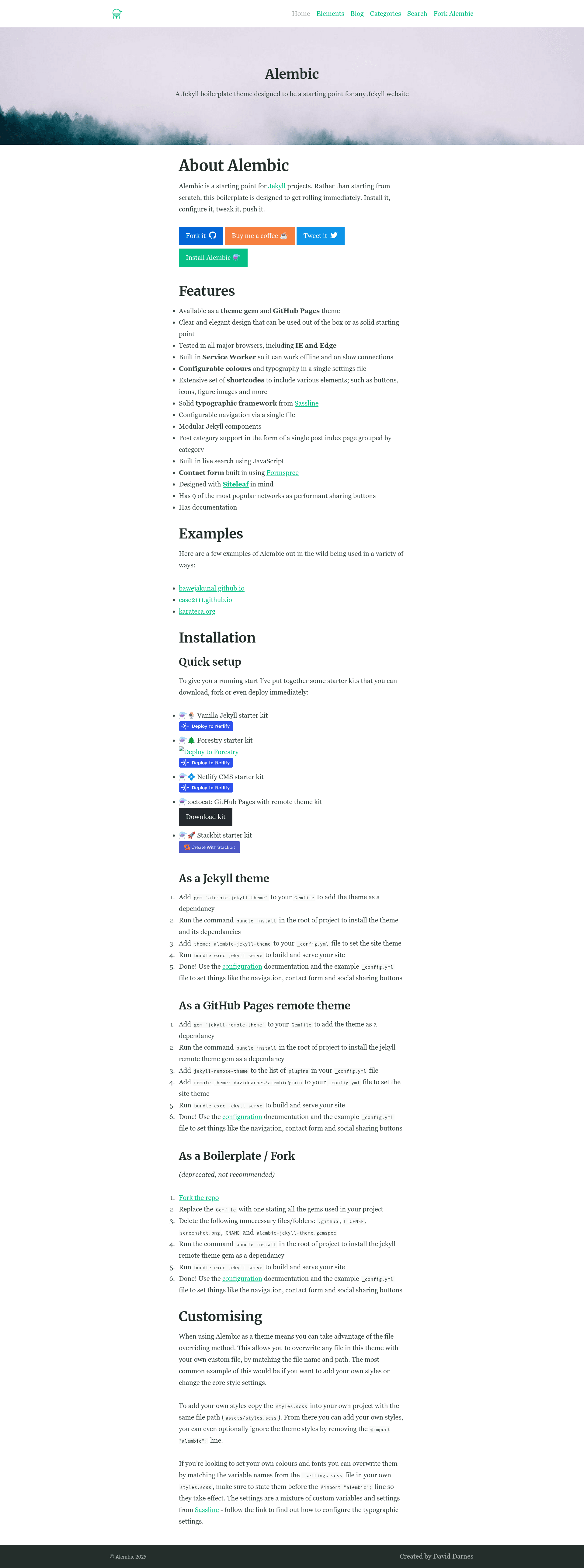
A Jekyll boilerplate theme designed as starting point for any Jekyll website with offline support, live search, and contact forms.
About this template
Alembic is a Jekyll boilerplate theme that serves as a pre-built starting point for any Jekyll website, bundling offline support, live search, and multiple contact-form options into a single configurable theme.
What is Alembic?
Alembic is a Jekyll boilerplate theme created by David Darnes, available as a Ruby gem (alembic-jekyll-theme) and as a GitHub Pages remote theme. It takes a standard Jekyll site configuration and builds a static website with a built-in Service Worker, live search, and a set of configurable navigation and social-sharing options. The theme is distributed under an open-source license and has documentation in its repository.
What makes Alembic stand out?
- Offline-first Service Worker — Alembic includes a Service Worker that works on a network-first strategy, so sites keep functioning on slow or absent connections unless disabled in the config.
- Configurable design tokens — Colors and typography are set with Sass variables in a single
_settings.scssfile; custom fonts are served from Google Fonts via thecustom_fontskey. - Extensive shortcode includes — Liquid includes such as
button.html,figure.html,icon.html,video.html,map.html, andsite-form.htmllet you add UI elements with one line. - Two contact-form backends — The
site-form.htmlinclude works with Formspree by default and can be switched to Netlify Forms withnetlify_form=true. - Built-in live search — The
site-search.htmlinclude adds a JavaScript-powered search field without any extra plugins. - Multiple navigation areas — Header, footer, social links, and sharing buttons are all configured from
_config.yml, with fallback to page lists when empty. - Post category index — A
categorieslayout groups all posts by category with a sidebar index. - Browser support — Tested in all major browsers, including Internet Explorer and Edge.
Who should use Alembic?
- Jekyll developers who want a faster setup than configuring a theme from scratch and need a solid baseline with Liquid includes and Sass structure.
- Designers who want to change colors, fonts, and spacing through documented settings rather than editing partials.
- Small business and personal site owners who need offline caching, a contact form, social sharing, and easy deployment to GitHub Pages or Netlify.
What can you do with Alembic?
- Launch a blog quickly — Configure navigation, categories, and Disqus comments, then write posts in Markdown; the theme generates a category index and social sharing buttons automatically.
- Build a portfolio or corporate site — Use feature images, feature text, and full-width sections to create homepage content, with an optional sidebar on any page via
aside: true. - Add a contact form without backend code — Use the built-in form include with Formspree or Netlify Forms; submissions go to the email set in
_config.yml. - Deploy to static hosting — The repository offers starter kits for Netlify, Forestry, Netlify CMS, and Stackbit, plus a GitHub Pages remote theme kit.
How does Alembic work?
Alembic is installed as a Jekyll theme by adding gem "alembic-jekyll-theme" to the Gemfile and setting theme: alembic-jekyll-theme in _config.yml. Alternatively, for GitHub Pages, you add jekyll-remote-theme to your plugins and set remote_theme: daviddarnes/alembic@main. Then run bundle exec jekyll serve to build the site locally, or push to GitHub Pages or Netlify for deployment.
Pros and cons
Pros:
- Free and open-source, with a gem and remote-theme distribution.
- Includes offline support and live search out of the box.
- Well-documented configuration for navigation, forms, and fonts.
- Multiple deployment starter kits available.
Cons:
- The boilerplate/fork installation method is deprecated, so the recommended paths are gem, remote theme, or starter kits.
- The Service Worker is network-first, so it always tries to fetch live content, which may not fit every use case.
Pricing
Alembic is free and open-source; the theme gem and all starter kits are available at no cost.
Alternatives
- Minimal Mistakes
FAQ
Is Alembic free?
Yes, Alembic is free and open-source. It is distributed as a Ruby gem and as a GitHub Pages remote theme, and all starter kits are available at no charge.
Does Alembic work with GitHub Pages?
Yes. The repository provides a GitHub Pages remote theme kit. You add jekyll-remote-theme to your plugins and set remote_theme: daviddarnes/alembic@main in _config.yml.
Can I use a contact form with Alembic?
Yes. Alembic includes a site-form.html include that works with Formspree by default and can be switched to Netlify Forms by setting netlify_form=true. The email address for submissions is set in _config.yml.
How do I change the colors and fonts?
Colors and typography are configured in the Sass variables within _settings.scss. You can override them by copying assets/styles.scss to your project and setting the variables before the @import "alembic"; line. Custom fonts can be added via the custom_fonts configuration key.
Does Alembic include offline support?
Yes, Alembic has a built-in Service Worker enabled by default. It works on a network-first strategy, so it always tries to load live content and falls back to cached content when offline. You can disable it by setting service_worker: false in _config.yml.