Template details
Minimal Mistakes GitHub Pages Starter
Starter site for Minimal Mistakes Jekyll theme with sample posts, navigation, archives, and search for GitHub Pages.
About this template
The Minimal Mistakes GitHub Pages Starter is a boilerplate template that pre-configures a Jekyll site with the Minimal Mistakes theme for automatic publishing on GitHub Pages.
What is the Minimal Mistakes GitHub Pages Starter?
It's a starter repository created by the Minimal Mistakes theme author (mmistakes) that gives you a working Jekyll site in one click via GitHub's "Use this template" feature. The repository contains configuration files and sample content for the Minimal Mistakes remote theme, along with documentation links for setting up Jekyll and GitHub Pages locally. It serves as both a quick-start for new sites and a reference for how to structure a Minimal Mistakes site.
Key Features
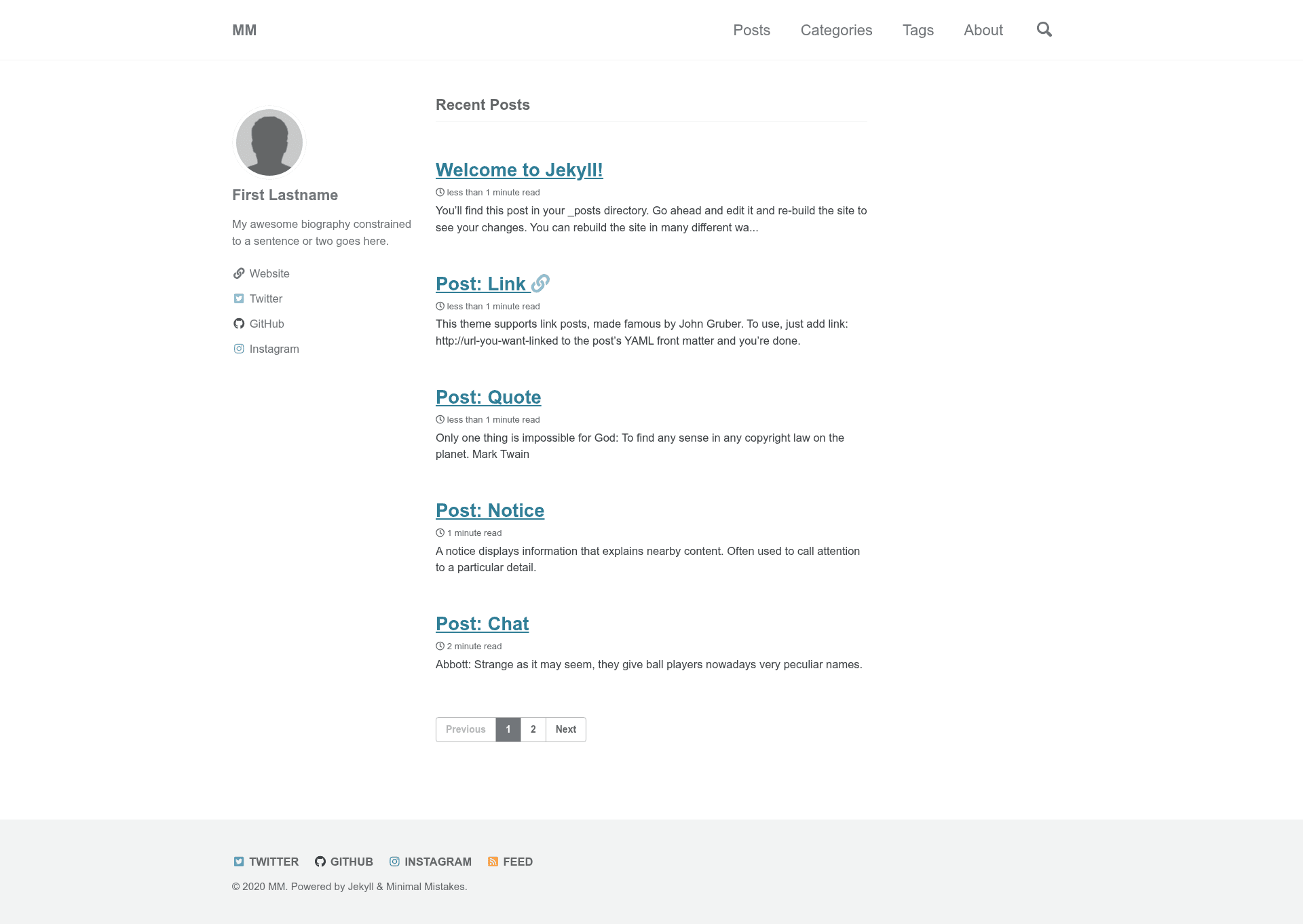
- Sample posts — A few example Markdown posts that demonstrate correct front matter and content formatting for the theme.
- Sample top navigation — A pre-built navigation bar with links configured in the site's data files.
- Author sidebar with social links — A sidebar profile block showing how to add an author name, bio, and social media links.
- Sample footer links — Pre-configured footer navigation items that can be edited or replaced.
- Paginated home page — The homepage automatically splits posts across multiple pages, so readers can page through your archive.
- Archive pages by year, category, and tag — Separate archive layouts that group all posts by publication year, by category, and by tag.
- Sample about page — A starter "About" page you can customize with your own text.
- Sample 404 page — A custom error page for missing URLs, ready to edit.
- Site-wide search — A built-in search feature that indexes posts and pages without needing a third-party service.
- GitHub Pages integration — Uses the remote theme mechanism, so the site rebuilds automatically whenever you push changes to your repository.
Who is it for?
- Jekyll beginners — can study the sample posts and configuration files to learn how a Jekyll site is organized.
- Bloggers and personal site owners — can get a blog running on GitHub Pages in minutes instead of starting from an empty theme.
- Developers evaluating Minimal Mistakes — can see the theme's archive, search, and sidebar features in action before deciding to adopt it.
What can you do with it?
- Launch a blog quickly: Replace the sample posts with your own Markdown files, adjust the author and navigation settings, and publish your blog on GitHub Pages without manually wiring up the theme.
- Learn Jekyll structure: Open the
_config.yml,_posts, and_datafolders to see exactly how pages, posts, and navigation are declared in a real Jekyll project. - Prototype a site design: Use the paginated homepage and archive pages as a starting point to test different post layouts before customizing the theme further.
How does it work?
Click the "Use this template" button on the repository's GitHub page to create a new repository with all the starter files. Then either edit files directly on GitHub or clone the repository locally, replace the sample content, and push your changes — GitHub Pages builds and serves the site automatically.
FAQ
How do I start a new site with this template?
Click the "Use this template" button at the top of the repository page, choose a name for your new repository, and GitHub copies all of the starter files into it. After that, you edit the sample content and configuration.
Does this support GitHub Pages?
Yes. The starter uses the Minimal Mistakes remote theme and includes configuration for GitHub Pages, so the site builds automatically when you push changes to your repository.
What sample content is included?
The starter includes sample posts, a sample about page, a custom 404 page, top navigation, footer links, and an author sidebar with social links, plus archive pages organized by year, category, and tag.
Can I use this without installing Jekyll?
You can edit the sample files directly on GitHub and let GitHub Pages build the site for you. If you want to preview locally, you'll need Ruby and Jekyll installed; the troubleshooting section links to a Ruby 101 guide and Jekyll installation docs.