Template details
Jekyll Theme Dark Reader
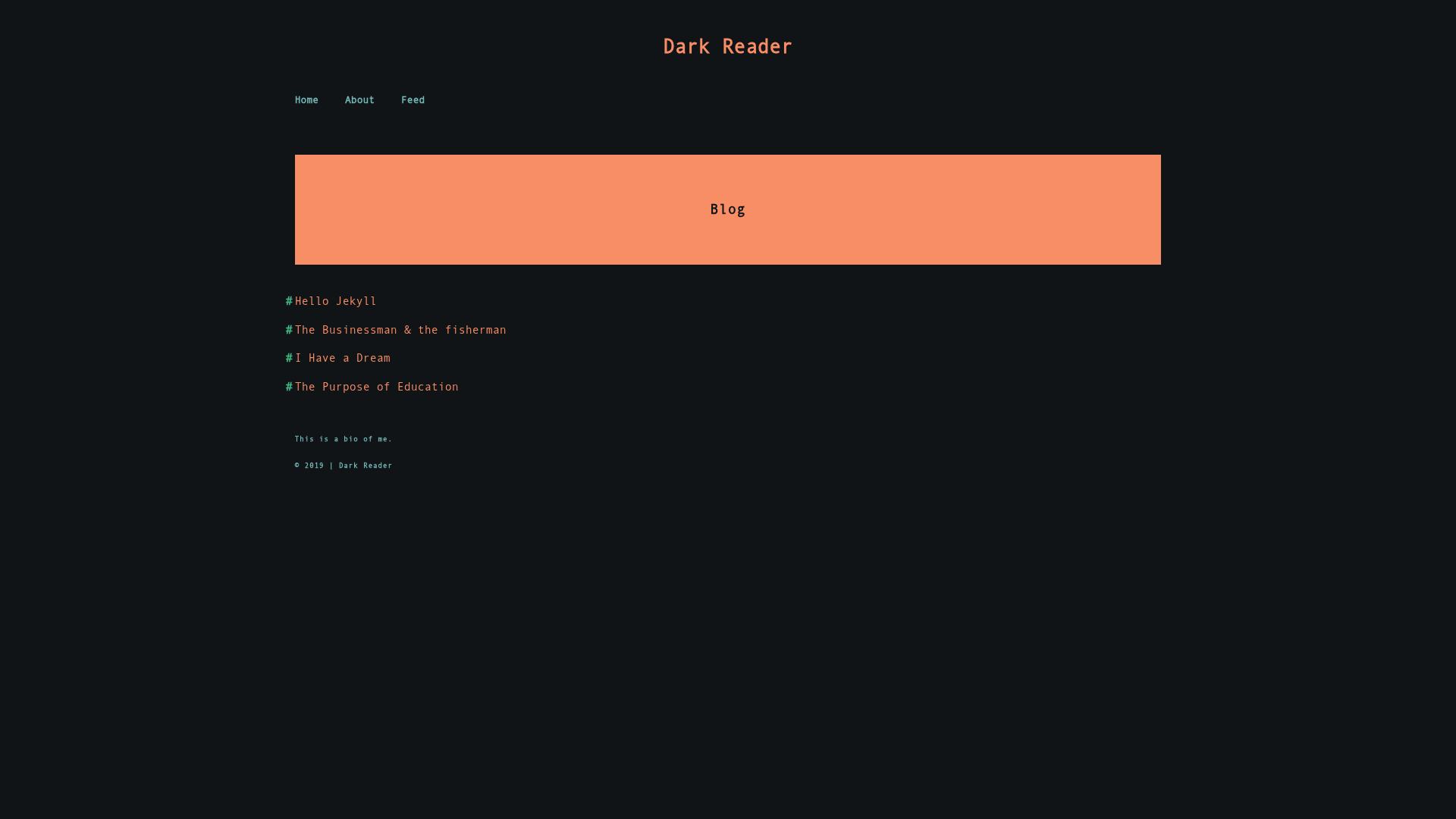
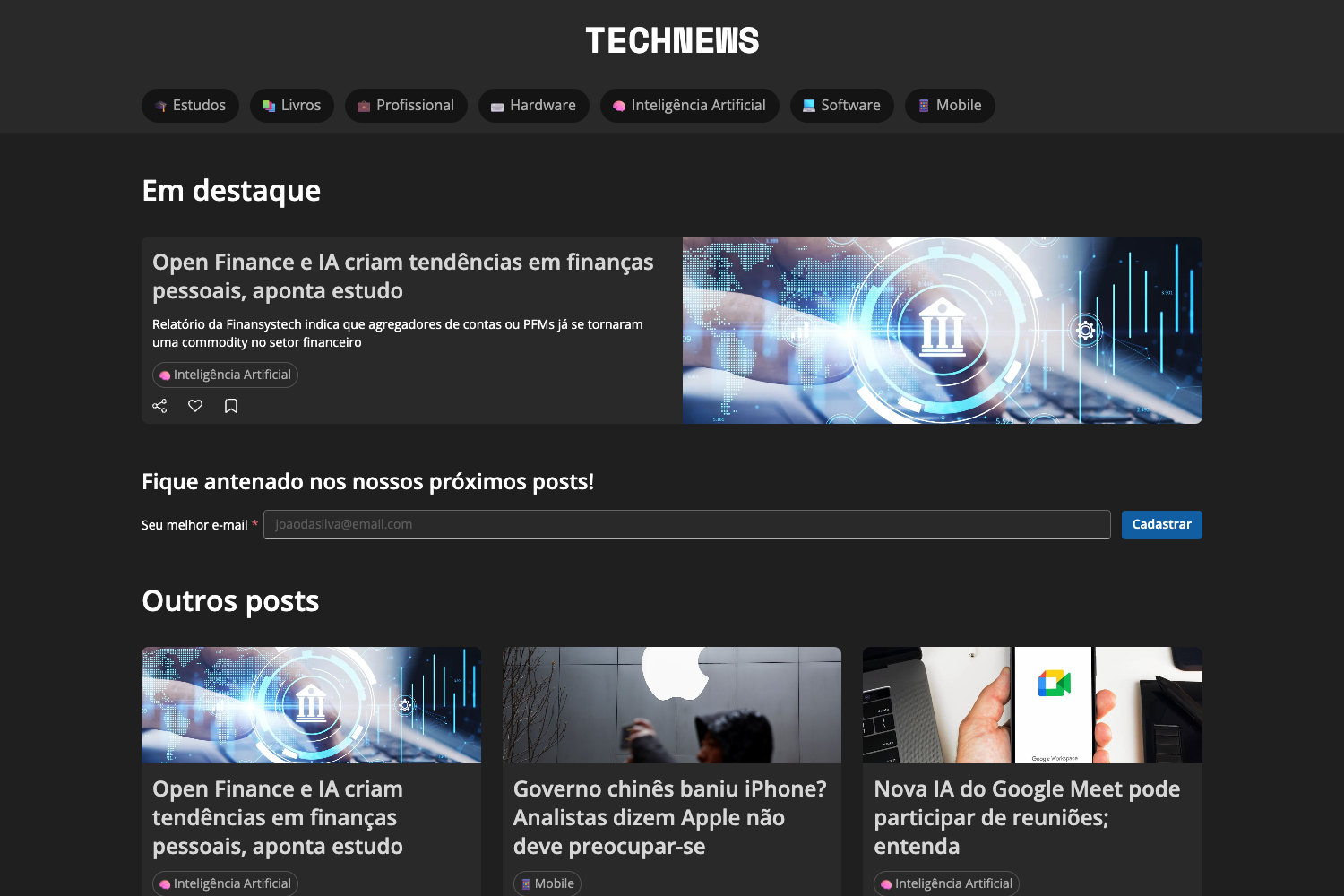
A minimal dark-mode Jekyll theme with minimal CSS and fast page loading, created by Sharad Raj Singh Maurya.
About this template
Jekyll Theme Dark Reader is a minimal, dark-mode Jekyll theme designed for fast-loading personal blogs, created by developer Sharad Raj Singh Maurya. This static-site template runs on Jekyll, the Ruby-based static site generator, and uses the Liquid templating engine to convert Markdown posts into a dark-styled blog index and individual article pages. The theme is open source (MIT License) and available on GitHub, with a live demo hosted at sharadcodes.github.io/jekyll-theme-dark-reader.
What is Jekyll Theme Dark Reader?
Jekyll Theme Dark Reader is a Jekyll theme that provides a dark, minimal blog layout with minimal CSS and fast page loading thanks to the Pill CSS utility. It takes standard Jekyll blog content — Markdown posts and the configuration file _config.yml — and generates a static website with a blog page and post example. The theme is developed by Sharad Raj Singh Maurya and distributed through GitHub under the MIT License.
Key Features
- Minimal CSS — The theme explicitly uses minimal CSS to keep pages lightweight, relying on the Pill CSS library from rumkin.
- Dark design by default — The entire layout is dark-themed, matching its name; there is no light mode mentioned in the README.
- Fast loading — Because of the reduced CSS and use of Pill, pages are designed to load quickly.
- Jekyll and Liquid integration — Built on Jekyll and the Liquid templating engine, it works with standard Jekyll project structure.
- Simple installation — Installation requires only a few commands:
git clone,bundle install, andbundle exec jekyll serve. - Blog-ready structure — Includes a blog page and a post example, so users can see how posts and layouts are organized.
- Open source with donation support — The project is free under the MIT license, and the author accepts optional donations through GitHub Sponsors.
Who is it for?
- Jekyll users — Anyone already using Jekyll who wants a dark, minimalist design without building a theme from scratch.
- Personal bloggers — Bloggers who want a simple, fast static blog interface and are comfortable editing a
_config.ymlfile. - GitHub Pages publishers — People who plan to host a blog on GitHub Pages, since Jekyll themes are directly compatible with the platform.
- Front-end learners — Developers studying how Jekyll and Liquid templates arrange content into static HTML pages.
What can you do with Jekyll Theme Dark Reader?
- Launch a dark-themed blog: Clone the repository, update
_config.ymlwith your site details, and write articles in Markdown to publish them as styled HTML. - Deploy to GitHub Pages: Because it is a Jekyll theme, you can push the source to a GitHub repository and enable GitHub Pages to serve the generated site automatically.
- Customize the design: Since the theme is open source and minimal, you can modify the CSS and Liquid templates to tweak the appearance for your own brand.
How does Jekyll Theme Dark Reader work?
The README documents a direct setup process: clone the repository with git clone, navigate into the folder, run bundle install to install dependencies, start a local server with bundle exec jekyll serve, and then adjust _config.yml. After customization, you upload the files to your own repository to publish the site. The theme processes Markdown content through Jekyll's build pipeline and outputs static HTML.
Pricing
Jekyll Theme Dark Reader is free. It is released under the MIT License, which permits free use, modification, and distribution. The author invites optional donations through a GitHub Sponsors page, but the theme itself has no paid tier.
FAQ
Is Jekyll Theme Dark Reader free to use?
Yes, the theme is completely free and open source under the MIT License. You can use it for personal or commercial projects without paying anything. There is an optional GitHub Sponsors page if you want to support the author.
What do I need to install Jekyll Theme Dark Reader?
You need Ruby and Jekyll installed on your machine, since the theme is built for the Jekyll static site generator. The installation steps are: clone the repo, run bundle install, and then bundle exec jekyll serve to launch a local server.
Can I use this theme on GitHub Pages?
Yes, Jekyll themes are the standard format for GitHub Pages. You can push the theme's files to a GitHub repository and enable GitHub Pages to build and serve the site automatically.
Does this theme have a light mode?
No, Jekyll Theme Dark Reader is dark-only by design. The theme name and the screenshots confirm that the layout uses a dark color scheme, and the README does not mention any light-mode option.