Template details
Trading
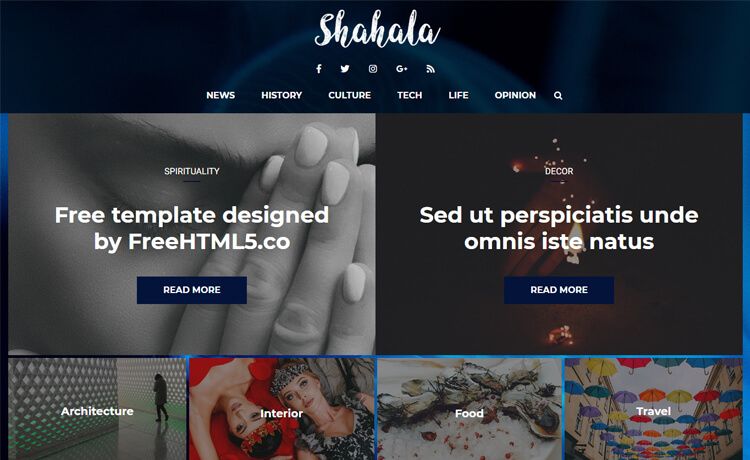
Free newspaper-style Jekyll theme with AMP support, Google Analytics, Disqus comments, and JSON-LD markup.
About this template
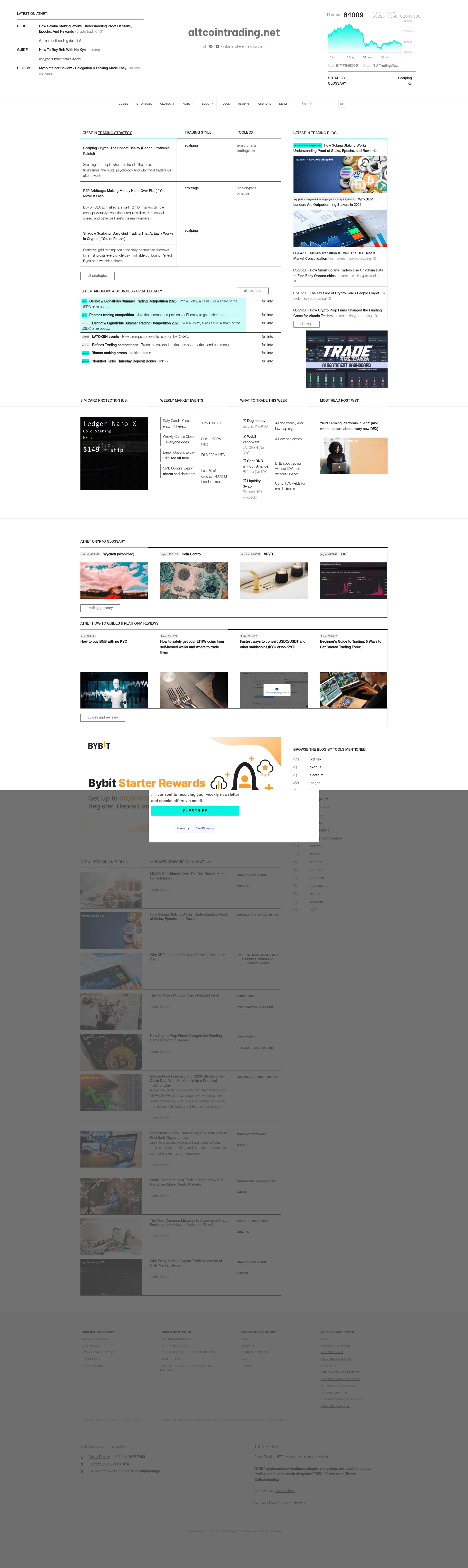
Trading is a free, open-source Jekyll theme that provides a newspaper-style layout for static sites, originally built for altcointrading.net and later released to the public.
What is Trading?
Trading is a free, open-source Jekyll theme that turns Markdown or HTML content into a static newspaper-style website. It runs on Jekyll, a Ruby-based static site generator, and produces AMP-ready pages with built-in Google Analytics and Disqus support. The theme was created in 2016 for altcointrading.net and is released under the MIT license, so it can be reused in commercial projects. It also includes basic JSON-LD markup for WebPage and Organisation schemas.
Key Features
- Newspaper layout — Presents posts in a traditional newspaper front-page format, with a large headline area and multi-column article listings.
- AMP-ready pages — The theme outputs pages compatible with the Accelerated Mobile Pages framework, which can reduce mobile page load times.
- Google Analytics integration — Analytics are supported out of the box; add your tracking code to the theme's configuration.
- Disqus comment support — Comments are integrated via Disqus, allowing readers to engage without building a backend.
- JSON-LD structured data — The theme includes basic JSON-LD markup for WebPage and Organisation, which helps search engines understand your site.
- Shell scripts for workflow — The repository includes
./serve,./git.sh, and./deploy.shscripts to speed up local development and deployment. - Open-source with MIT license — You can use, modify, and distribute the theme freely, including in commercial projects.
Who is it for?
- News and magazine publishers — Build a news-style Jekyll blog with a layout that prioritizes headlines and article previews.
- Jekyll developers looking for AMP examples — Use the theme as a working reference for adding AMP, Google Analytics, Disqus, and JSON-LD to a Jekyll site.
- Hobbyist bloggers — Set up a free static blog with built-in analytics and comments, then host it on any static hosting service.
What can you do with it?
- Launch a newspaper-style site — Clone the repository, edit
_config.yml, and runbundle installto get a working news site in minutes. - Add AMP support to an existing Jekyll project — Study or reuse the theme's AMP implementation to bring AMP to other Jekyll projects.
- Learn structured data setup — Inspect the included JSON-LD markup to understand how to add Organisation and WebPage schema to a static site.
How does it work?
Trading is configured as a standard Jekyll site in the /website directory. After cloning the repo, you install dependencies with bundle install, then either run ./serve for local preview or bundle exec jekyll serve from /website. For production, ./deploy.sh pushes your changes to a configured server.
FAQ
Is Trading free to use?
Yes, Trading is open-source and released under the MIT license. You can use it for any project, including commercial ones, and modify it without restriction. There is no paid or premium version mentioned.
What does Trading include?
The theme includes an AMP-ready design, Google Analytics integration, Disqus comment support, and basic JSON-LD markup for WebPage and Organisation. It also provides shell scripts for serving, pushing, and deploying the site.
Is Trading still maintained?
The theme was developed in 2016 and is not maintained or updated in the free version. No updates or bug fixes have been released, so use it with the understanding that it's a legacy theme.
Do I need Ruby to use Trading?
Trading is a Jekyll theme, so you need a Ruby environment with Jekyll and Bundler installed. You also need to run bundle install in the website directory to install required gems.