Template details
Chalk
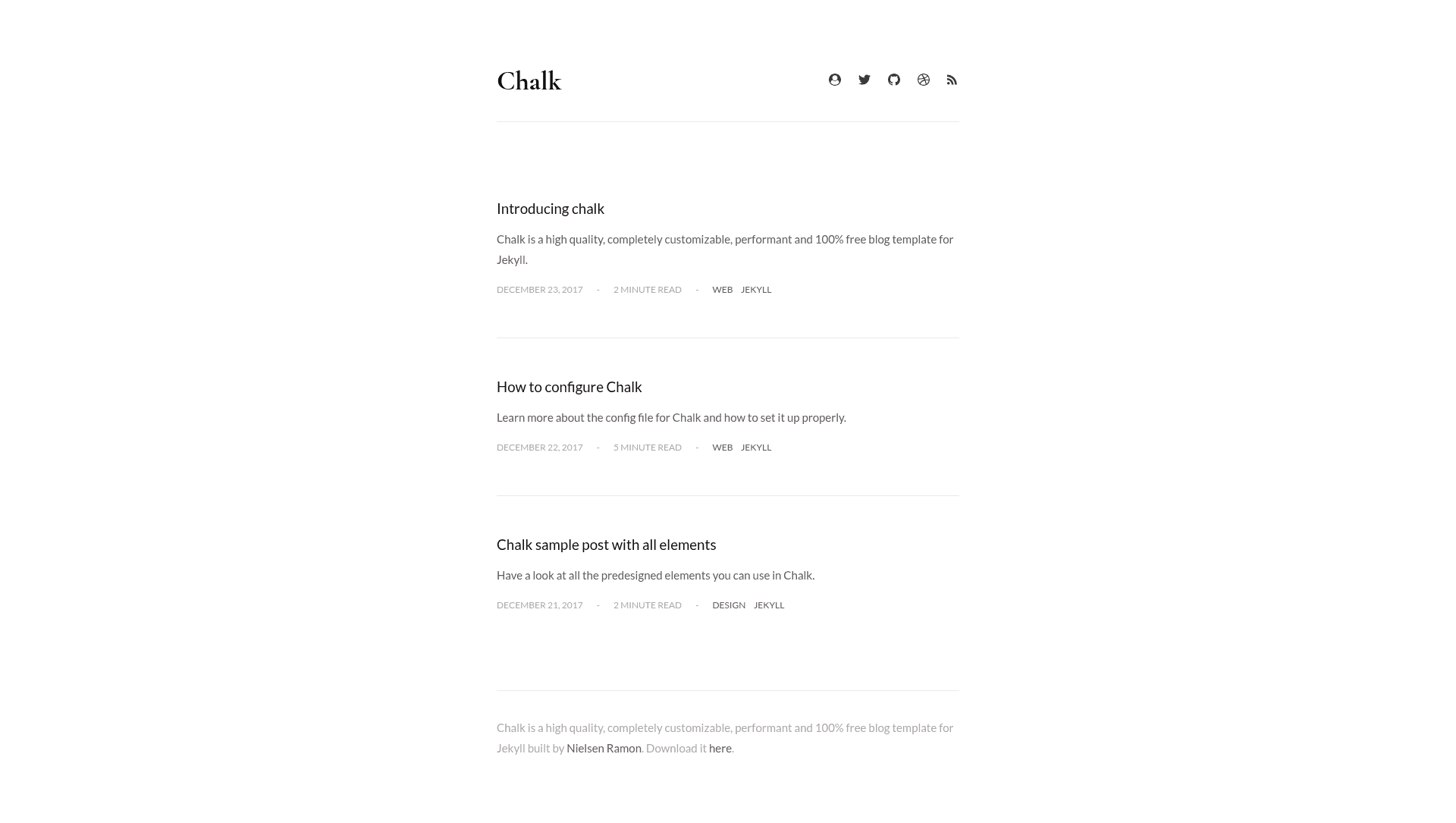
Chalk is a free, customizable Jekyll blog theme with dark/light mode, tag filtering, and automated deployment to GitHub Pages.
About this template
Chalk is a free, MIT-licensed Jekyll blog template that turns Markdown posts into a static, SEO-optimized blog with tag filtering, dark and light themes, and an automated GitHub Pages deployment workflow.
What is Chalk?
Chalk is a Jekyll blog theme that takes blog posts written in Markdown and generates a static site featuring an about page, automatic RSS feed, sitemap, and per-post reading time. It runs on Jekyll with SCSS styling, uses Jekyll Assets for asset pipelines, and is created by Nielsen Ramon, the developer behind the Kickster and STACSS projects listed in the template's tooling. The template is distributed under the MIT License and is described as 100% free.
Key Features
- Dark and light theme — the template ships with both a dark and a light theme, letting you switch the site's appearance.
- Tag filtering and optional tag navigation — readers can filter posts by tag, and you can enable a tag-based navigation menu.
- SEO and PageSpeed optimization — the theme is SEO optimized, PageSpeed optimized, and includes dedicated sharing links for Facebook, Twitter, and Google Plus.
- Media embeds and image zoom — videos can be embedded directly in posts, and images enlarge on click through the Zooming library.
- Integrations — Disqus for comments, Google Analytics, Google Fonts, and Icomoon SVG icons are all supported.
- Build and test tooling — the project uses Jekyll Sitemap, Autoprefixer, Html-proofer, Circle CI, Travis, and Yarn for automated builds and quality checks.
- Fonts and emoji support — local fonts are supported for self-hosted typography, and emoji renders in content.
Who is it for?
- Independent bloggers — publish a personal blog with tags, RSS, and social sharing without paying for a theme.
- Developers who want full control — customize the SCSS styling, layout, and Jekyll configuration directly, since the theme is open source under MIT.
- GitHub users — deploy a blog to GitHub Pages with the provided npm run publish workflow, which builds the site and pushes it to the gh-pages branch.
- Performance-conscious site owners — get a cross-browser, PageSpeed-optimized blog with local font hosting.
What can you do with Chalk?
- Personal bloggers: write posts in Markdown and publish a static blog with an automatic RSS feed, sitemap, and custom 404 page.
- Tech writers: use tag filtering, custom code highlighting, and video embeds to build a documentation-style blog.
- Design-minded developers: switch between dark and light themes, customize pagination, and restyle the site through SCSS.
How does Chalk work?
Install Ruby and Node.js first — via Homebrew with brew install ruby and brew install npm on macOS, or through the RubyInstaller and Node.js installers on Windows. Then run npm run setup to initialize the environment, npm run local to develop locally with Jekyll, and commit changes to any working branch (except gh-pages) followed by npm run publish to build and deploy. For project sites, set the baseurl field in _config.yml to the repository name; a custom domain can be configured following GitHub's gh-pages documentation.
Pricing
Chalk is 100% free and released under the MIT License, with no paid tiers or premium add-ons.
Pros and cons
- Pros: free and open source; includes dark/light themes, tag filtering, SEO optimization, and social sharing out of the box; provides an automated deployment script for GitHub Pages.
- Cons: the standard Jekyll hosting flow on GitHub Pages is not supported — because Chalk uses Jekyll plugins that GitHub Pages doesn't support, you must deploy with npm run publish instead.
Alternatives
- Minimal Mistakes, a free Jekyll theme known for its many layout and skin configuration options.
- Chirpy, a Jekyll blog theme optimized for technical writing with built-in search and a table of contents.
FAQ
Is Chalk free?
Yes. Chalk is 100% free and distributed under the MIT License, so you can use, modify, and redistribute it without licensing fees.
Does Chalk work with GitHub Pages?
Not with the standard Jekyll hosting workflow. Because Chalk uses Jekyll plugins that GitHub Pages doesn't support, you must deploy from any working branch using the npm run publish command, which builds the site and pushes it to the gh-pages branch.
What do I need to install to use Chalk?
You need Ruby and Node.js — installable with Homebrew (brew install ruby and brew install npm) on macOS, or via the RubyInstaller and Node.js installers on Windows. After that, run npm run setup.
Does Chalk have a dark mode?
Yes. Chalk includes both dark and light themes, and the SCSS-based styling can be customized to change the site's colors and appearance.
Does Chalk support comments and analytics?
Yes. Chalk integrates with Disqus for comments, Google Analytics for traffic tracking, Google Fonts for typography, and Icomoon for SVG icons.