Template details
Jekyll theme HackCSS
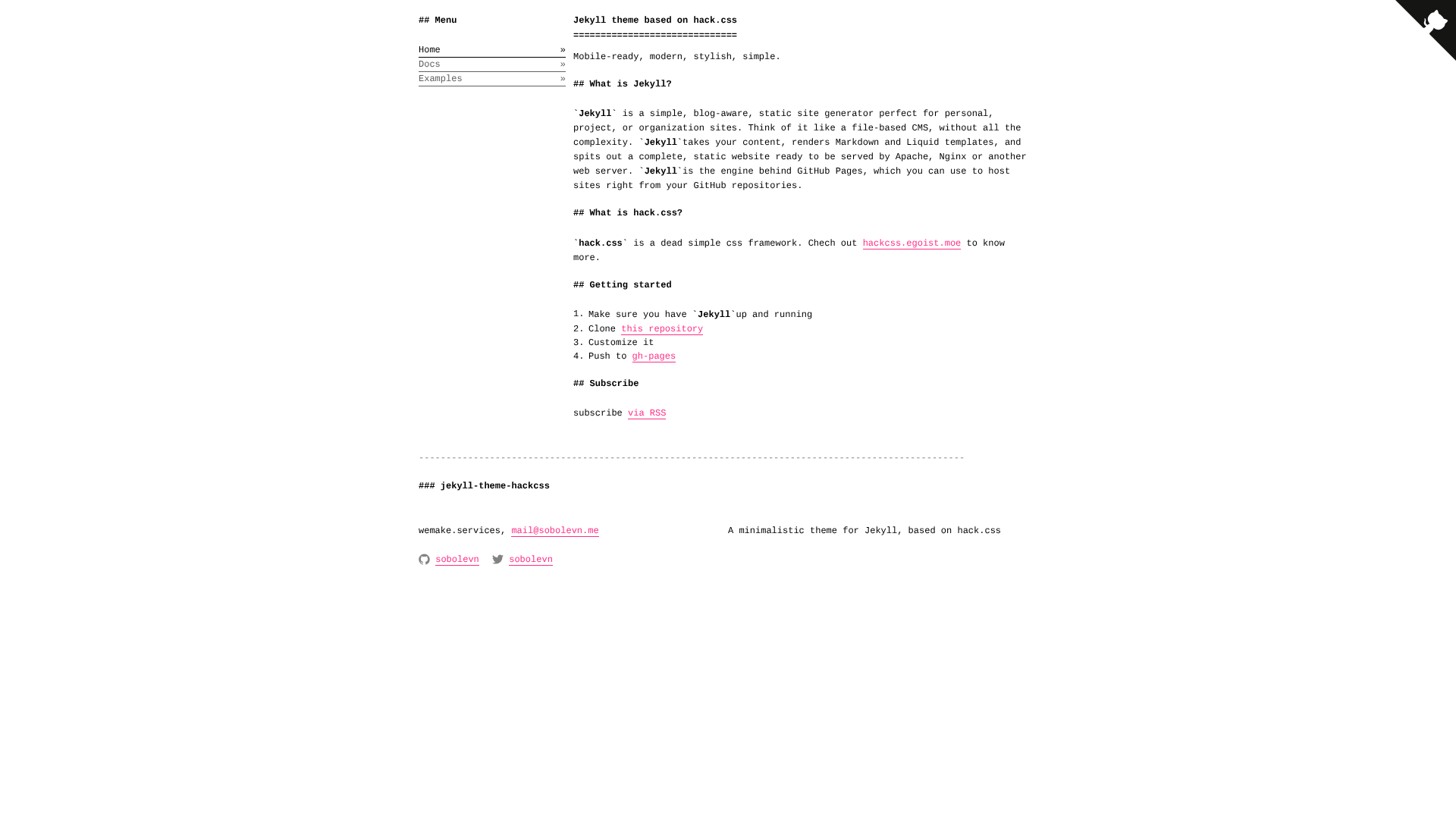
A minimal Jekyll theme built on the Hack CSS framework, with three configurable modes: Markdown, Standard, and Dark.
About this template
Jekyll theme HackCSS is a minimal Jekyll theme that wraps the Hack CSS framework, offering three color modes and a mobile-ready layout for static websites.
What is Jekyll theme HackCSS?
Jekyll theme HackCSS (repo: wemake-services/jekyll-theme-hackcss) is a Jekyll theme built on the Hack CSS framework, a "dead simple" classless CSS framework. It outputs a static website via Jekyll and lets you switch between three visual modes — Markdown, Standard, and Dark — by editing your _config.yml. The theme is distributed as a GitHub repository and licensed under GNU PGL 3. It is mobile-ready and styled with Hack CSS's minimal design.
Key Features
- Three theme modes — Markdown, Standard, and Dark; each changes the site's look and is activated by setting the mode in
_config.yml. - Hack CSS framework — a classless CSS framework that styles semantic HTML without requiring utility classes.
- Mobile-ready — the layout adjusts to small screens as part of the theme's CSS.
- Jekyll integration — works with Jekyll's standard directory structure and GitHub Pages.
- Simple installation — the README says to clone the repo and create your own website; configuration is documented in the linked docs.
- Open source license — released under GNU PGL 3, allowing you to use and modify the source.
Who is it for?
- Bloggers who want a minimal, no-frills layout for a Jekyll blog, with the option to switch to a dark mode.
- Developers building a personal or project site who prefer a classless CSS framework and simple configuration.
- Documentation writers who can use the Markdown mode to present content in a clean, text-focused layout.
What can you do with it?
- Personal sites: Set up a quick personal website by cloning the repo, editing
_config.ymlto pick a mode, and writing content in Markdown. - Blogs: Configure Jekyll's built-in blogging features (posts, categories, tags) on top of the theme to publish articles.
- Project documentation: Use the Markdown mode to render a clean documentation site from Markdown files.
How does it work?
The README explains installation as "Clone this repo. Create your own website. Easy." After cloning, you configure the theme mode in _config.yml. The repo also provides a separate docs file (linked in the README) with additional configuration details, and the theme is built for Jekyll, so you can run jekyll serve to preview your site locally.
FAQ
What theme modes are available?
Three modes are included: Markdown, Standard, and Dark. You choose the active mode by setting the appropriate value in your Jekyll site's _config.yml file.
Does this theme use Bootstrap or Tailwind?
No. It uses the Hack CSS framework, a classless CSS framework that styles standard HTML elements. Hack CSS is separate from Bootstrap and Tailwind, and it does not require you to add utility classes to your markup.
Can I use this with GitHub Pages?
Jekyll themes like this one are typically compatible with GitHub Pages, which runs Jekyll automatically. The repository structure follows Jekyll conventions, so you can likely publish your site by placing the theme's files in a GitHub Pages repository.
Is this theme free?
Yes. The repository is licensed under GNU PGL 3, an open source license, so you can legally use, modify, and distribute the theme as long as you follow the license terms. The repository has 141 stars on GitHub.