Template details
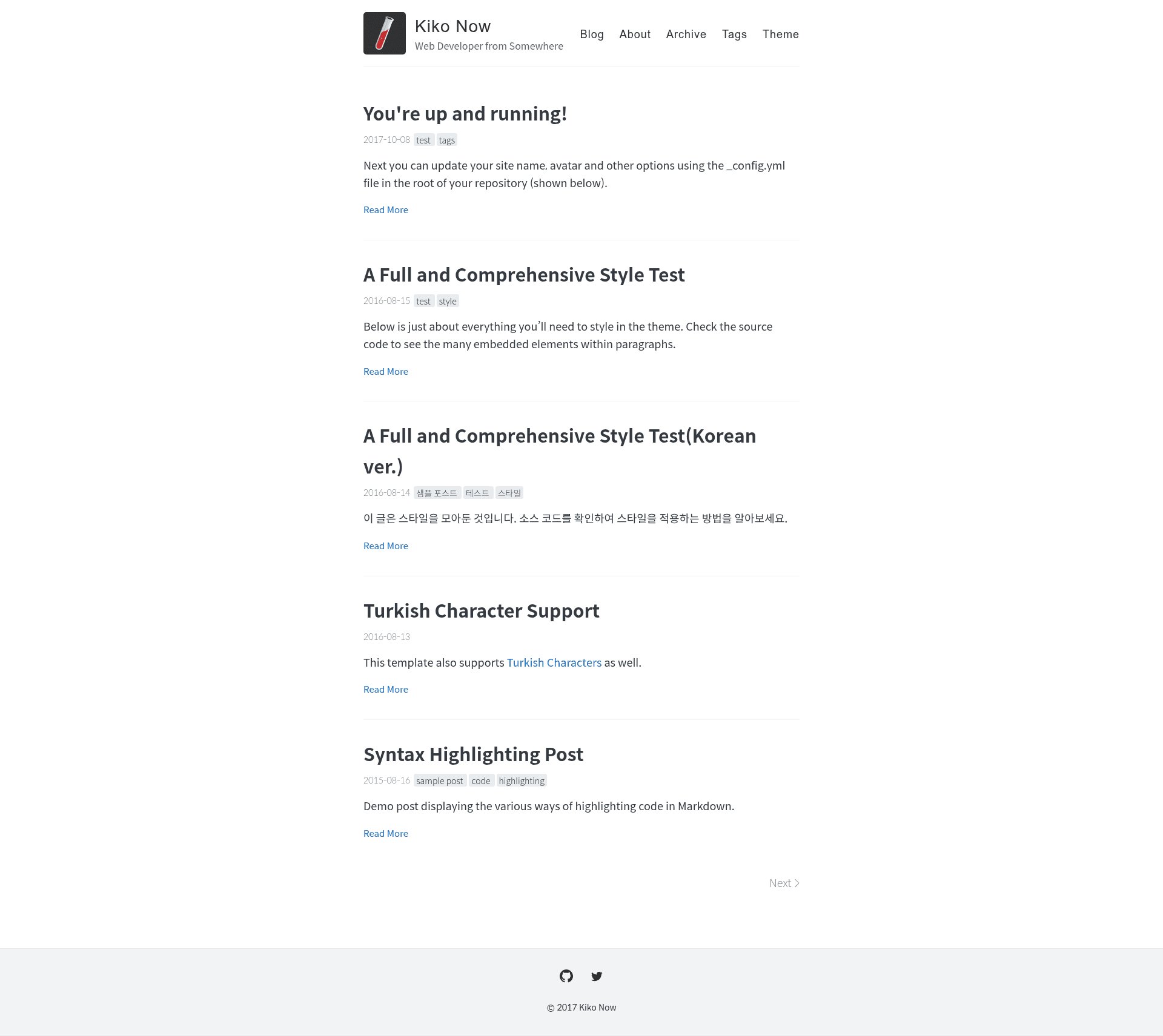
Kiko Now
Build a Jekyll blog in minutes, without touching the command line.
About this template
Kiko Now is a free, open-source Jekyll theme that lets you launch a personal blog on GitHub Pages in minutes, with no command-line setup. Based on Barry Clark's Jekyll Now, it provides a fork-and-edit workflow where you copy a repository, rename it, and publish Markdown posts through the GitHub browser interface.
What is Kiko Now?
Kiko Now is a Jekyll theme for static blogging, designed to be deployed on GitHub Pages. It takes a standard Jekyll site structure — _config.yml, _posts, and markdown files — and produces a fully rendered blog accessible at yourusername.github.io. The theme was created by GitHub user aweekj and is based on the Jekyll Now template by Barry Clark.
What makes Kiko Now stand out?
- Fork-and-publish setup — Fork the repository, rename it to yourgithubusername.github.io, and GitHub Pages will host the blog at that URL automatically.
- No command line required — Edit _config.yml and posts directly in the GitHub web interface or with the Prose.io editor to make changes and republish.
- Markdown-based posts — Write blog posts in Markdown; each post needs a filename in year-month-day-title.md format and a front matter block containing layout, title, tags, and comments settings.
- Centralized configuration — _config.yml controls the site name, description, avatar, Google Analytics tracking, Disqus commenting, and social icons.
- Local development option — Install the github-pages gem and run jekyll serve to test the site at http://127.0.0.1:4000/ before pushing changes.
- Built on Jekyll Now — Inherits the minimal structure and philosophy from the popular Jekyll Now theme, aiming for a simpler alternative.
Who should use Kiko Now?
Kiko Now is for anyone who wants a Jekyll blog without spending time on configuration. Non-technical writers can manage the entire site from a web browser using GitHub's online editor or Prose.io, while developers can clone the repository and work locally with jekyll serve. It also appeals to existing Jekyll Now users looking for a lighter, forked theme with the same zero-setup promise.
What can you do with Kiko Now?
- Launch a personal blog quickly — Fork the theme, rename the repo, edit a post, and get a live site at yourusername.github.io without touching the command line.
- Customize with Google Analytics and Disqus — Toggle these services by editing boolean settings in _config.yml, no plugin installation needed.
- Publish posts entirely in the browser — Add or edit Markdown files in the _posts folder via GitHub.com or Prose.io, then let GitHub Pages rebuild the site.
How does Kiko Now work?
The workflow has three steps. First, fork the repository and rename it to your username's GitHub Pages repo. Second, customize the site by editing _config.yml; GitHub Pages automatically rebuilds the site after any push. Third, publish your first post by editing the example post in _posts/ or creating a new file with the required date-based filename and front matter.
Pricing
Kiko Now is free and open source. The theme costs nothing to use, and hosting on GitHub Pages is free for public repositories.
Alternatives
- Jekyll Now — The parent theme this project is based on, which offers the same fork-and-blog workflow and is maintained by Barry Clark.
FAQ
Do I need to use the command line with Kiko Now?
No. You can create and publish your whole blog from GitHub.com or with the Prose.io editor. The command line is only needed if you want to run the site locally using jekyll serve.
How do I publish my first post?
Edit the sample post at /_posts/2017-10-08-hello-world.md or create a new file in the _posts folder. The filename must follow the year-month-day-title.md format, and the file must start with a front matter block that includes layout, title, tags, and comments.
How do I enable Google Analytics or Disqus?
Open _config.yml in the GitHub editor and update the corresponding fields for your Google Analytics tracking ID and Disqus shortname. The theme will then include those services on your blog when GitHub Pages rebuilds the site.
Can I test the site locally?
Yes. Run gem install github-pages, clone your repository, and then run jekyll serve. This mirrors the plugins used by GitHub Pages and lets you preview your site at 127.0.0.1:4000.