Template details
LeaveIt
A clean, minimal blog theme for Hugo with dark/light mode, lazy loading, and code highlighting.
About this template
LeaveIt is a clean, minimal blog theme for Hugo that turns Markdown content into a static blog with dark/light mode, lazy-loaded images, and automatic code highlighting.
What is LeaveIt?
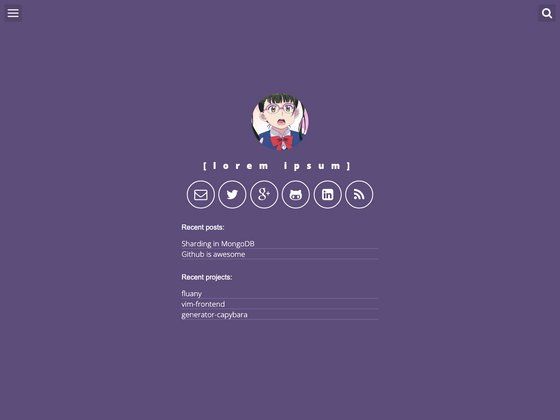
LeaveIt is a clean, elegant, simple-but-not-simpler blog theme for the static site generator Hugo. It takes Markdown files from your content directory and renders them into a complete blog site, including post pages, static pages, and a configurable home page. The theme is developed by LiuZhichao and released under the MIT license.
Key Features
- Dark/Light mode — Toggle between light and dark themes by clicking the heart icon in front of the blog title, or by adding any element with the class
.theme-switchto trigger the switch. - Figure-wrapped images — Images are automatically wrapped in HTML figure tags without requiring a shortcode, thanks to a technique from Junian.Net.
- Lazy loading — Images load lazily using the lazysizes JavaScript library, improving initial page load speed.
- Code highlighting — Code blocks are automatically highlighted by Google code-prettify, with customizable styles through CSS.
- Image gallery — A gallery of images is automatically created using the lightGallery library, with lightbox functionality.
- Featured images — Each post can specify a featured image via the
featured_imagefield in the front matter, which is displayed on the post. - Home post mode — The home page can show a list of recent posts instead of a personal profile by setting
home_mode = "post"in the site configuration. - Customizable styles — Styles are written in SCSS; you can override variables in
assets/css/_variables/default.scssand add your own CSS inassets/css/_custom.scss.
Who is it for?
LeaveIt is designed for bloggers and developers who want a clean, fast blog without JavaScript-heavy frameworks. It suits personal blogs, portfolio sites, and documentation sites that rely on Markdown content and static hosting. Because it is built on Hugo, it works well for users comfortable with the Hugo directory structure and configuration.
Use cases
- Personal bloggers: publish Markdown posts in the
content/postsdirectory and generate a static blog with a profile home page. - Technical writers: create documentation or tutorials with code snippets that are automatically highlighted by code-prettify.
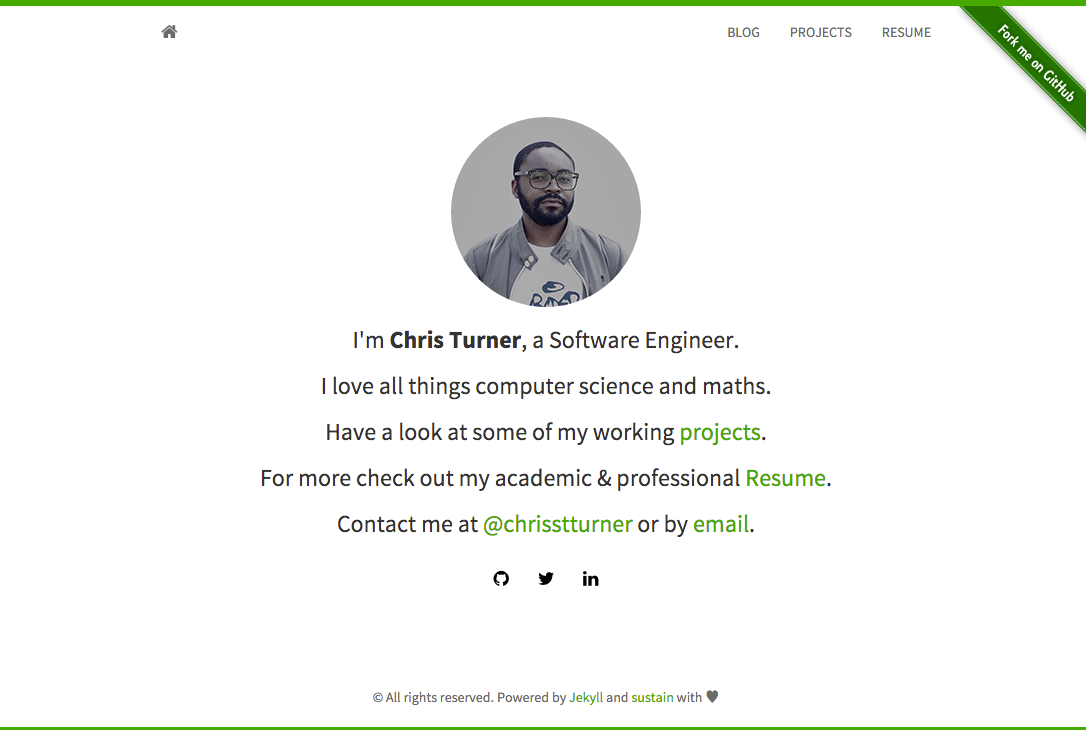
- Portfolio owners: use the default personal profile home mode to introduce yourself and link to your projects or posts.
How does LeaveIt work?
LeaveIt works like a standard Hugo theme. After cloning the repository into the themes directory, you set theme = "LeaveIt" in config.toml and copy the example configuration from the exampleSite folder. You then create content as Markdown files, placing posts in content/posts and static pages in content. To build the site, run HUGO_ENV=production hugo --gc --minify, which enables production features like minification.
Pros and cons
Pros:
- Clean and simple design with no heavy JavaScript frameworks.
- MIT licensed, so it can be used freely in personal and commercial projects.
- Includes lazy loading and automatic image galleries for better performance.
Cons:
- Requires Hugo's "extended" Sass/SCSS version to compile the theme's styles.
- The dark/light mode toggle is placed in a heart icon in the header, which the author admits may not be the most intuitive interaction design.
Pricing
LeaveIt is free and open-source. It is released under the MIT license, and all bundled resources (lazysizes, lightGallery, code-prettify) are also open-source.
Alternatives
- Coder — another minimal Hugo theme.
- hello-friend — a Hugo theme with a distinct design.
These are directly linked in the theme's "See Also" section.
FAQ
Is LeaveIt free?
Yes, LeaveIt is free and open-source. It is licensed under the MIT license, which allows personal and commercial use with attribution.
Does LeaveIt require a specific Hugo version?
LeaveIt requires the Hugo "extended" Sass/SCSS version because the theme's styles are written in SCSS. The standard Hugo binary will not work.
How do I enable dark mode?
Dark mode can be toggled by clicking the heart icon in front of the blog title. You can also create your own toggle element by adding the class .theme-switch to an HTML element.
How do I show posts on the home page?
By default, the home page displays a personal profile. To show posts instead, add home_mode = "post" to the [params] section of your config.toml file.