Template details
Blueface
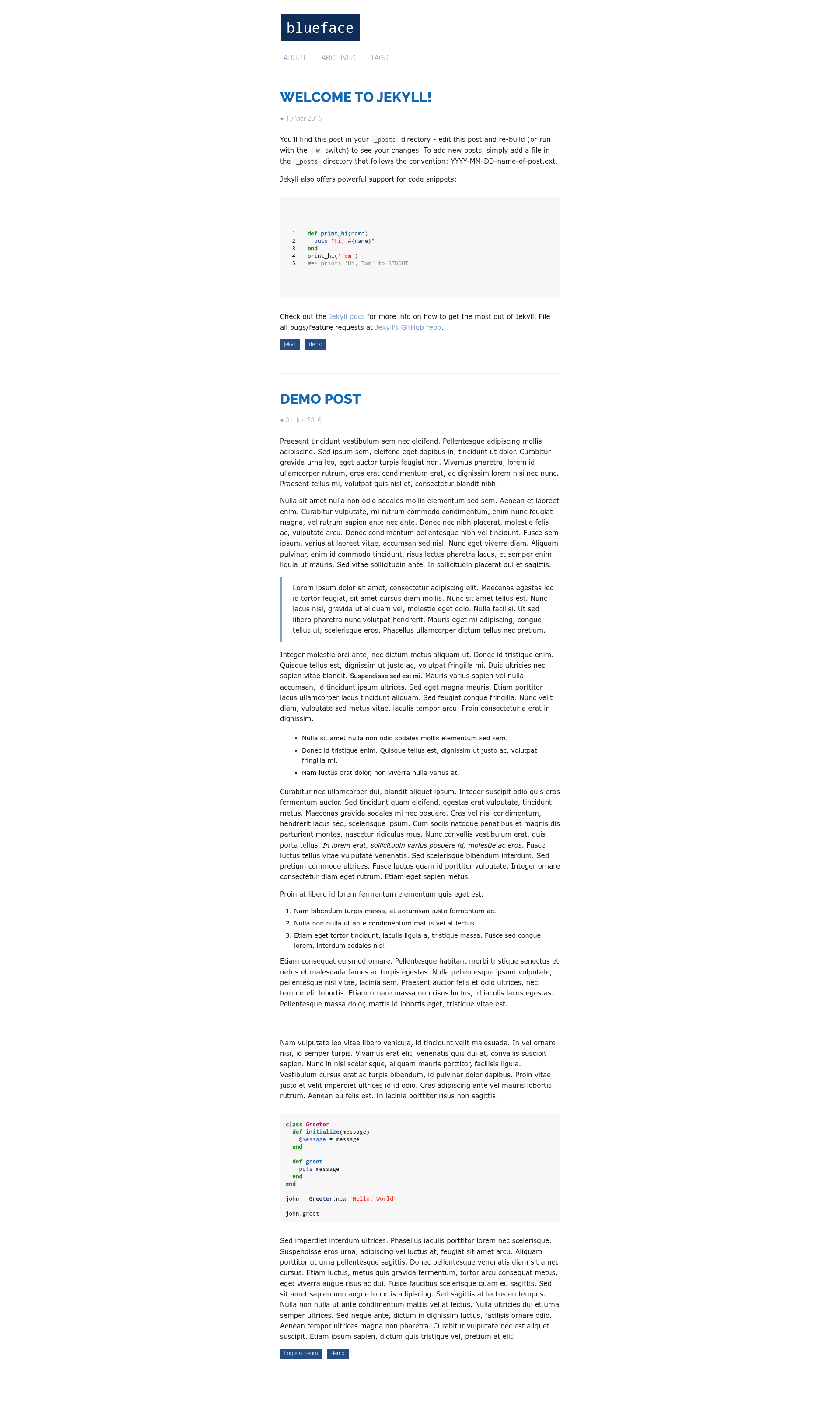
A minimalist Jekyll theme.
About this template
Blueface is a minimalist Jekyll theme that builds responsive static websites and automatically generates JSON and RSS feeds on every build.
What is Blueface?
Blueface is a minimalist Jekyll theme designed for building clean, responsive static sites. As a Jekyll theme, it takes Markdown content and Jekyll layout files as input and produces a full HTML site with JSON and RSS feeds included. The theme runs on GitHub Pages, making it a direct fit for project pages or personal sites hosted there. The theme is maintained by thien, and its repository is hosted on GitHub with 31 stars.
Key Features
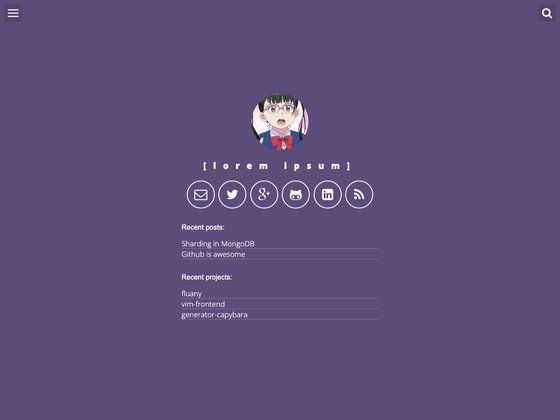
Blueface comes with a focused set of features that keep the theme light while covering the essentials for a content-driven site.
- Responsive layout — the theme adapts to desktop and mobile viewports without any extra configuration.
- Automatic JSON feed — each Jekyll build generates a JSON feed, ideal for powering JavaScript-based search or external readers.
- Automatic RSS feed — a standard RSS feed is generated on every build, so readers can subscribe to new posts.
- Tag support — posts can be organized with tags, simplifying topic-based navigation and filtering.
- System fonts plus Google Fonts — the base typography uses system fonts and can load Open Sans, Droid Sans, and Raleway from Google Fonts.
- Easy extension — the theme follows conventional Jekyll structure, so adding custom layouts, includes, or pages is straightforward.
- Simple installation — installation is done by forking the repository and renaming it to your GitHub Pages username.
- Centralized configuration — site settings are managed in _config.yml, with a Setup section guiding the essential options.
Who is it for?
Blueface suits individuals and teams that want a minimal, hackable Jekyll theme without extra bloat.
- Bloggers — publish Markdown posts and immediately gain RSS and JSON feeds for distribution and syndication.
- Developers — fork the repository and use it as a foundation for a GitHub Pages personal site, modifying layouts and includes as needed.
- Designers — leverage the clean typographic system and responsive grid to build a minimalist portfolio.
What can you do with Blueface?
- Publish a personal blog — write posts in Markdown, add tags, and automatically expose content through JSON and RSS feeds.
- Create a minimalist portfolio — use the simple layout and responsive design to showcase projects without heavy theming.
- Prototype a Jekyll site — extend the theme with custom components while relying on its built-in feed generation for testing.
How does Blueface work?
Installation follows a fork-based workflow: fork the repository, rename it to your GitHub Pages address, and edit _config.yml to set site variables. The Setup section in that file covers important configuration. After committing, GitHub Pages builds the site, and the theme outputs HTML pages along with JSON and RSS feeds automatically.
FAQ
Is Blueface responsive?
Yes, the theme is responsive by default and adjusts its layout to fit different screen sizes, including mobile devices.
Does Blueface generate RSS and JSON feeds?
Yes, both an RSS feed and a JSON feed are generated automatically on each Jekyll build, so your content is ready for subscribers and external tools without extra plugin configuration.
How do I install Blueface?
Fork the repository, rename it to your GitHub Pages username or organization, and update the settings in _config.yml as described in the Setup section. After pushing, GitHub Pages builds the site for you.
Which fonts does Blueface use?
Blueface uses system fonts as its base and optionally loads Open Sans, Droid Sans, and Raleway from Google Fonts, giving you a flexible yet fast-loading typographic setup.