Template details
Liveblocks Linear-like Issue Tracker
A Linear-inspired collaborative issue tracker built with Next.js and Liveblocks, featuring realtime presence, comments, and an optional AI assistant.
About this template
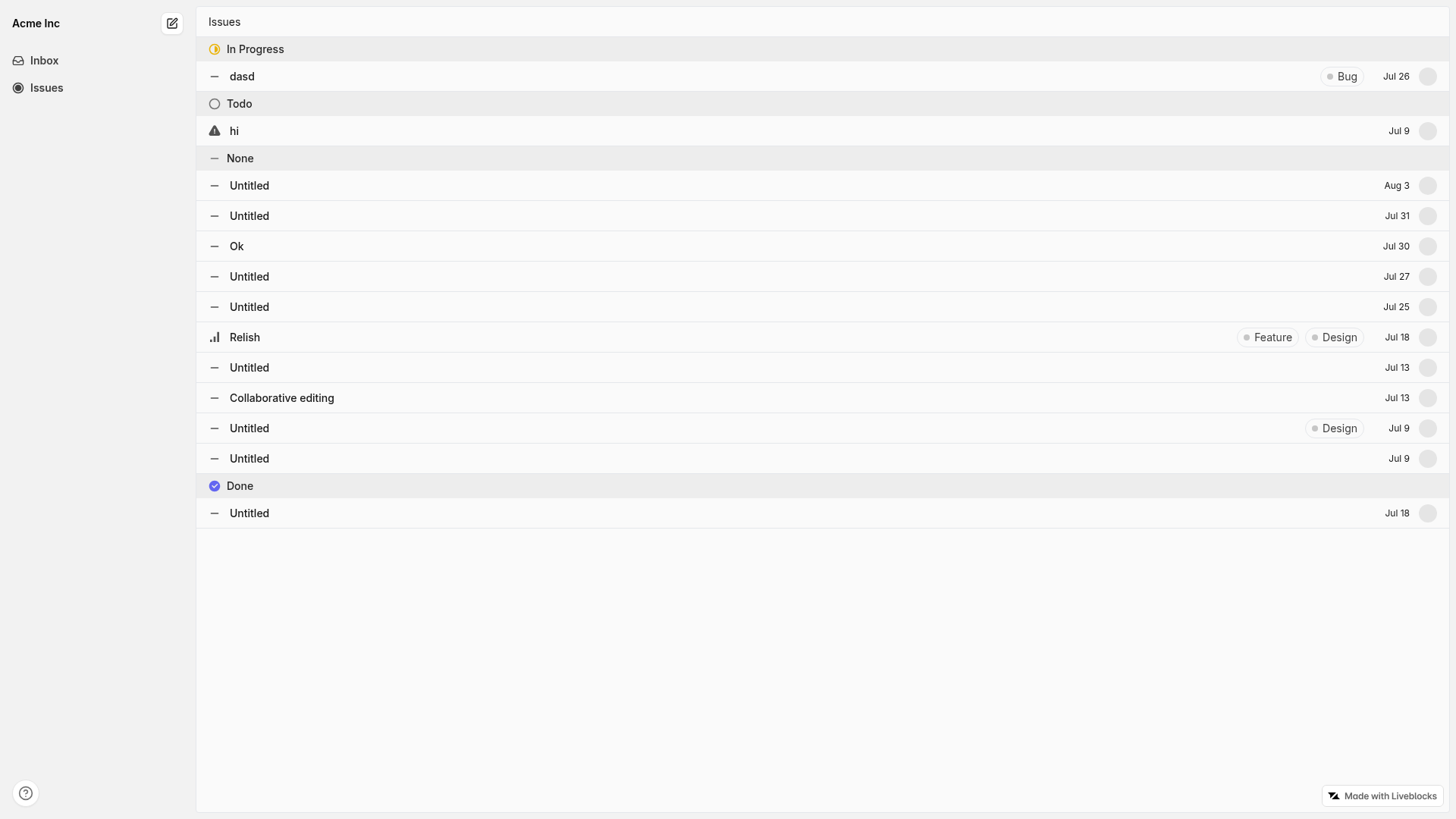
The Liveblocks Linear-like Issue Tracker is a Next.js example template that builds a collaborative issue tracker on Liveblocks, featuring realtime presence, comments, notifications, and an optional AI assistant.
What is the Liveblocks Linear-like Issue Tracker?
The Liveblocks Linear-like Issue Tracker is a free example from the Liveblocks team that demonstrates how to build a Linear-inspired issue tracker with realtime multiplayer features. It is built on Next.js and React and uses Liveblocks to synchronize issue data, presence, and comments across all connected clients. Users can create issues with a rich-text editor, assign priority, progress state, and labels, and discuss issues via comments. An optional AI assistant, powered by an Anthropic API key, streams responses in comments and can create or edit issues while displaying AI presence.
Key Features
- Realtime collaboration — Liveblocks uses WebSockets and CRDTs to sync data instantly between users, so everyone sees the same issue board with active presence.
- Rich-text issue editor — Issues are created with a rich-text editor and carry metadata: priority, progress state, and labels.
- Comments and notifications — Users can comment on issues and receive notifications when mentioned; webhooks for commentCreated and storageUpdated events deliver these updates to the server at /api/liveblocks-webhook.
- Optional AI assistant — Add ANTHROPIC_API_KEY to enable an assistant that streams replies, creates new issues, and edits the current issue with AI presence.
- Quick scaffolding —
npx create-liveblocks-app@latest --example nextjs-linear-like-issue-tracker --api-keydownloads the example and helps you get a Liveblocks API key. - Flexible deployment — Deploy to Vercel with
--vercel, run locally withnpm run dev, or use the Liveblocks dev server withnpx liveblocks dev.
Who is it for?
This template suits developers who need a working realtime issue tracker or project-management UI to customize. Frontend engineers can use it as a reference for Liveblocks presence, comments, and notifications in a Next.js App Router project. Teams prototyping a Linear-like product can get a deployed version running in minutes. It's also a practical example for developers exploring how to add an AI agent to a collaborative app, since the assistant integration is fully implemented.
What can you do with it?
- Developers can scaffold a full issue tracker with realtime features and then replace the UI or extend the data model for their own product.
- AI enthusiasts can study how the Anthropic-powered assistant is called, how it streams output, and how it uses presence to show when the AI is editing.
- Prototypers can deploy directly to Vercel using the
--vercelflag and immediately test collaboration across multiple browsers.
How does it work?
After scaffolding, set LIVEBLOCKS_SECRET_KEY in .env.local. To enable notifications, configure a webhook in the Liveblocks dashboard that sends commentCreated and storageUpdated events to /api/liveblocks-webhook and add LIVEBLOCKS_WEBHOOK_SECRET_KEY. For the AI assistant, add ANTHROPIC_API_KEY from the Anthropic platform. You can also run the example locally with the Liveblocks dev server by setting baseUrl to http://localhost:1153 and using the local secret sk_localdev.
FAQ
Do I need a Liveblocks API key?
Yes. The quick start command requests your Liveblocks API key automatically by opening your browser, or you can manually add LIVEBLOCKS_SECRET_KEY to your .env.local file from the Liveblocks dashboard.
Is the AI assistant required?
No. The AI assistant is optional. You only need to add an Anthropic API key as ANTHROPIC_API_KEY to enable it; without that key, the issue tracker still works fully for collaboration.
Can I run this locally without a webhook?
Yes, but webhooks are required to use all features such as notifications. For local development, Liveblocks provides a dev server; run npx liveblocks dev and use the provided baseUrl and local secret instead.
Can I deploy to Vercel?
Yes. Use the command npx create-liveblocks-app@latest --example nextjs-linear-like-issue-tracker --vercel to download and deploy to Vercel, or push the example to CodeSandbox and add the LIVEBLOCKS_SECRET_KEY environment variable there.