Template details
Logbook
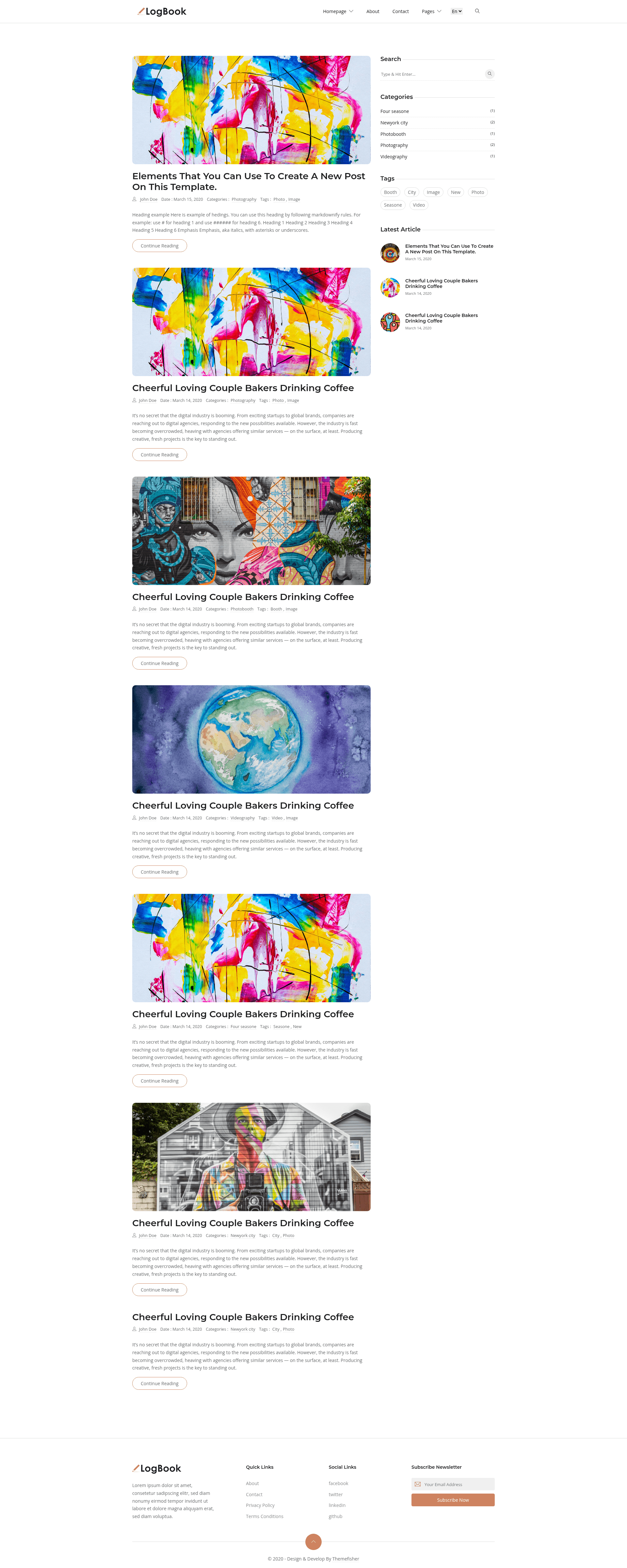
Free Bootstrap blog template from Themefisher with a Gulp build workflow, live reload, and a production-ready theme folder.
About this template
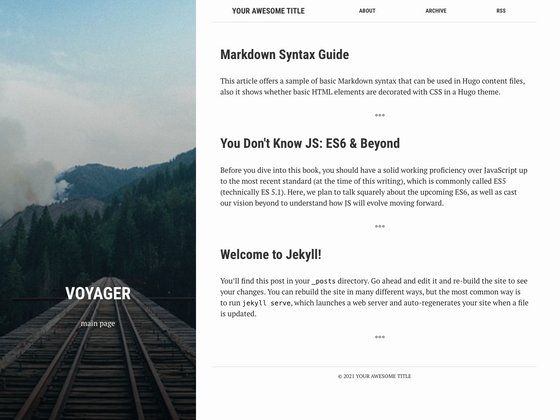
Logbook is a free, open-source blog template built with Bootstrap, created and maintained by Themefisher, that offers both a simple static HTML/CSS editing path and a Gulp-based development workflow for building a blog website.
What is Logbook?
Logbook is a free Bootstrap blog template developed by Themefisher, distributed through GitHub under the MIT license. It takes plain HTML and CSS as the source files in a theme folder and produces a static, ready-to-host website; the advanced workflow uses Node.js and Gulp to run a local server and generate a production build. The template's live preview is available at demo.themefisher.com/logbook/, and official documentation is hosted at docs.themefisher.com/logbook/.
Key Features
- Bootstrap framework — the template uses the Bootstrap CSS framework, so all layout and styling are based on Bootstrap grid and component classes.
- Two customization paths — you can either edit the HTML/CSS files inside the
themefolder and open index.html in a browser, or set up the advanced Gulp workflow. - Gulp-powered development — after running
npm install, thenpm run devcommand opens a preview in your default browser, watches source files for changes, and live reloads the page automatically. - Production build command —
npm run buildcompiles all customizations and outputs a freshthemefolder that you can use as the main theme for deployment. - Free and MIT-licensed code — the template's code is released under the MIT License; bundled images are for demonstration purposes only and carry their own licenses.
- Documentation and support — an official documentation site explains installation and customization, and paid technical support is available through email (mehedi@themefisher.com).
Who is it for?
- Personal bloggers — who want a free, clean Bootstrap blog layout they can customize by directly editing HTML and CSS, then publish as a static site.
- Front-end beginners — who want to learn or practice Bootstrap customization without needing a backend, since the theme folder works with just a browser.
- Developers — who prefer a modern toolchain with Gulp, npm scripts, live reload, and a production build process for efficient template customization.
What can you do with Logbook?
- Launch a blog quickly: download the template, edit the HTML files in the theme folder to add your own posts and styling, and open index.html in a browser to preview.
- Develop with live reload: use the npm and Gulp workflow to run a local dev server, so every save instantly refreshes the preview.
- Create a deployable build: run the production build command to generate a
themefolder with all your changes, ready to upload to any static host.
How does Logbook work?
Logbook offers two usage levels. For basic usage, you simply download the template, edit the HTML and CSS files in the theme folder, and open index.html in a web browser. For advanced usage, you install Node.js and the Gulp CLI, then run npm install to set up dependencies, npm run dev to launch a live-reloading development server, and npm run build to produce the final production theme folder.
FAQ
Is Logbook free?
Yes, Logbook is free to download and use. The code is released under the MIT License, which allows free commercial and personal use. The images included in the demo are for demonstration only and are not covered by the same license.
Do I need Node.js to use Logbook?
No. Basic usage only requires editing the HTML and CSS files in the theme folder and opening index.html in a browser. Node.js and the Gulp CLI are required only for the advanced workflow with npm run dev and npm run build.
How can I get support for Logbook?
Free support is available through the GitHub Issues tracker, where you can search existing issues or open a new one. Paid technical support and integration help are available by emailing mehedi@themefisher.com.
What is the production build command?
The production build command is npm run build. After running it, you receive a theme folder containing all the customizations you made. You can use that folder as your main theme for deployment.