Macchiato is a Hugo blog theme built around the Catppuccin Macchiato color palette, offering a calm, terminal-inspired reading experience for developer-focused blogs with an optional Catppuccin Latte light mode and zero build step.
What is Macchiato?
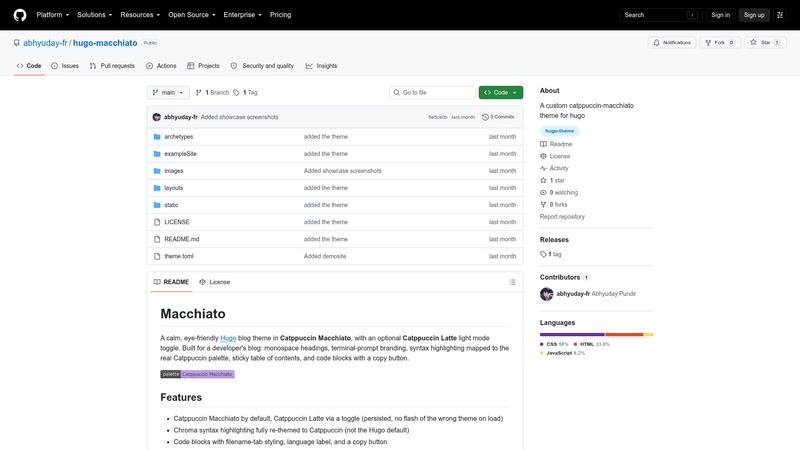
Macchiato is a theme for Hugo, the static site generator, that turns Markdown content into a styled blog with monospace headings, terminal-prompt branding, and syntax highlighting mapped to the real Catppuccin palette. It takes standard Hugo posts and optional configuration in hugo.toml as input, and generates a static site with post cards, tag pages, code blocks with copy buttons, and a sticky table of contents. The theme is published by GitHub user abhyuday-fr, distributed under the MIT license, and installable as a git submodule, a plain clone, or a Hugo module.
What makes Macchiato stand out?
- Catppuccin theming — Uses Catppuccin Macchiato by default and provides a Catppuccin Latte light mode toggle that persists and avoids flashing the wrong theme on page load.
- Chroma syntax highlighting — Re-themes Hugo's Chroma highlighter to Catppuccin colors rather than leaving the Hugo defaults; requires
noClasses = falsein the markup config. - Code block extras — Code blocks include filename-tab styling, a language label, and a copy button.
- Reading aids — Long posts get a sticky table of contents and a reading-progress bar, while regular pages like About use a plain layout.
- Homepage post cards — Posts display as cards with rotating accent colors, alongside tag pages and prev/next navigation.
- Responsive and accessible — The layout is responsive, keyboard-accessible, and respects
prefers-reduced-motion. - No build step — The theme uses plain CSS and JavaScript, so nothing beyond Hugo's standard output needs to be compiled.
- Optional giscus comments — A
[params.giscus]block enables GitHub-powered comments, off by default.
Who should use Macchiato?
- Developer bloggers — Developers who want a blog that feels like a terminal or text editor, with monospace headings and a personalized
user@host:~/path$prompt in the header. - Hugo users who love Catppuccin — People who already use Catppuccin Macchiato in their terminal or editor can carry the same palette to their website.
- Minimalist writers — Writers who want a quiet, typography-first reading experience with optional light mode and no client-side framework.
What can you do with Macchiato?
- Developer blog: Publish technical posts under
content/posts/and get post cards, tag pages, prev/next links, and automatic reading-progress tracking on each article. - Personal site: Configure author, tagline, and a terminal-style prompt in
hugo.toml, add menu links for About and external social profiles, and let the plain layout handle static pages. - Documentation or notes: Use the built-in note, tip, warning, and danger shortcodes to highlight callouts inside Markdown, with styling that matches the Catppuccin palette.
- Light/dark reading: Switch to the Catppuccin Latte light theme with one toggle; the choice is saved and restored without a flash of the wrong theme on revisit.
How does Macchiato work?
Installation takes four steps: add the theme as a git submodule, clone, or Hugo module; set theme = "macchiato" in your hugo.toml; copy the exampleSite/ config and content into your site; and run hugo server -D. From there, posts placed in content/posts/ automatically get the full article treatment, while ordinary pages stay plain.
FAQ
Is Macchiato free?
Yes, Macchiato is released under the MIT license, and the Catppuccin palette it uses is MIT-licensed by the Catppuccin project. There are no paid tiers or premium features; the theme is free to use and modify.
Does Macchiato require a build step?
No. The theme ships plain CSS and JavaScript, so once Hugo generates your site there is nothing extra to compile. You do need to configure Chroma highlighting with noClasses = false in hugo.toml for the syntax highlighting colors to match the theme.
Can I use Macchiato without a Catppuccin setup?
You can, but the theme is visually defined by the Catppuccin Macchiato palette, so it works as a standalone theme. An optional Catppuccin Latte light mode is available via a toggle for readers who prefer a lighter background.
What is the difference between posts and regular pages in Macchiato?
Content under content/posts/ is treated as posts and gets the reading-progress bar, table of contents, and prev/next navigation. Pages outside that folder, such as an About page, use a plain layout without those extras, which keeps them simple.
Can readers comment on Macchiato posts?
Yes, if you enable the optional giscus block in hugo.toml with your GitHub repository, repo ID, category, and category ID, giscus supplies comments. By default this feature is off, so no external requests are made unless you turn it on.