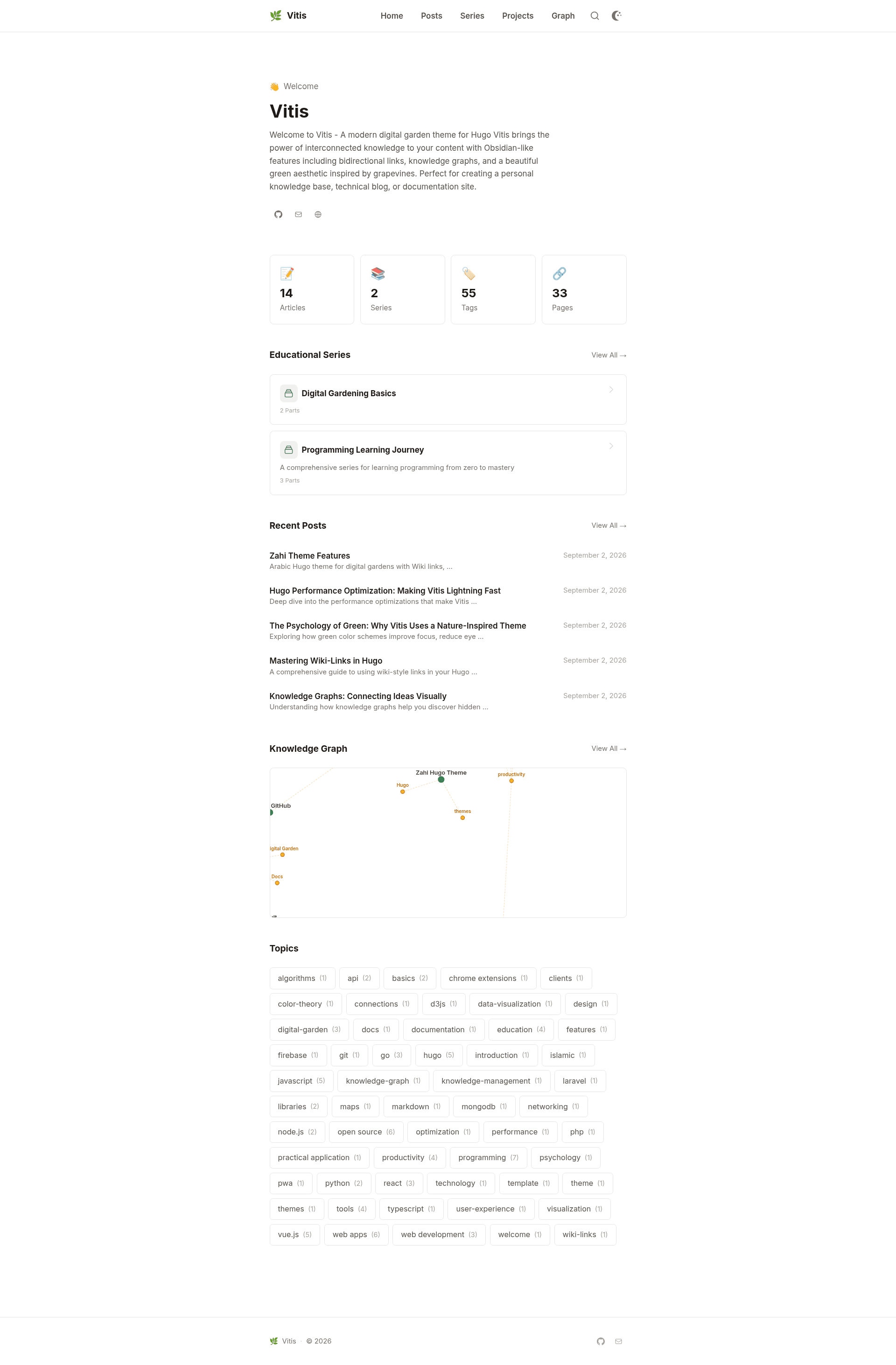
Vitis is a Hugo theme for digital garden websites that connects Markdown notes using wiki-links, an interactive D3.js knowledge graph, automatic backlinks, and series organization.
What is Vitis?
Vitis is a clean, minimal theme created by Mohamed Elhefni for Hugo, the static site generator. It accepts Markdown content stored in a Hugo project and produces an SEO-oriented site with a homepage, post pages, an auto-generated graph page, backlinks, and related content. The theme is built on Hugo Extended v0.112.0 or newer and uses Tailwind CSS for styling.
What makes Vitis stand out?
- Wiki-link syntax — In post content, use
[[post-slug]]to reference another page; Vitis builds a proper Hugo link, auto-creates backlinks, and registers the link for the knowledge graph. - Interactive knowledge graph — A dedicated
/graphpage renders content relationships with D3.js, covering wiki-links, tags, and series connections. - Series with progress — Add
seriesto YAML front matter and Vitis groups the parts, adds a series progress indicator, and shows previous/next navigation. - Backlinks — Everything connected to a page is listed at the bottom of that page.
- Client-side search — Fuse.js-powered search that reads an auto-generated JSON index of all pages.
- Tailwind CSS theming — Change colors, fonts, and design tokens by copying
tailwind.config.jsand rebuilding with npm. - Reading, TOC, and code — Automatic reading-time estimates, a generated table of contents for long posts, and Dracula syntax highlighting for code blocks.
- Theme variants and integrations — Light/dark mode with system preference detection, configurable Open Graph and Twitter Card metadata, optional Google Analytics or Plausible analytics, and Disqus comments.
Who should use Vitis?
- Knowledge-base authors who want the note-linking behavior of Obsidian in a public website without managing a separate CMS. They write Markdown locally and get an HTML site with interlinked topics.
- Hugo bloggers who want a minimal blog with a graph page added. They can keep standard front matter with tags and series while gaining related-post recommendations computed from shared tags, same series, and publication date.
- Educators and tutorial writers who need multi-part series with progress tracking, allowing students to see where they are in a sequence.
What can you do with Vitis?
- Public digital garden: publish evergreen notes connected by wiki-links so visitors can explore topics via the graph and backlinks.
- Multi-part tutorial blog: structure content into series, and the theme displays progress and cross-links among parts.
- Cross-referenced technical documentation: use tags, backlinks, and related posts to surface additional context on each page.
How does Vitis work?
Installation into a Hugo site uses Hugo Modules (hugo mod init plus an import entry), a git submodule, or cloning the repository into themes/vitis. After copying the example config (exampleSite/hugo.toml) to the project root, create posts with hugo new posts/my-post.md, write front matter plus body Markdown, and run hugo server -D. The build outputs an optimized static site with minified HTML, CSS, and JavaScript and lazy-loaded images.
FAQ
Is Vitis free?
Yes, Vitis is released under the MIT license, so you can use and modify it freely for commercial or personal Hugo sites.
What are the requirements for installing Vitis?
You need Hugo Extended v0.112.0 or newer. Git is required if you install via Hugo Modules or as a submodule, and Node.js with npm is only needed if you modify Tailwind CSS settings.
Can I show a knowledge graph on the site?
A graph page is built into the theme at the /graph URL. It uses D3.js to show nodes and edges derived from wiki-links, tags, and series defined in your content's front matter. You only need to link pages to feed the graph.