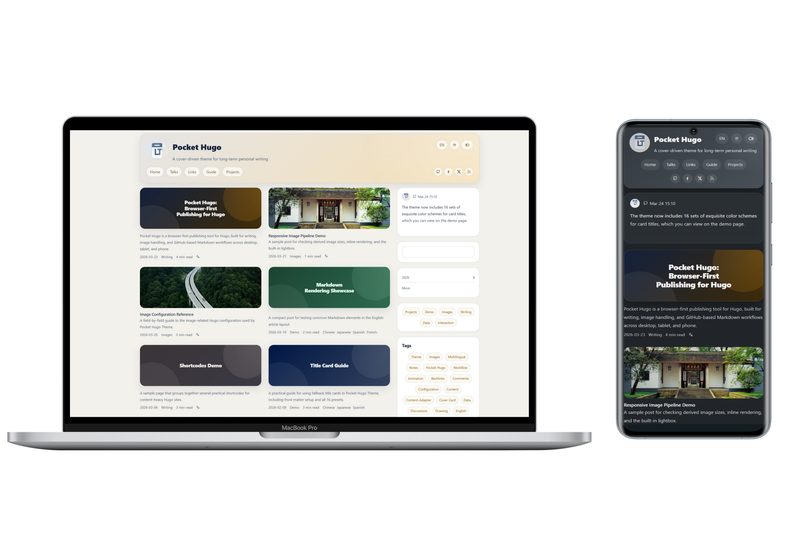
Pocket Hugo Theme is a multilingual, content-first theme for Hugo Extended (>= 0.149.0) that powers personal blogs, long-form essays, talks feeds, and link posts, developed by h2dcc as the companion presentation layer for the Pocket Hugo publishing workflow.
What is Pocket Hugo Theme?
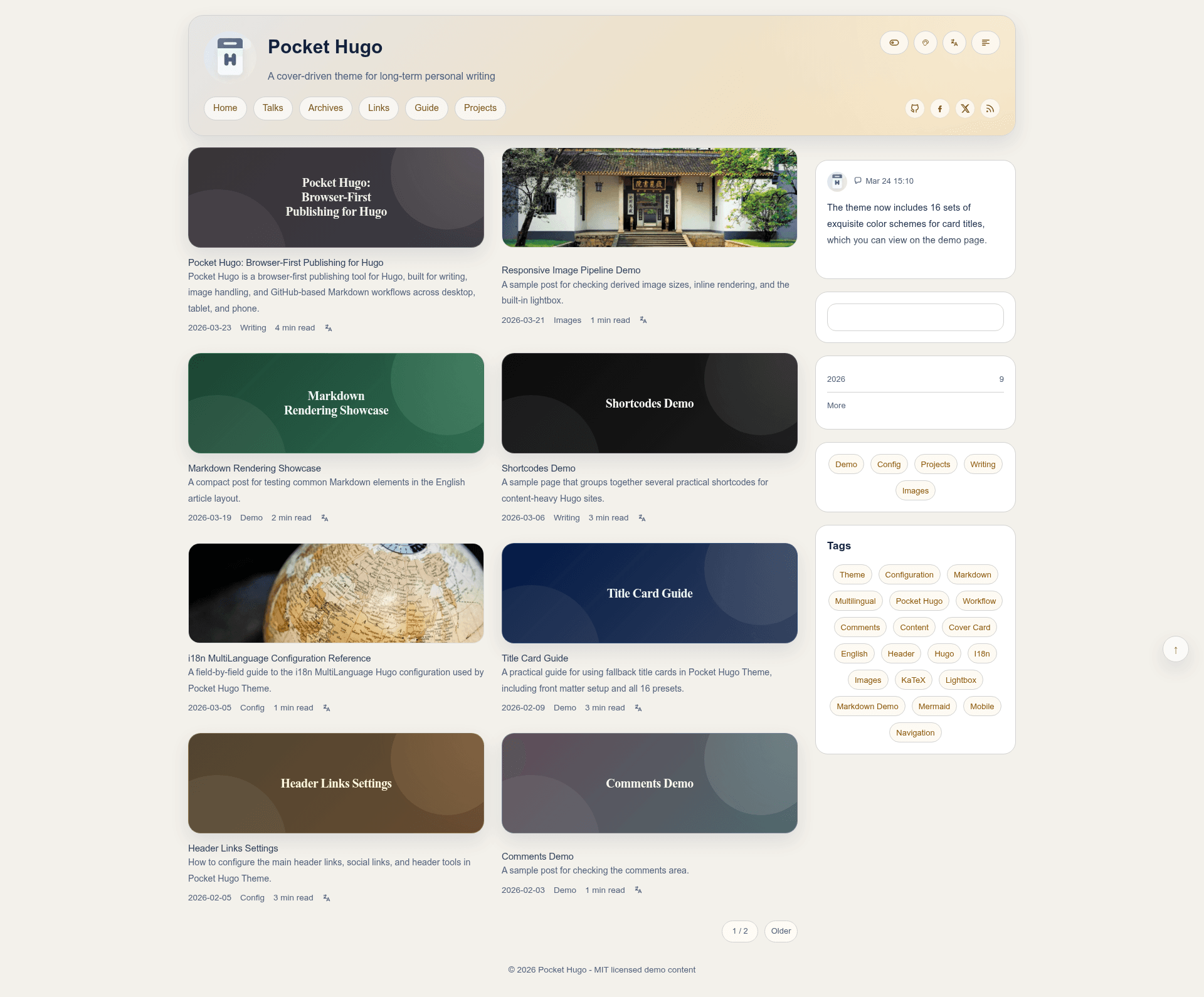
Pocket Hugo Theme is a Hugo theme distributed through a git submodule repository (h2dcc/pocket-hugo-theme on GitHub) that converts Hugo Markdown content into a static site with cover-driven article cards, taxonomy pages, and single-article layouts. It runs on Hugo Extended version 0.149.0 or newer (tested against 0.157.x and 0.158.x) and can either pair with the Pocket Hugo app or work standalone. The theme targets personal publishing rather than large portal homepages, and ships with English and Chinese README and commented configuration files.
Key Features
- Multilingual publishing — translation links, canonical URL handling, and
hreflangmetadata for sites that publish in more than one language. - Cover-first article cards — homepage, taxonomy, and archive cards that support Hugo
Fillcropping, configurable fill sizes, and generated gradient title cards as fallbacks. - Local search — a built-in search provider that can index full article text; without full-text mode it searches title, description, slug, categories, and tags.
- Talks page layout — dedicated layout for short talk entries with homepage widget support and standalone RSS and JSON outputs.
- Comment provider options — configuration for Giscus, Twikoo, or a custom provider through the provided extension partial.
- Design flexibility without a rebuild — eight color palettes, light/dark toggle, visitor-side palette picker, and a Bear-style "Minimal" view toggled per visitor and stored in localStorage.
- Hugo image pipeline controls — responsive derived images, per-breakpoint max heights for content images, theme-aware brightness, and output format/quality settings using Hugo's image processing.
- SEO and article metadata controls — configurable title templates with placeholders for home, post, page, group, and archive, plus optional backlinks, table of contents, and reading time.
Who is it for?
- Bilingual bloggers and essayists who need translation links and
hreflangmetadata while publishing long-form content in two or more languages. - Pocket Hugo users looking for a ready-made presentation layer that matches Pocket Hugo's quick timeline publishing flow, including talks RSS/JSON feed outputs.
- Independent web publishers who want to tailor layouts and image behavior through TOML config—changing list width, list mode, title cards, fallback covers, and comment providers without editing core theme files.
- Chinese-language publishers benefit from the included Chinese-commented example configuration and Chinese README.
What can you do with Pocket Hugo Theme?
- Quick-start a demo site: run
hugo server --source exampleSite --themesDir ../..to see multilingual menus, article pages, talks, links, shortcodes, content adapters, and image settings working together. - Generate per-page title cards: set
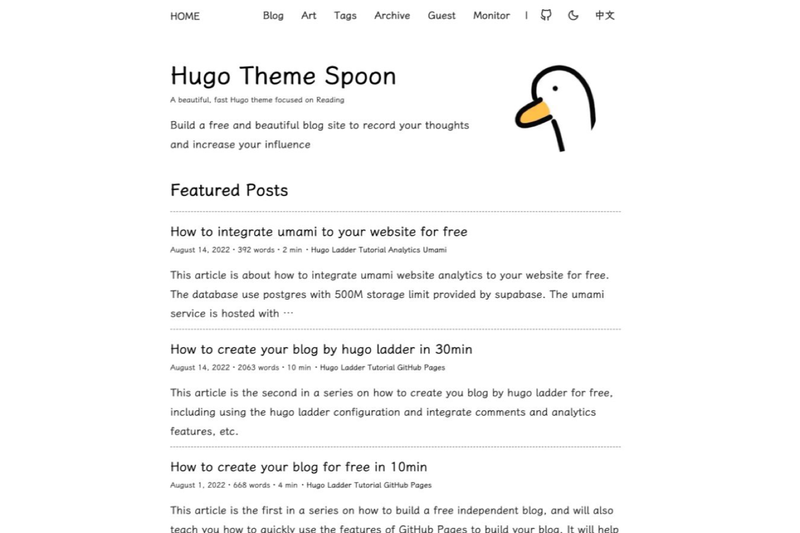
coverCardin front matter to any letter from a–h for light presets or A–H for dark presets when an image-free cover is preferred. - Switch to a calm reading view: visitors can enable the bundled Minimal (Bear-Blog-like) stylesheet from the header; the choice is applied without a rebuild and remembered in localStorage.
- Customize beyond the theme: override the no-op partials
custom/fonts.html,custom/css.html, andcustom/comments.htmlin your own site layout directory to load remote fonts, custom CSS, or a bespoke comment system.
How does the theme work?
Install it as a git submodule (git submodule add https://github.com/h2dcc/pocket-hugo-theme.git themes/pocket-hugo-theme), set theme = "pocket-hugo-theme" in your Hugo config, and start adding content. Most behavior is arranged through [params] blocks in the site config, covering search, article summaries, layout width, color scheme, SEO title templates, cover image fill, inline image heights, and comment providers. The repository includes an exampleSite/ with both English-commented (hugo.toml) and Chinese-commented (hugo.zh-cn.toml) configuration files.
FAQ
Does Pocket Hugo Theme require Hugo Extended?
Yes. The theme requires Hugo Extended version 0.149.0 or newer, and its development and testing environment uses Hugo Extended 0.157.x and 0.158.x.
Can I use Pocket Hugo Theme without Pocket Hugo?
Yes. The theme works as a standalone Hugo theme for personal sites. It is designed to pair naturally with Pocket Hugo, but no app install is required—only a Hugo Extended site with Markdown content.
How do I enable full-text search?
Set provider = "local" and fullText = true under the [params.search] table in your Hugo config. With fullText set to false, local search covers only title, description, slug, categories, and tags.
Which comment systems are supported?
The theme has built-in configuration for Giscus and Twikoo, plus a custom provider that uses an overridable comments extension partial for any third-party comment service.
What is the Minimal (Bear-style) view?
It is a bundled alternative stylesheet (assets/css/min.css) that visitors can toggle from the header. The Minimal view narrows the content column, hides the sidebar, presents a title-and-date post list, and uses dotted-link article styling and warm cocoa colors. The visitor's preference is stored in localStorage under the key PocketMinMode.