Template details
Magazine Template
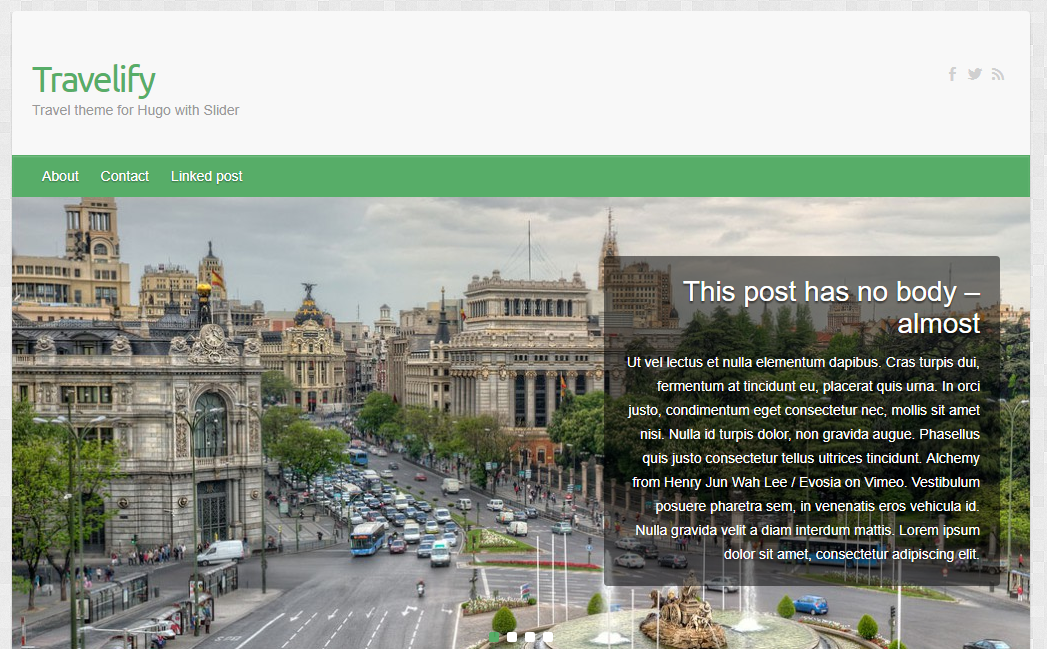
Magazine Template is a free fixed-width HTML/CSS layout with JS tab menu and featured content slider.
About this template
Magazine Template is a free fixed-width HTML/CSS website template from Templatemo that provides a magazine-style layout with a JavaScript tab menu and a featured content slider.
What is the Magazine Template?
Magazine Template (Templatemo #201) is a free HTML/CSS website layout designed for content-driven magazine-style sites. It uses a fixed-width CSS layout with a dark gray background and a light yellow-green menu color. The template includes a JavaScript tab menu and a JavaScript-powered featured content slider. It was added to Templatemo on 18 March 2010 and has been downloaded over 32,000 times.
Key Features
- Fixed-width layout — The template uses a fixed-width CSS design, so the page width stays constant regardless of screen size.
- JS tab menu — A JavaScript-based tab menu lets you organize content into clickable tabs within the navigation.
- Featured content slider — A JavaScript slider showcases featured articles or images in a rotating carousel.
- Dark gray and light yellow-green color scheme — The predefined palette pairs a dark gray background with a light yellow-green menu for a distinctive editorial look.
- Free for commercial use — You can download, edit, and use the layout for both commercial and non-commercial websites without payment.
- Simple HTML/CSS structure — The template is built with plain HTML and CSS, making it easy to edit without a framework.
Who is it for?
Magazine Template suits website owners who want to publish articles, news, or editorial content in a magazine-like format. It's also useful for hobbyists learning HTML/CSS who want a ready-made layout to modify. Bloggers can use the tab menu and slider to highlight posts and featured stories. Small publishers can use it as a starting point for a news or content portal.
What can you do with the Magazine Template?
- Content publishers: Create a magazine-style homepage with a featured slider and tabbed article categories.
- Bloggers: Display a rotating feature post and use tabs to separate topics like news, reviews, and opinion.
- Students and learners: Study a real-world fixed-width HTML/CSS template with JavaScript enhancements to understand layout and interactivity.
- Freelancers: Quickly build a content site for a client by replacing the placeholder text and images.
FAQ
Is the Magazine Template free?
Yes, the template is 100% free to download. You can use it for commercial or non-commercial projects without charge.
How do I download the Magazine Template?
On the Templatemo page, click the Download button to get a ZIP file containing the HTML, CSS, and JavaScript files.
Does the Magazine Template work on mobile devices?
The template uses a fixed-width layout, so it is not designed to be responsive. It will display at a constant width on all screens, which may require zooming on smaller mobile devices.
What is the color scheme?
The template uses a dark gray background with a light yellow-green menu color.
Can I edit the template?
Yes, you can edit the HTML and CSS files freely. The page explicitly states that you are allowed to edit and use the layout.