Template details
Vyaasa
A minimal Jekyll theme for creating clean, static personal websites and blogs.
About this template
Vyaasa is a minimal Jekyll theme for building static personal websites and blogs, distributed through GitHub and installed by forking its repository. This theme strips away visual clutter to focus on content, making it a good starting point for writers, developers, and designers who want a no-fuss site that loads quickly.
What is Vyaasa?
Vyaasa is a Jekyll-based theme described by its repository as 'a minimal jekyll theme'. It runs on the Jekyll static site generator, so it takes Markdown and Liquid template files as input and produces a static HTML website as output. The theme is hosted on GitHub and is installed using the standard fork-and-configure approach documented in its README. Setup requires enabling GitHub Pages by selecting the master branch as the site source.
Key Features
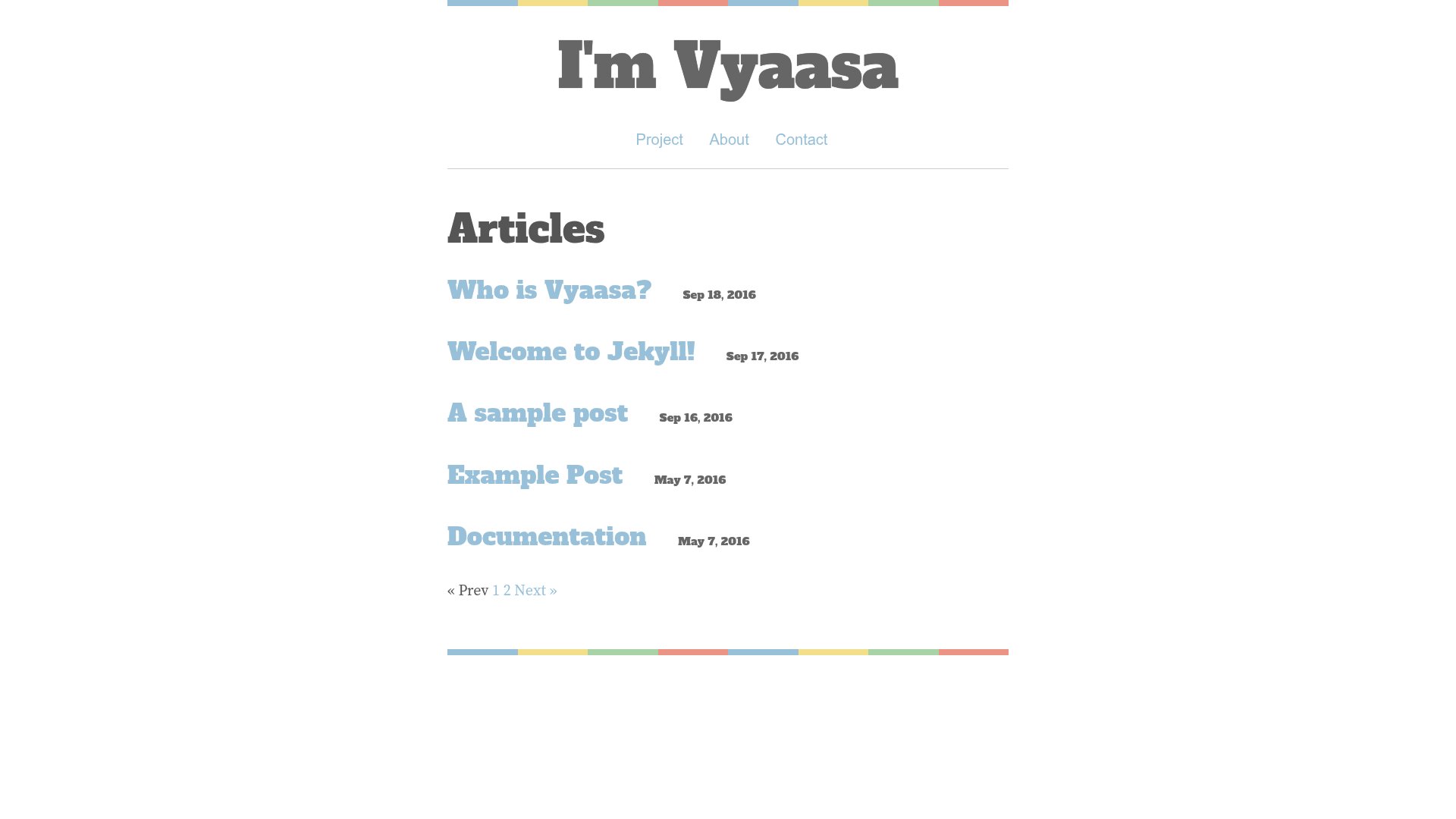
Minimal design — The theme focuses on typography and whitespace, with no decorative page elements to distract from blog posts or portfolio content.
GitHub Pages ready — Installation instructs you to set the master branch as the source, which works directly with GitHub's free static hosting.
Jekyll-based — Uses the standard Jekyll directory structure with Markdown content and Liquid templates, so any Jekyll knowledge applies.
Fork installation — There is no build tool or package manager to run; you fork the repository, change settings, and the site is live.
Demo site — A live demo is available at vyaasa.webjeda.com, so you can preview the layout before installing.
Webjeda distribution — The demo is hosted on Webjeda, which also curates other Jekyll themes on its jekyll-themes.com directory.
Who should use Vyaasa?
Personal bloggers who want a clean, minimal layout for writing without configuration overhead.
Portfolio owners who need a simple static page to present projects and contact details.
Jekyll beginners who want to study a minimal theme structure to learn how Jekyll projects are organized.
Developers who need a quick personal landing page and prefer static hosting over a full CMS.
Use cases
Writers: publish Markdown-based articles on a minimal theme that keeps the focus on the text.
Students: create a simple academic profile page with project links and a short bio.
Open-source maintainers: build a lightweight project landing page that points to a repository and documentation.
How does Vyaasa work?
The README outlines a three-step process: fork the repository, go to Settings and set master branch as source, then wait for GitHub Pages to build the site. No local Jekyll installation is needed for deployment, because GitHub Pages compiles the theme automatically. You can then edit Markdown files to add or remove content.
FAQ
Is Vyaasa free?
Vyaasa is a GitHub-hosted theme, and the installation process involves forking the repository, which is free. There is no mention of a paid license or pricing tier, and it is distributed under standard open-source Jekyll theme practices.
What do I need to use Vyaasa?
You need a GitHub account and a repository for your site. Since the installation uses GitHub Pages, no local web server or Jekyll installation is required for deployment. You only need to edit content files in Markdown.
Can I use Vyaasa with a custom domain?
GitHub Pages supports custom domains. After forking and enabling the theme, you can configure a custom domain in the repository settings, just like any other GitHub Pages site.
How do I update Vyaasa?
Because the theme is installed via a fork, you can pull the latest changes from the original repository into your fork using standard git commands.
Where can I see Vyaasa in action?
A live demo is provided at vyaasa.webjeda.com, and the theme is listed on jekyll-themes.com, a directory of Jekyll themes.