Template details
Chulapa
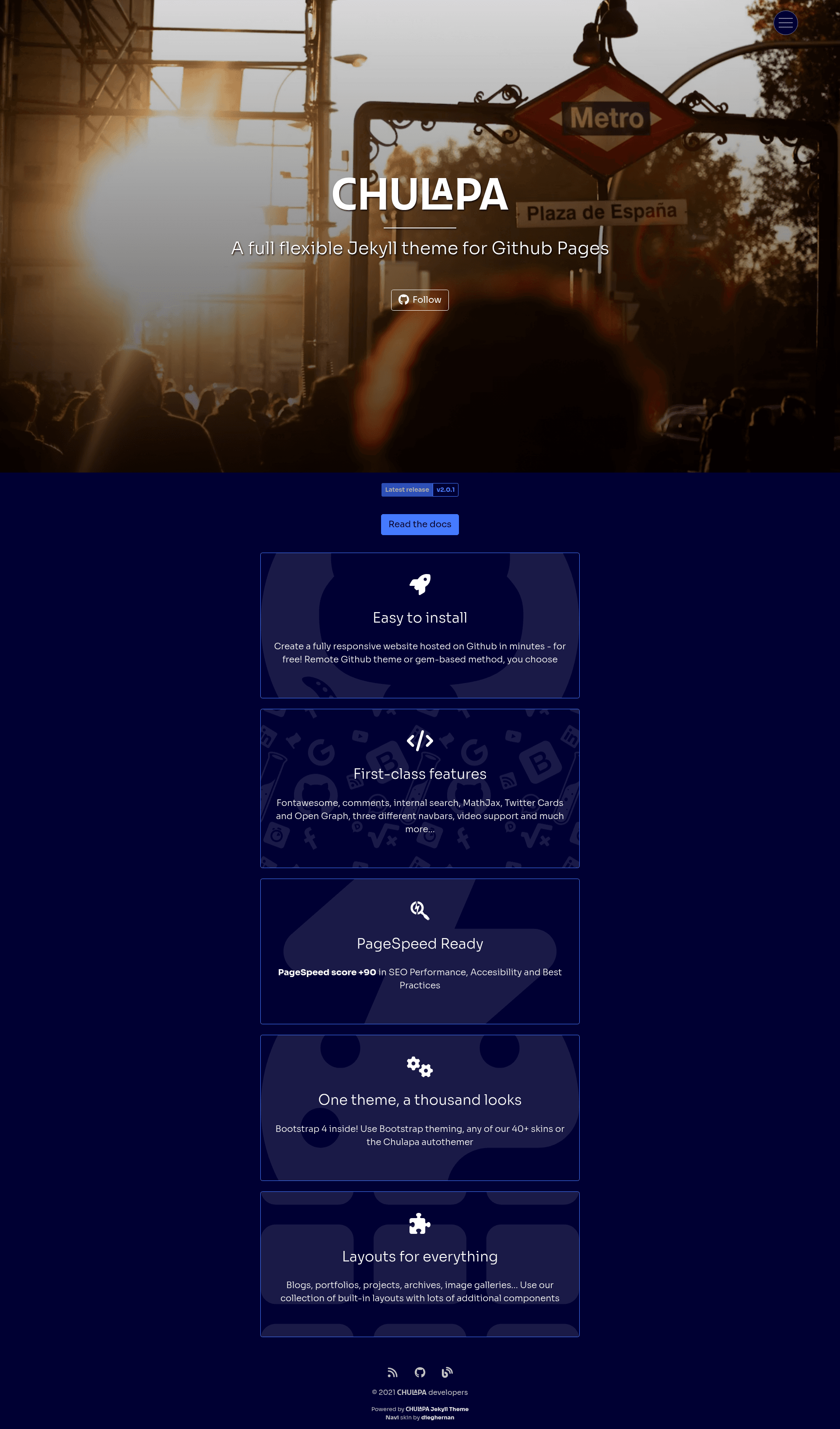
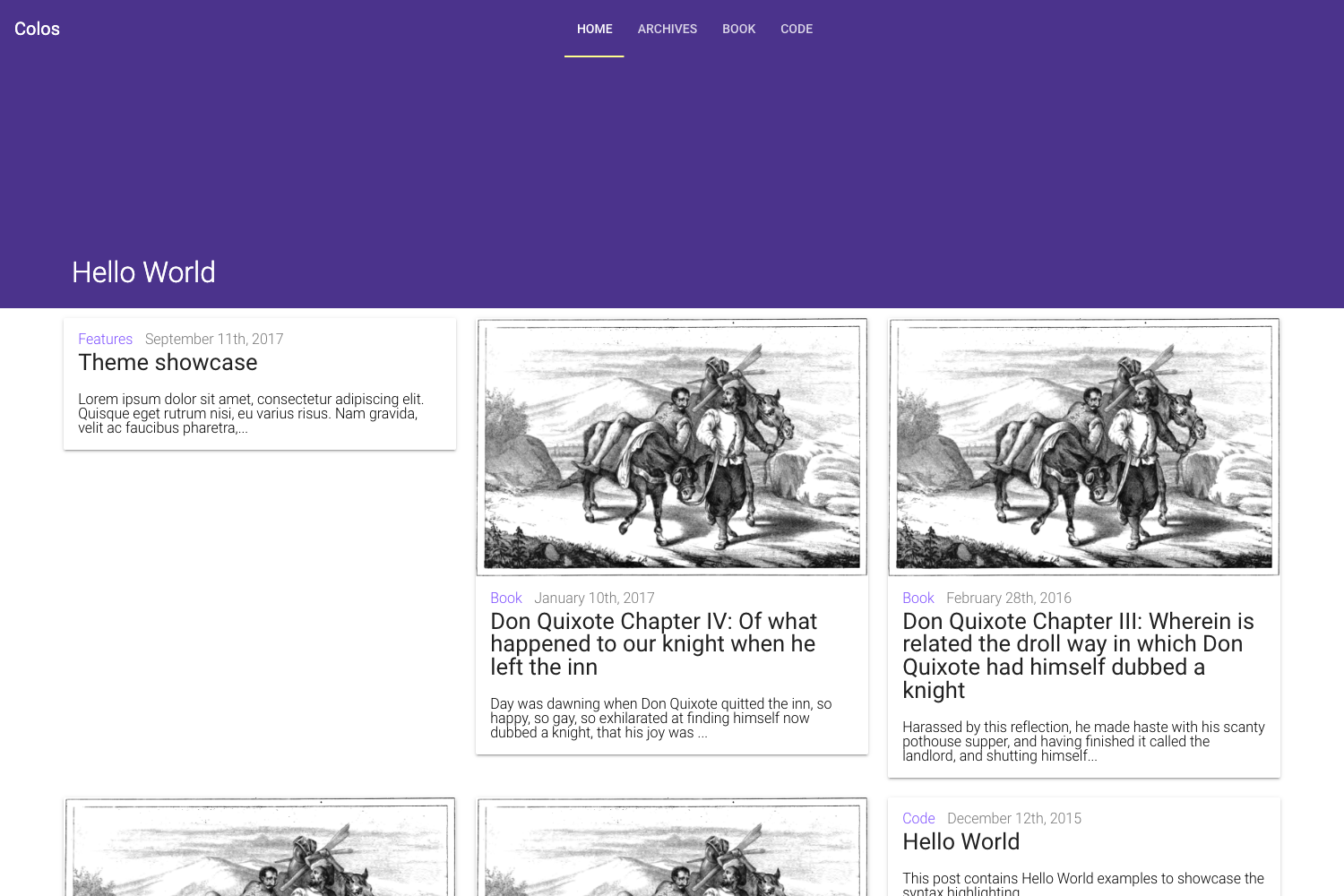
A flexible Bootstrap 4 Jekyll theme for GitHub Pages with internal search, video support, and 40+ skins.
About this template
Chulapa is an open-source Jekyll theme built on Bootstrap 4 that lets GitHub Pages users publish blogs, portfolios, and news sites with built-in search, video, and sharing features.
What is Chulapa?
Chulapa is a flexible Jekyll theme designed specifically for GitHub Pages, developed by Diego Hernán and released under the MIT License. It takes Jekyll content (Markdown posts and pages) and a _config.yml file, and generates a fully responsive static website. The theme requires Jekyll 3.8.7 or later and can be installed via a GitHub template, the remote_theme method, or as a Ruby gem called chulapa-jekyll. A live preview and full documentation are available at dieghernan.github.io/chulapa.
Key Features
- Bootstrap 4 foundation — responsive layout using Bootstrap 4.5.0, with Fontawesome 6.x icons (v5 and v4 are also supported via shims).
- Internal search — choose between Algolia, Lunr, Fuse.js, Simple-Jekyll-Search, or Google Custom Search to index your site content.
- Comment integration — support for both Disqus and Giscus comment systems.
- Video embeds — responsive video support for YouTube, Vimeo, DailyMotion, and self-hosted files.
- Masonry gallery — build image galleries with a masonry layout effect.
- SEO and social sharing — structured data for better search results, Twitter/X Cards, and Open Graph tags for Facebook, LinkedIn, and WhatsApp.
- 40+ preinstalled skins — switch the look and feel with one configuration line, plus a dedicated sandbox for custom design.
- Special layouts and authors — archive, cloud tag, and index layouts, breadcrumbs, and multi-author support with location, picture, and social links.
Who is it for?
Chulapa is for anyone who wants a free, static site on GitHub Pages. Bloggers use it for writing with code highlighting and MathJax out of the box. Developers migrating existing Jekyll sites can adopt it using the remote_theme method. Travel bloggers and collaborative publications benefit from multiple author profiles. Photographers and designers can showcase work with the Masonry gallery and the portfolio-oriented skins.
Use cases
- Personal bloggers — publish markdown posts that automatically get SEO metadata, RSS/Atom feeds, and code syntax highlighting.
- Portfolio owners — display photo galleries using the Masonry layout and customize the theme with 40+ skins.
- Collaborative editorial sites — manage multiple authors with distinct pictures, locations, and social links, plus archive and tag cloud layouts.
How does Chulapa work?
For a brand-new site, use the GitHub template to start with a pre-configured repository. To add it to an existing project, add remote_theme: dieghernan/chulapa to _config.yml and remove any other theme declarations. Alternatively, install the chulapa-jekyll gem, add theme: chulapa-jekyll to your config, and run bundle. The theme then transforms your Jekyll content into static HTML during the build.
Pricing
Chulapa is free and open source under the MIT License. No paid tier or premium upgrade is mentioned; the author accepts optional donations through a Ko-fi page.
Alternatives
Minimal Mistakes is another popular Jekyll theme that Chulapa references as a source for some code; it offers a similarly large feature set but with a different default design.
FAQ
Is Chulapa free?
Yes, Chulapa is released under the MIT License, which means it is free to use, modify, and distribute. No premium version is listed on the project page.
How do I install Chulapa?
You have three options: create a new repository from the official GitHub template, use the remote_theme method by adding remote_theme: dieghernan/chulapa to your _config.yml, or install the chulapa-jekyll gem and set theme: chulapa-jekyll in your configuration.
Does Chulapa work with GitHub Pages?
Yes, Chulapa is designed specifically for GitHub Pages. The project shows a "gh-pages ready" badge, and the remote_theme installation method integrates directly with GitHub's Pages build pipeline.
What search options does Chulapa support?
Chulapa can use Algolia, Lunr, Fuse.js, Simple-Jekyll-Search, or Google Custom Search for internal site search. You configure your preferred option in the theme's settings.
Can I add comments to my site with Chulapa?
Yes, Chulapa supports both Disqus and Giscus for comments. You just need to provide the relevant IDs or repository settings in your _config.yml.