Template details
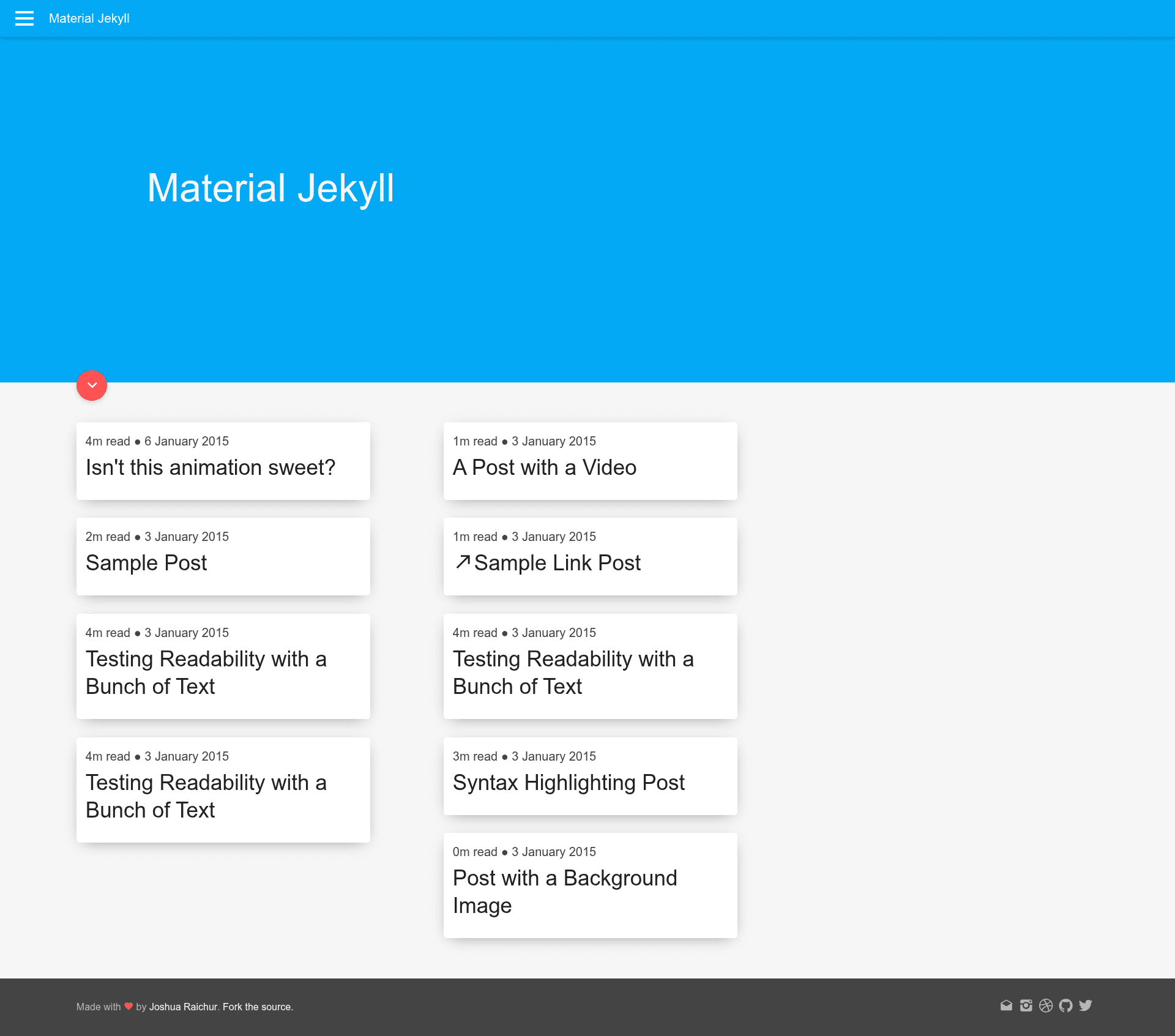
Material Jekyll
A Material Design inspired Jekyll theme.
About this template
Material Jekyll is a Jekyll theme that brings Google's Material Design visual language to static websites, offering a ready-made layout for developers who want the look without starting from scratch.
What is Material Jekyll?
Material Jekyll is an open-source theme for the Jekyll static site generator, styled after the Material Design guidelines published by Google. It takes a standard Jekyll project—composed of Markdown or HTML content, a _config.yml configuration file, and Liquid templates—and renders it as a static website with Material Design's characteristic cards, shadows, and color palette. The theme is distributed as a GitHub repository that you clone, configure, and serve locally. The project's repository metadata lists exactly 10 stars, indicating a small but public community, and the source does not name an individual author or organization.
Key Features
- Material Design styling — The theme's layout, navigation, and home page follow the Material Design spec, giving the site a Google-inspired card-based appearance.
- Clone-and-run setup — The repository provides a complete Jekyll site structure, so cloning it gives you a working site immediately.
- Configuration-driven customization — All site-wide settings live in
_config.yml, letting you adjust metadata like title and description without editing template files. - Local development with live reload — Running
jekyll serve -wstarts a local web server that watches for file changes and rebuilds the site automatically. - Included navigation and home page — The project's screenshots show a navigation bar and a home page layout, which are part of the theme's default structure.
Who is it for?
- Jekyll developers who want a Material Design-styled site without hand-writing CSS or HTML layouts.
- Design-conscious site owners looking for a clean, Google-inspired aesthetic for a personal blog, portfolio, or project site.
- Jekyll beginners who can follow the three-step setup process to get a local site running quickly and then customize it through the config file.
How does Material Jekyll work?
The workflow is a simple three-step process: first, clone the repository to your local machine. Second, open _config.yml and edit the site settings to match your project. Third, run jekyll serve -w to launch a local development server that automatically rebuilds the site whenever you change content or configuration.
FAQ
Is Material Jekyll free?
The project is publicly hosted on GitHub and the instructions demonstrate a standard open-source workflow of cloning and running it locally. The source does not mention pricing or a commercial license, so it appears to be free to use.
What do I need to run Material Jekyll?
You need Ruby and Jekyll installed on your system, because the theme relies on Jekyll's build commands and directory structure. No other dependencies or build tools are mentioned in the repository.
How do I customize the navigation or home page?
The theme includes a navigation bar and a home page, but the provided content doesn't explain how to edit those specific components. You can modify the repository's HTML and Liquid template files directly, or adjust the global settings in _config.yml that feed those templates.