Template details
Mazer Dashboard
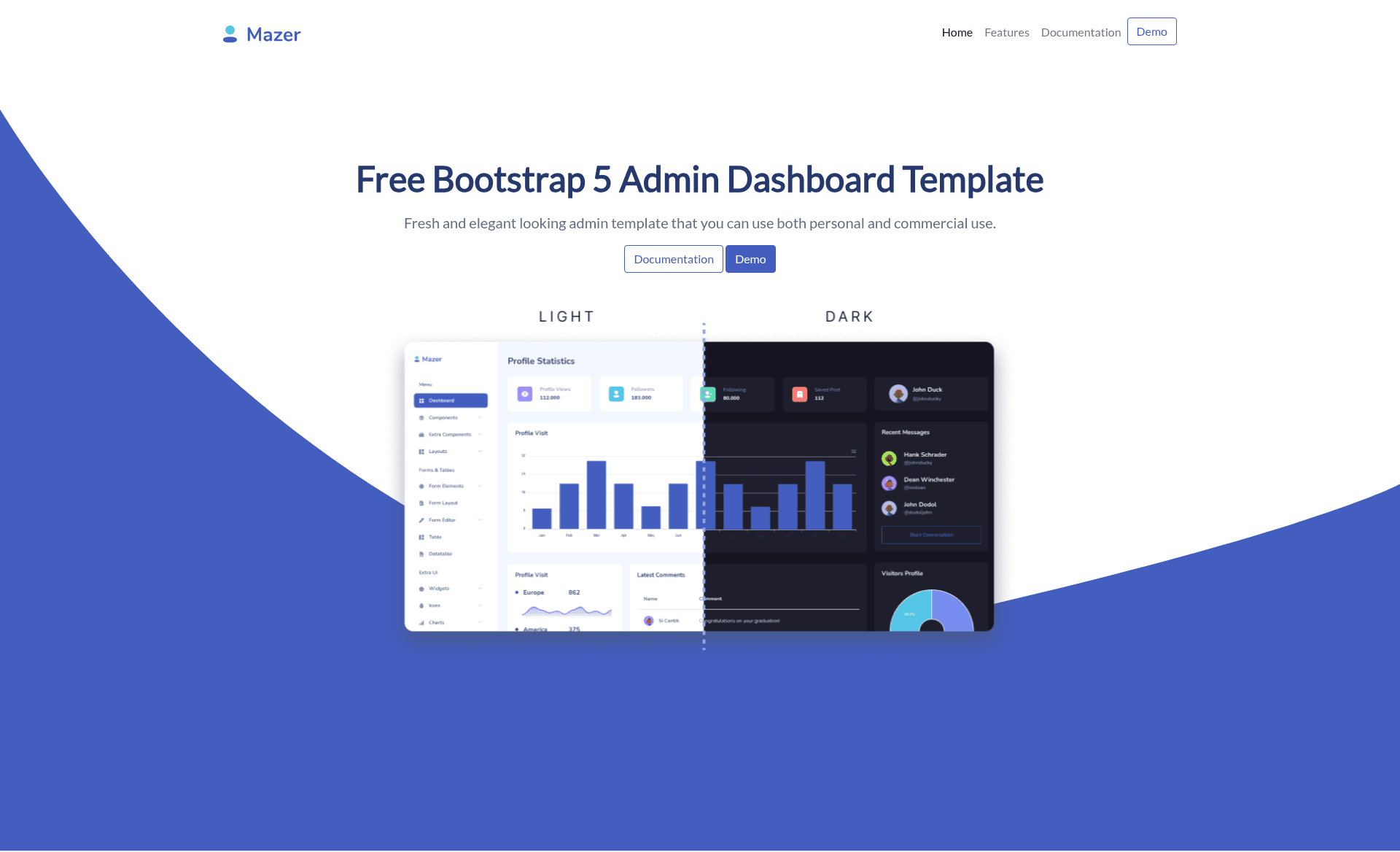
Free, open-source Bootstrap 5 admin dashboard template with no jQuery, dark mode, and a landing page.
About this template
Mazer is a free, open-source admin dashboard template built with Bootstrap 5 that gives developers a ready-made UI for admin panels and landing pages without a jQuery dependency.
What is Mazer Dashboard?
Mazer Dashboard is a front-end admin template on GitHub maintained by Saugi, distributed under the MIT License, and used by over three thousand GitHub stargazers. It takes the HTML, SCSS, and JavaScript source from the repository and compiles it into a responsive, dark-mode-capable dashboard interface that runs entirely in the browser. The project includes a live demo and a documentation site hosted on GitHub Pages, plus an Indonesian-language README for local contributors.
Key Features
- Bootstrap 5 without jQuery — Built on Bootstrap 5 with zero jQuery dependency, so it loads faster and works with modern JavaScript tooling.
- Dark mode — Ships with a compiled
app-dark.cssstylesheet and a smalldark.jsinit script that toggles the theme. - Prebuilt dashboard components — Includes the compiled CSS and JS plus extensions like ApexCharts for charts and Perfect Scrollbar for custom scrollbars.
- SCSS source files — The repository exposes SCSS source code so developers can recompile their own theme with npm or Yarn.
- CDN delivery — The compiled assets are served through jsDelivr, so you can embed the entire dashboard with a few link and script tags.
- Docker support — A Dockerfile lets you build and run the frontend on port 5173 without a local Node.js setup.
- Community framework ports — The README links to community-maintained versions for Laravel, Django, Flask, Nuxt, React, Next.js, AdonisJS 5, Symfony 6.3, Rails, Yii2, and Spring-Thymeleaf.
- Free and open source — The template is available under the MIT License, with no paid tier or licensing fee.
Who is it for?
Mazer is for developers who need a polished admin interface quickly without building one from scratch. A backend developer integrating a Rails or Django app can use the community ports to scaffold the frontend. A frontend developer can clone the repo, run npm run dev, and start customizing the SCSS components. A hobbyist building a small internal tool can use the CDN links to add a dashboard to a plain HTML page in minutes.
What can you do with Mazer?
- Rapid admin panel prototyping: Download the latest release, open the index HTML file, and immediately reuse the prebuilt dashboard pages for layouts, tables, forms, and charts.
- Backend framework integration: Pair the template with a community port—such as Laravel Mazer Starter or Mazer Django—to get admin views that match your existing backend stack.
- Embedded dashboards via CDN: Drop the jsDelivr-hosted CSS and JS into any static HTML page, add the ApexCharts script, and get a functioning dashboard without a build step.
- Custom theme development: Work from the SCSS source and rebuild the assets with Yarn or npm to produce a personalized color scheme and component set.
How does Mazer work?
Mazer works as a static front-end template. You can either download the prebuilt release and open the HTML files directly, or clone the repository, install dependencies with yarn install or npm install, run npm run dev to serve the project at http://localhost:5173, and edit the source files. For containerized development, docker build -t mazer-frontend . followed by docker run -it -d -p 5173:80 --name mazer mazer-frontend runs the app on the same port.
Pricing
Mazer is free and open source under the MIT License. There is no premium version, subscription, or paid feature set mentioned in the repository.
Alternatives
- AdminLTE — a widely used open-source Bootstrap admin dashboard template with a similar component set.
- CoreUI — another Bootstrap-based admin template that offers both free and commercial editions.
FAQ
Is Mazer free?
Yes, Mazer is completely free and open source. The repository is released under the MIT License, which permits personal and commercial use without licensing fees.
Does Mazer require jQuery?
No. The template is explicitly built with Bootstrap 5 and has no jQuery dependency, so you can use plain JavaScript or any modern framework for custom scripts.
What frameworks can Mazer be used with?
The core template is plain HTML, but the README lists community ports for Laravel, Django, Flask, Nuxt, React, Next.js, AdonisJS 5, Symfony 6.3, Ruby on Rails, Yii2, and Spring-Thymeleaf, among others.
How do I install Mazer?
You can download the ready-made build from the GitHub releases page, clone the repository and run npm install and npm run dev, or use Docker with the provided Dockerfile. For simple projects, you can also include the compiled files from jsDelivr via CDN.
Does Mazer include a landing page?
The repository description states it is both an admin dashboard template and a landing page, so the demo includes both interface types.