Template details
Mindful Auth Astro 6 Template
Official Astro 6 template for Mindful Auth authentication on Cloudflare Workers with D1/Tape storage.
About this template
Mindful Auth Astro 6 Template is an official public boilerplate that gives Astro 6 developers a pre-configured authentication stack backed by Cloudflare Workers and D1 or Tape databases.
What is the Mindful Auth Astro 6 Template?
This template is a starting point for building an Astro 6 application with a complete authentication system handled by Mindful Auth. It runs on Cloudflare Workers, uses Astro 6's Content Layer, Middleware, and CSP, and stores user data in your own Cloudflare D1 or Tape instance. The project is published by Mindful Auth and maintained by contributor lomaymi. It produces a deployable Astro site with login flows, account management, and bot protection included.
Key Features
- Astro 6.0+ Optimized — Native support for Content Layer, Middleware, CSP, and SSR.
- Astro Actions Ready — Type-safe client-to-server communication for all auth flows.
- Fully Headless — Bring your own UI; there are no black-box components or forced styling.
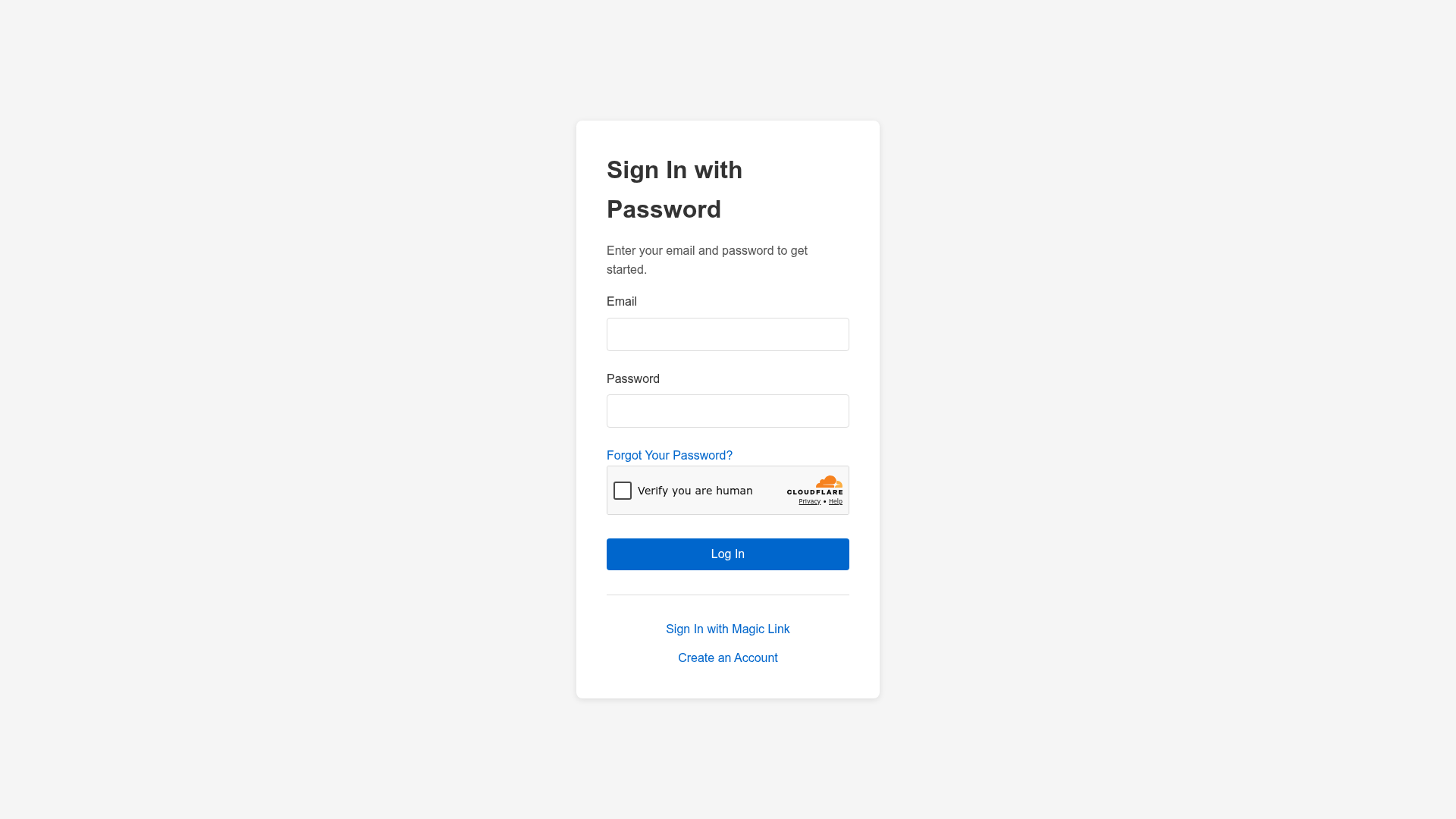
- Password Authentication — Traditional email and password sign-in with secure verification links.
- Magic Link Authentication — Passwordless login protected by four distinct security layers.
- Two-Factor Authentication — TOTP-based 2FA for stronger account security.
- Audit Logs — Tracks all authentication events for security and compliance.
- Six-Layer Defense System — Built-in rate limits, bot protection, and anomaly detection.
Who is it for?
- Astro developers building edge-deployed apps who want a pre-built, secure auth layer instead of rolling their own.
- SaaS founders shipping products on Cloudflare who need password, magic link, and 2FA options without creating user tables themselves.
- Teams with data ownership requirements — user records live in your own D1 or Tape instance, so you keep 100% control of member data.
What can you do with it?
- Add login and registration quickly: Wire existing Astro pages to Mindful Auth endpoints and have password or magic-link flows in minutes.
- Protect routes with Middleware: Use Astro 6 Middleware to gate pages and API routes, redirecting unauthenticated visitors to sign-in.
- Deploy to Cloudflare Workers: Run
npm run buildthennpx wrangler deployto push the project to the edge.
How does it work?
The quick start requires creating a Mindful Auth account, setting up the frontend from this template, adding Cloudflare Turnstile credentials, configuring email webhooks (Postmark, Resend, or n8n/Make/Zapier), initializing the backend with D1 Tables or a Tape Workspace, onboarding your deployment hostname, and deploying the worker. An INTERNAL_API_KEY must be added as an encrypted secret in the Cloudflare dashboard, never in .env.
FAQ
What are the prerequisites for using this template?
You need Node.js 22+, a Cloudflare account (the free tier works for D1 and Workers), Turnstile Site and Secret Keys, a registered subdomain for the Mindful Auth dashboard, and the Wrangler CLI installed and authenticated.
Is Cloudflare Turnstile required?
Yes, Turnstile site and secret keys are required for bot protection. They are free from Cloudflare.
Does the template support email verification and password resets?
Email flows are not bundled directly; the README instructs you to connect Postmark, Resend, or automation tools like Make, n8n, or Zapier to handle transactional emails.
Can I use this outside Cloudflare Workers?
The project is specifically engineered for Cloudflare Workers and D1; the Wrangler config and deployment steps are tied to that platform.