Template details
Ananke
Production-ready Hugo starter theme with accessible layouts, i18n, and SEO defaults.
About this template
Ananke is a production-ready Hugo starter theme that generates accessible, responsive static websites from markdown content, with performance and maintainable defaults built in.
What is Ananke?
Ananke is a flexible, production-ready starter theme for Hugo, the popular open-source static site generator. It takes standard Hugo content written in Markdown (with front matter) and outputs a fully responsive static website featuring accessible markup, a configurable hero/header, social follow/share links, and SEO-friendly defaults. The theme is created by the developers behind the gohugo-ananke organisation, and since April 23, 2026, the canonical repository is github.com/gohugo-ananke/ananke, replacing the older github.com/theNewDynamic/gohugo-ananke-theme URL (which still works for cloning and submodules).
Key Features
- Responsive layouts & accessible markup — The theme's HTML adapts to mobile, tablet, and desktop viewports and follows accessibility best practices.
- Configurable hero/header behavior — Site owners can adjust how the hero and header appear via Hugo's configuration files.
- Social follow/share links — Add links to your social media profiles and enable sharing buttons across posts and pages.
- Optional contact form shortcode — Drop a simple contact form into any page using a shortcode; no external service required.
- Localized i18n strings — Interface text can be translated using Hugo's i18n system, with many language files already included.
- SEO defaults with Hugo internal templates — Meta descriptions, Open Graph tags, and structured data come from Hugo's built-in template functions.
- Reading time & word count — Blog posts automatically display estimated reading time and word counts.
- Robots.txt per environment — The robots.txt file is generated differently for development, staging, and production environments.
Technically, Ananke is built on Hugo's templating system and uses the Tachyons CSS library for styling. The theme includes the standard Hugo templates for the homepage, list pages and single content pages, and it can be installed in two supported ways: as a Hugo Module (recommended) or as a Git Submodule.
Who is it for?
- Hugo developers who want a solid, production-grade starting point for client projects — they can clone or install via Hugo Modules, then customise the hero, social links, and layout through documented configuration.
- Bloggers who need an accessible, fast blog with reading time, social sharing, and multi-language support out of the box.
- Agencies and freelancers building multi-language or multi-region static sites on Hugo can rely on the i18n strings, robots.txt handling, and demo site as reference.
What can you do with Ananke?
- Launch a new Hugo site quickly: Install Ananke as a module or submodule, add markdown content, and deploy to any static host — the demo site runs on Netlify at ananke-theme.netlify.app.
- Customise the look and feel: Configure the hero/header and social links in the site config, or override templates using Hugo's theme layering; a customisation guide is linked from the documentation.
- Localise your content: Use the built-in i18n strings to translate interface elements, while keeping your content in multiple languages.
- Add a contact page: Insert the contact form shortcode into any page to give visitors a way to get in touch without setting up a separate backend.
How does Ananke work?
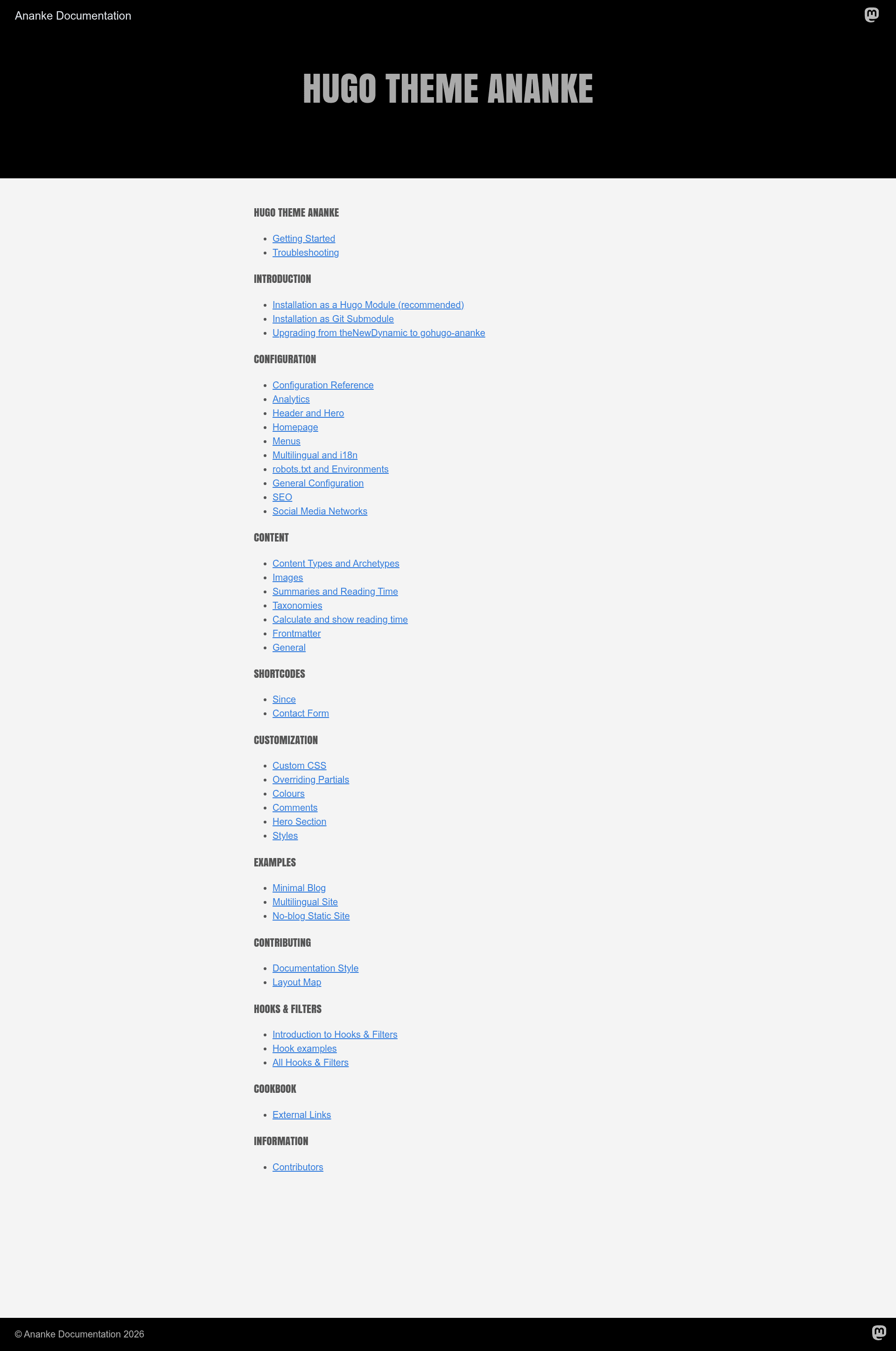
Installation is done through a simple two-step process: either add the module to your Hugo site's configuration and run hugo mod tidy, or clone the theme as a Git submodule into your themes directory. After that, the documentation at ananke-documentation.netlify.app walks you through configuration and customisation, including troubleshooting tips.
FAQ
How do I install Ananke?
There are two documented installation methods: Hugo Modules, which is recommended and requires adding the module path to your site configuration and running hugo mod tidy, and Git Submodules, which involves cloning the repository into your themes folder and updating your site's theme setting.
Does Ananke support multiple languages?
Yes, Ananke includes localized i18n strings in "many languages" and leverages Hugo's i18n system, so you can display the theme's interface text in different languages. Your content can additionally be translated using standard Hugo multilingual features.
What CSS framework does Ananke use?
Ananke uses Tachyons, a functional CSS library, to provide a light, composable styling foundation. This keeps the generated pages fast and makes it straightforward to adjust the design without a heavy CSS framework.
Where can I find the demo and documentation?
The live demo is hosted at ananke-theme.netlify.app, and the full documentation, covering installation, getting started, configuration, customisation, and troubleshooting, is at ananke-documentation.netlify.app.
How can I contribute to Ananke?
You can report bugs through GitHub Issues, ask questions or propose features through GitHub Discussions, and follow the contribution guide in CONTRIBUTING.md. The project is actively maintained in the gohugo-ananke organisation on GitHub.